28
Cirris® Easy-Touch™ Pro User Manual
3.5 Accessing the Easy-Wire Manual/Help System
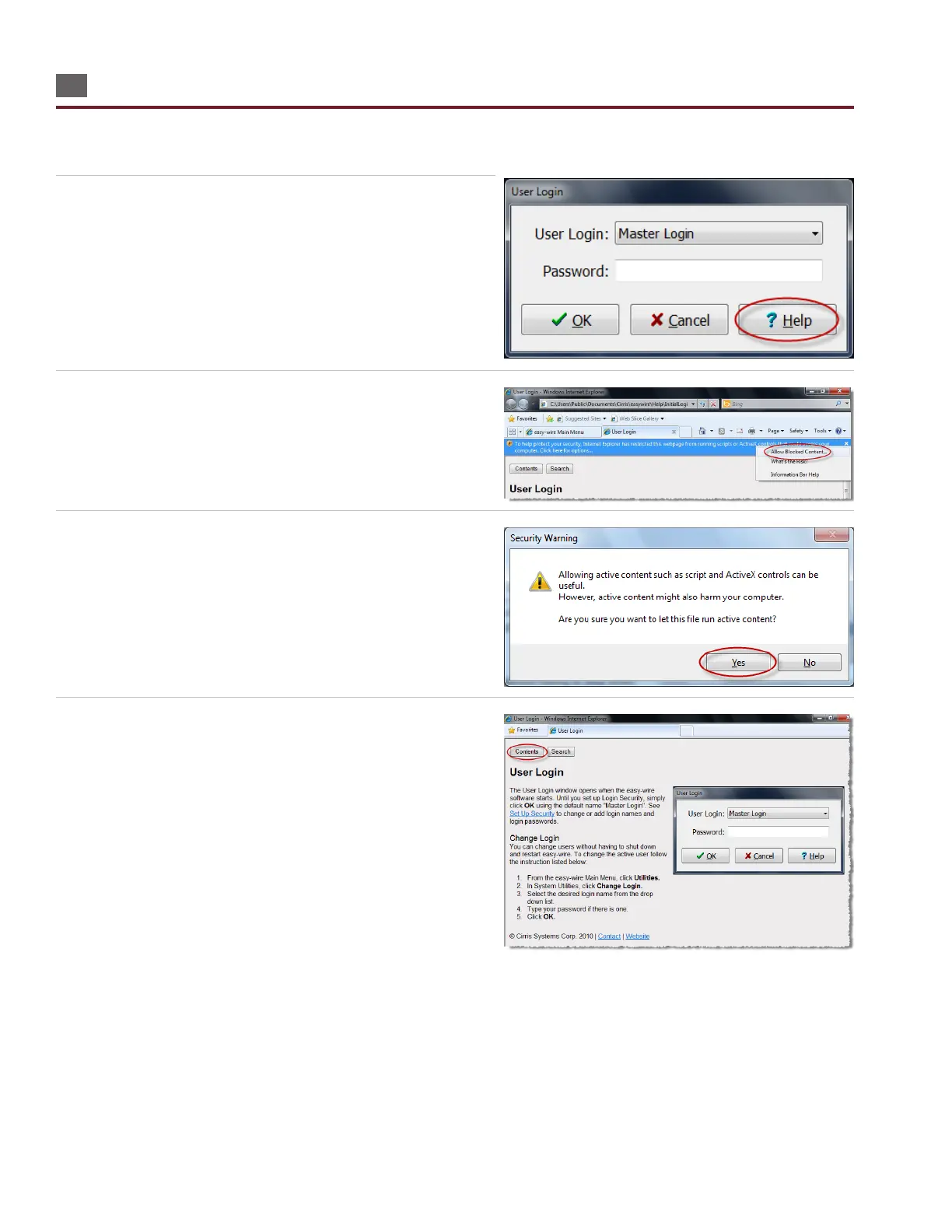
The complete Easy-Wire manual is available when you press the Help button in any window in Easy-Wire. Sections of the
manual may be printed if desired.
1. Press ‘Help’ in any window in Easy-Wire. The help information
for that window will open.
2. If there is an information bar at the top of the screen, right-click
the information bar and then press ‘Allow Blocked Content.’
If there is no information bar, skip to step 4.
3. When the security warning opens, press ‘Yes.’
4. To view the entire Easy-Wire manual by chapter, press ‘Contents.’



 To Next Page