10
Cirris® Easy-Touch™ Pro User Manual
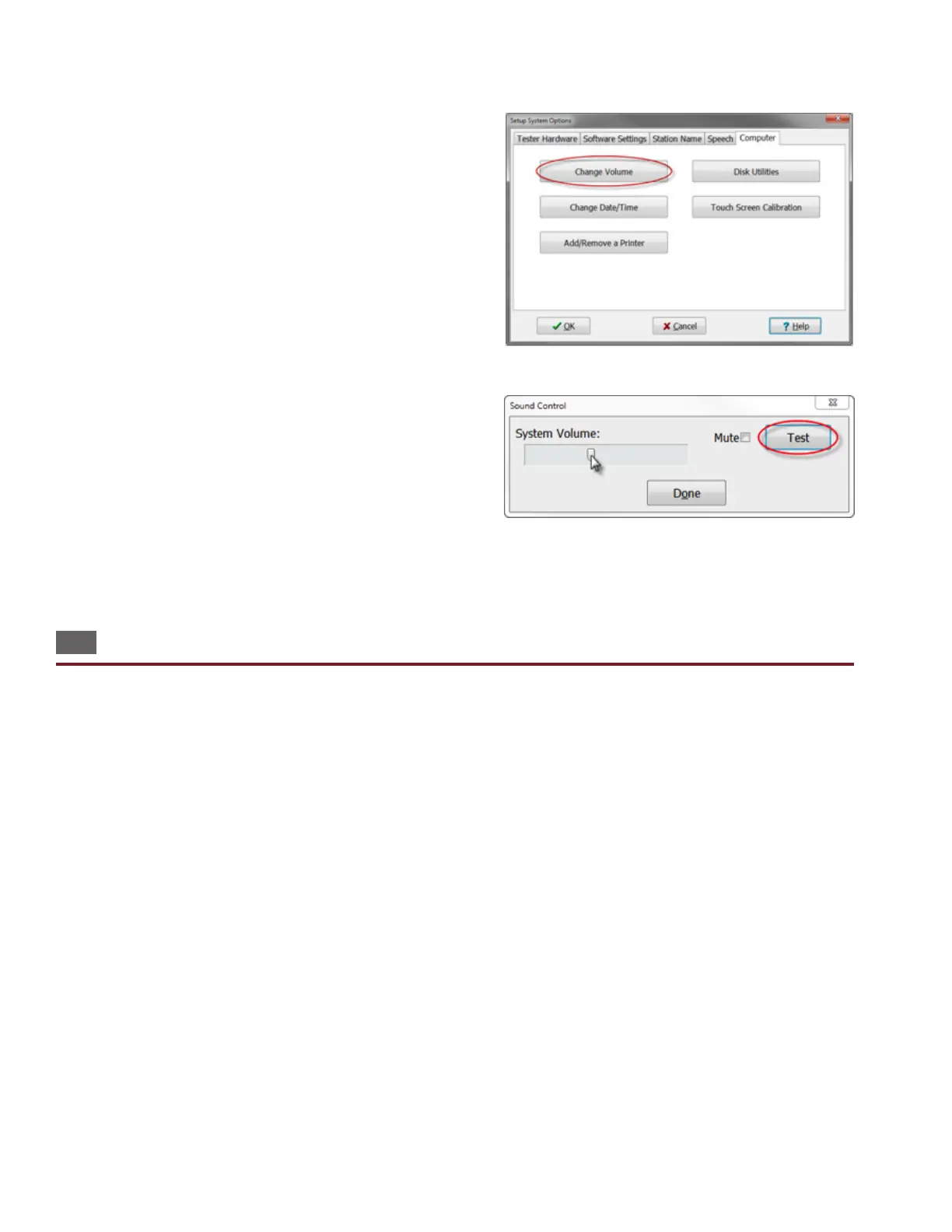
3. Open the Computer tab and press Change Volume.
4. Sound Control will open displaying two volume controls.
● System Volume: controls the overall sound in Easy-Wire
including the Good cable and Bad able sounds in the test
window.
● Test Sound Volume: Controls the volume of the good cable
ticking sounds that occur during a continuous test.
5. Press OK.
6. Press Done to return to the main menu.
1.10 Optional Software Features
The “Alternate Language” feature allows you to change the software language. To register this feature, see “Optional Soft-
ware Features” in the Easy-Wire help system. The following optional features are also available for the Easy-Touch Pro tester:
● Measured Values: The Easy-Wire reporting capability allows you to capture and store the measured values of all
tests. You can store data for low voltage (LV) and high voltage (HV) values along with the actual measured values of
all components. This is called “Data Collection” when enabled.
● AC High Voltage: This option allows you to perform AC hipot tests up to 1000 VAC (RMS). Note: With 1000 VDC
testers the AC option is limited to 700 VAC (RMS).
● Scripting: This option allows you to adapt the tester’s behavior to t your needs, add new features, and ease auto-
mation of tasks in the tester. Most scripting developed for 1100H+ and Touch-1 testers will work on the Easy-Touch
Pro tester. Scripting examples can be found under the documentation tab on the Easy-Touch Pro product page at
cirris.com.



 To Next Page