ESIGNO_SYSTEM_USER_MANUAL_101.DOCX 10/71
K
KK
KEYBOARD
EYBOARDEYBOARD
EYBOARD
The ESIGNO Mobile provides an enhanced
keyboard, featuring a group of multifunctional
keys whose function depends upon the cursor
position and the working mode (Encoder or
HHI).
e
ee
eSIGNO
SIGNOSIGNO
SIGNO
M
MM
MOBILE
OBILE OBILE
OBILE D
DD
DEVICE
EVICEEVICE
EVICE
ALPHANUMERIC KEYS
ALPHANUMERIC KEYSALPHANUMERIC KEYS
ALPHANUMERIC KEYS
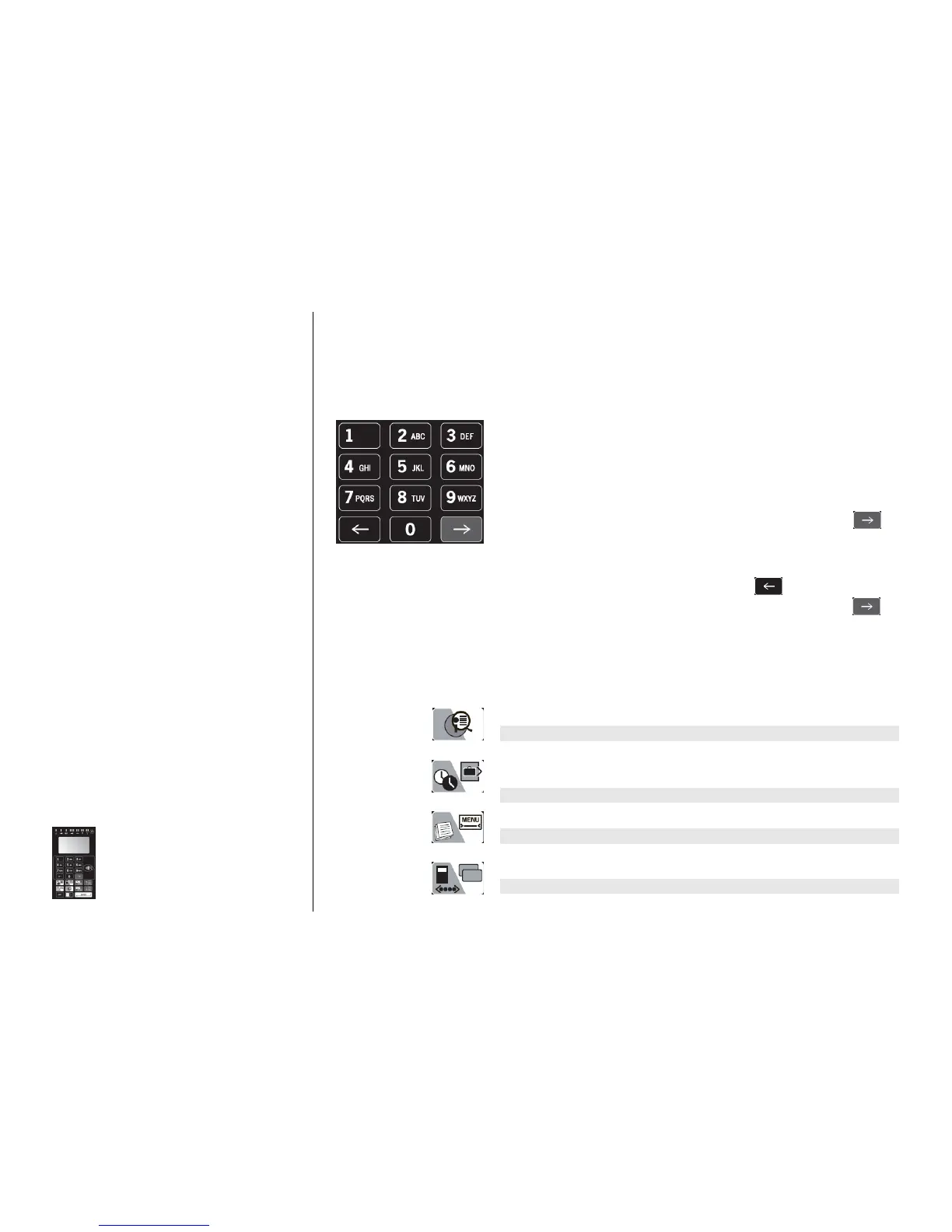
The buttons from 1 to 9 can be used to input either letters or digits in
text or numeric fields:
• the first time you press one of these buttons a digit is displayed;
• with the following pressings of the same key, the letters printed on
the button are then displayed;
• at the end of each sequence, another pressing of the button makes
the sequence start again.
If you need to compose a word made of more than 1 character:
• select the first character by pressing the proper button;
• if the second character is listed in the same button, press or
wait 1 second for the cursor to automatically move into next
position; instead, if the second character is contained in another
key, simply press it to insert the character into next position;
• to erase the last character displayed, press ;
• to leave a blank space or to move to the next position press .
DOUBLE FUNCTION KEYS
DOUBLE FUNCTION KEYSDOUBLE FUNCTION KEYS
DOUBLE FUNCTION KEYS
The function of these buttons depends upon the ESIGNO Mobile
working mode, i.e. Encoder (white background) or HHI (grey
background).
Enhanced display
Enhanced displayEnhanced display
Enhanced display: to display all the card details.
Info
InfoInfo
Info: to retrieve information from the locks.
Check
CheckCheck
Check-
--
-out
outout
out: to check-out the displayed guest card (this will only make
the card inactive, but it will not cancel it from the database).
Synchro
SynchroSynchro
Synchro: used to synchronize the locks with the HHI.
Menu
MenuMenu
Menu: to access to the encoder menu.
Audit trail readout
Audit trail readoutAudit trail readout
Audit trail readout: to read the operations performed on a lock.
Copy guest card
Copy guest cardCopy guest card
Copy guest card: to quickly copy a guest card.
Print
PrintPrint
Print: to print information stored in memory, using a PC.



 To Next Page