ESIGNO_SYSTEM_USER_MANUAL_101.DOCX 34/71
C
CC
CARD
ARD ARD
ARD S
SS
SUSPENSION
USPENSIONUSPENSION
USPENSION
D
DD
DATE
ATE ATE
ATE &
&&
&
T
TT
TIME
IMEIME
IME
S
SS
SETTINGS
ETTINGSETTINGS
ETTINGS
E
EE
ENCODER
NCODER NCODER
NCODER M
MM
MODE
ODE ODE
ODE
M
MM
MENU
ENUENU
ENU
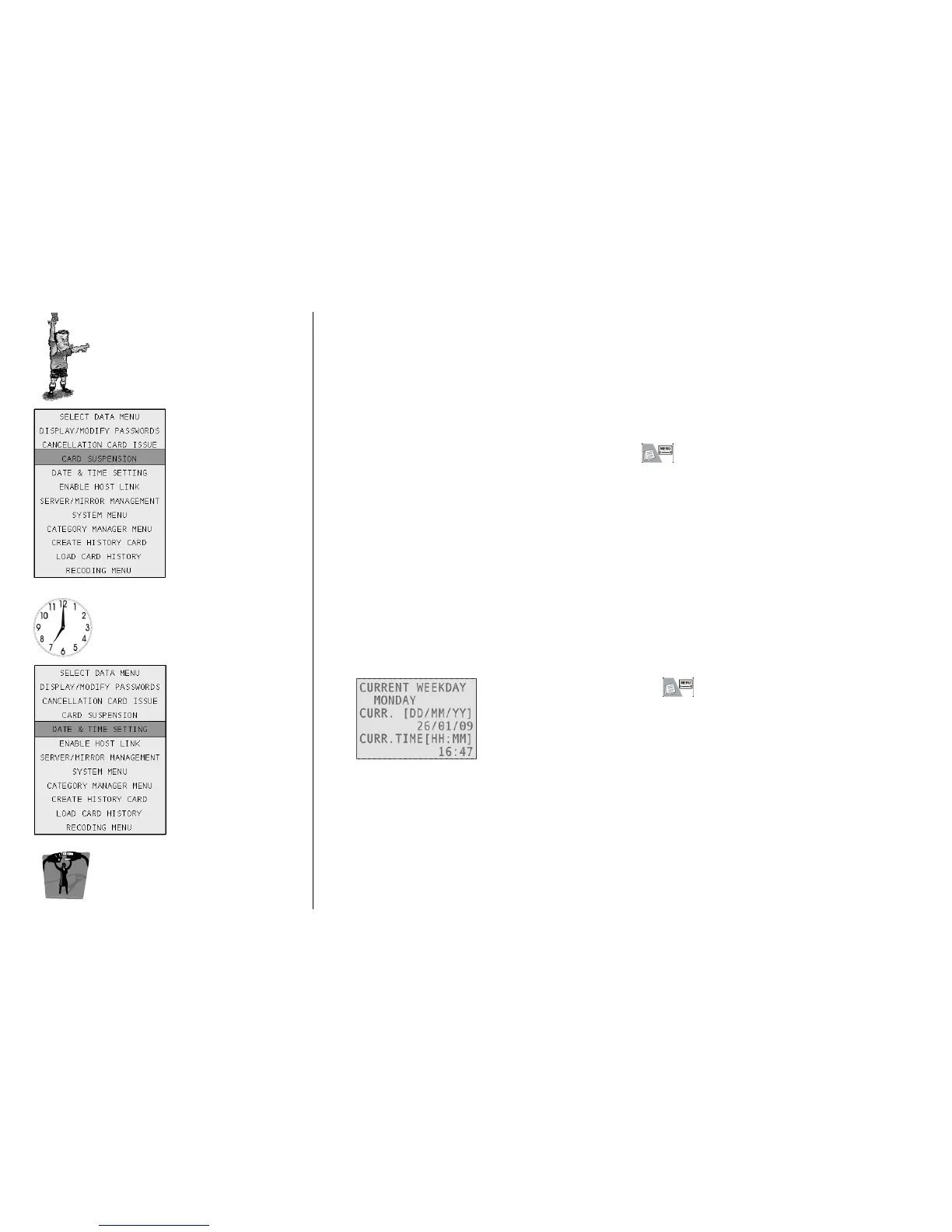
This function, active only for cards for which has been set the validation, permits the suspension of the
card’s validity for a certain period of time.
Put upon the tag reader a card with validation and press , then select Card Suspension.
To set Date and Time, press , then select Date & Time Settings.
In this frame you can set the current date and time; if you change the
current date, the system automatically updates the weekday (it is not
possible to directly modify the weekday).
Whenever you modify the system date and time, all locks must be
synchronized.



 To Next Page