ESIGNO_SYSTEM_USER_MANUAL_101.DOCX 43/71
R
RR
RECODING
ECODINGECODING
ECODING
M
MM
MENU
ENUENU
ENU
E
EE
ENCODER
NCODER NCODER
NCODER M
MM
MODE
ODE ODE
ODE
M
MM
MENU
ENUENU
ENU
The recoding function
recoding functionrecoding function
recoding function consists in the possibility of changing parameters of already issued staff or user
cards. This function is not active by default: in fact, the recoding menu is accessible only if during the
initialization of the plant it has been enabled.
It is possible to recode a staff or user card in two different ways:
• searching for a card in the cards database (Select Data Menu) and selecting it;
• presenting the card you want to recode to the tag reader.
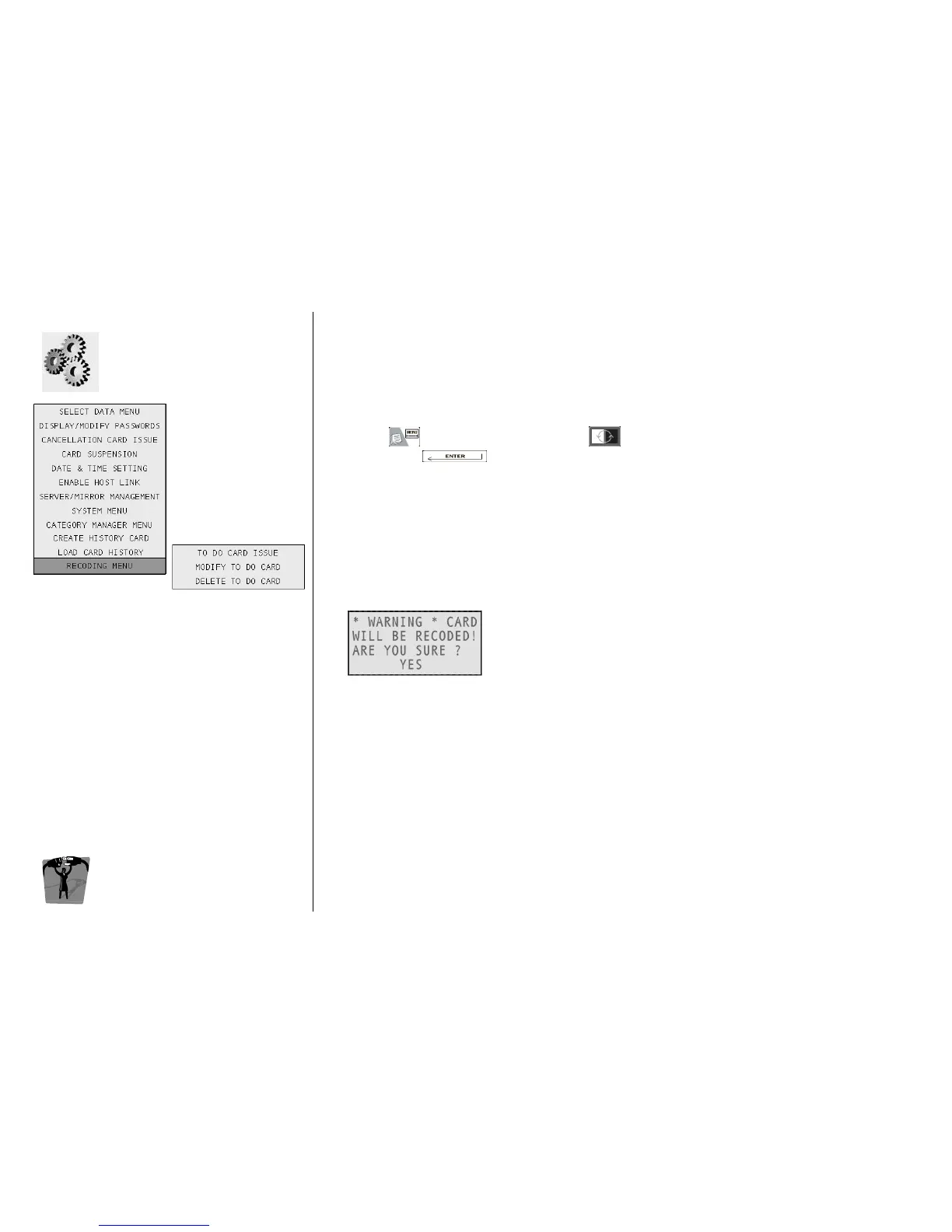
Then, press , navigate into the menu with and select Recoding Menu and then To Do Card
To Do Card To Do Card
To Do Card
Issue
IssueIssue
Issue, by pressing : now you are entered in the menu (identical to the staff card issue one)
where you can change the parameters of the selected staff card.
In this way you will send the recoding command to the special lock
special lockspecial lock
special lock, configured as validator, with the
recoding function active (e.g. the hotel main entrance). When the staff operator with that specific card
will present it on the main entrance reader, the parameters of the card will be changed in compliance
with the instructions given by the recoding command.
Although the recoding command has been already sent, it is possible to change or delete it before it
arrives to the card by accesing the Modify To Do Card
Modify To Do Card Modify To Do Card
Modify To Do Card and the Delete To
Delete ToDelete To
Delete To
Do Card
Do CardDo Card
Do Card
menu respectively.
Once the recoding command has been sent to the special door, if you read the card with the tag
reader before it has been recoded by the validator, the encoder will show you a warning message.



 To Next Page