ESIGNO_SYSTEM_USER_MANUAL_101.DOCX 36/71
S
SS
SERVER
ERVER ERVER
ERVER /
//
/
M
MM
MIRROR
IRRORIRROR
IRROR
M
MM
MANAGEMENT
ANAGEMENTANAGEMENT
ANAGEMENT
TIP
TIPTIP
TIP
In case of Mirror device malfunction, it is possible
to disable it, and re-enable it in a second
moment, using the Enable Mirroring function.
E
EE
ENCODER
NCODER NCODER
NCODER M
MM
MODE
ODE ODE
ODE
M
MM
MENU
ENUENU
ENU
The Mirror is a device whose memory and functionality are exactly
identical to Server’s: therefore, with Mirror device, it is possible to do
the same operations you can do with Server.
During the creation of the plant you can choose to have one or more
Mirror devices: this is useful if you have more than one place where
you issue and write cards (for example if you have more than one
reception in the hotel).
SWITCH TO MIRROR
SWITCH TO MIRROR SWITCH TO MIRROR
SWITCH TO MIRROR / SERVER
/ SERVER / SERVER
/ SERVER MODE
MODEMODE
MODE
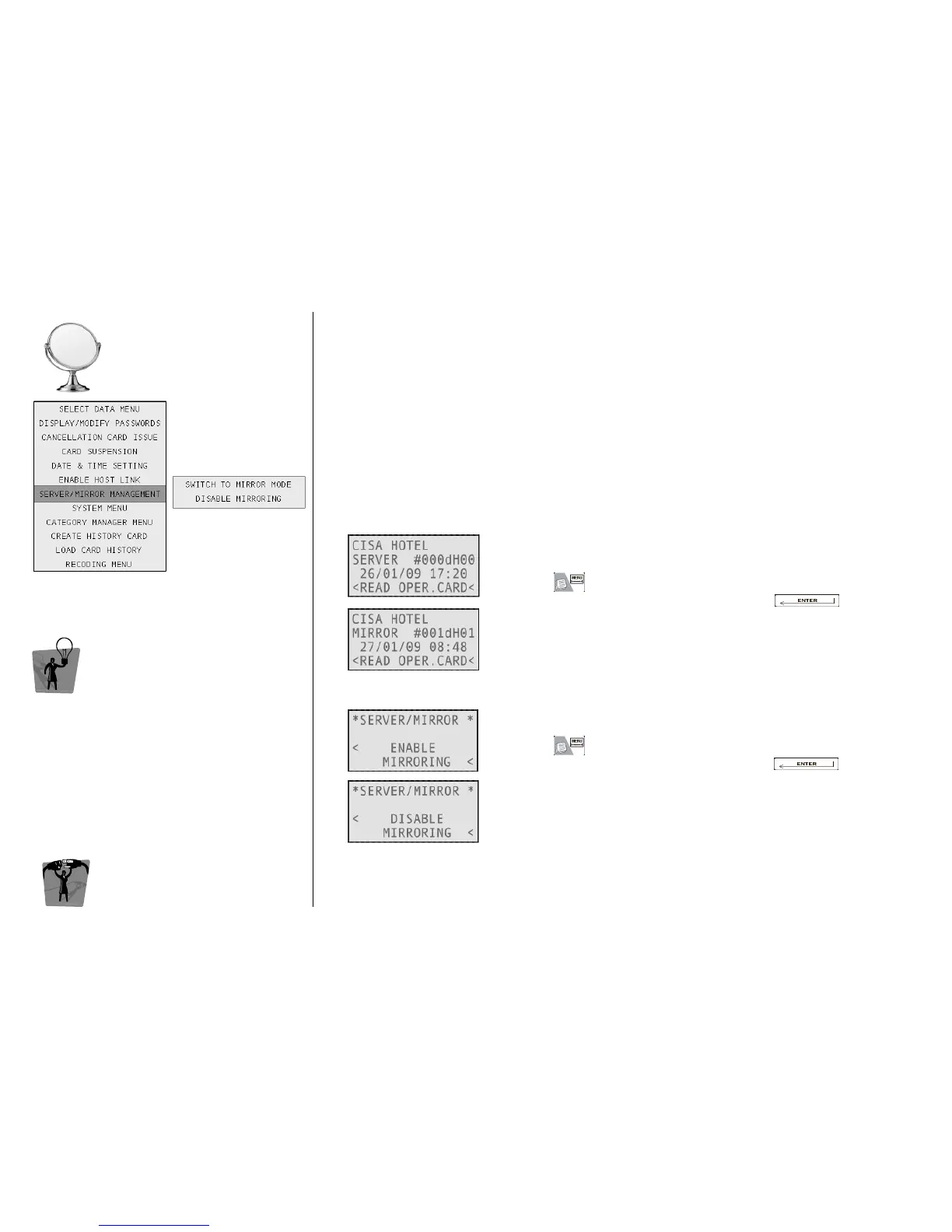
The ESIGNO Mobile can work in both Server and Mirror mode.
To switch the encoder from one mode to the other:
• press ;
• select Server/Mirror Management by pressing ;
• select Switch to Mirror (Server) Mode. .
ENABLE MIRRORING MODE
ENABLE MIRRORING MODEENABLE MIRRORING MODE
ENABLE MIRRORING MODE
To enable/disable mirroring mode:
• press ;
• select Server/Mirror Management by pressing ;
• select Enable (Disable) Mirroring.
When a plant contains a Mirror device, mirroring is automatically
enabled in the Server.



 To Next Page