B
BB
B
ATTERY
ATTERY ATTERY
ATTERY
S
SS
S
TATUS
TATUSTATUS
TATUS
The battery status control can be done using any valid staff card; there are 2 different warning levels:
• low battery status: the LED signal gives 3 red + green blinks before lock opening;
• end battery status: the LED signal gives 12 red + green blinks before lock opening.
These warnings are also recorded into lock history as separate events with respect to the openings.
Steps to change batteries:
Steps to change batteries:Steps to change batteries:
Steps to change batteries:
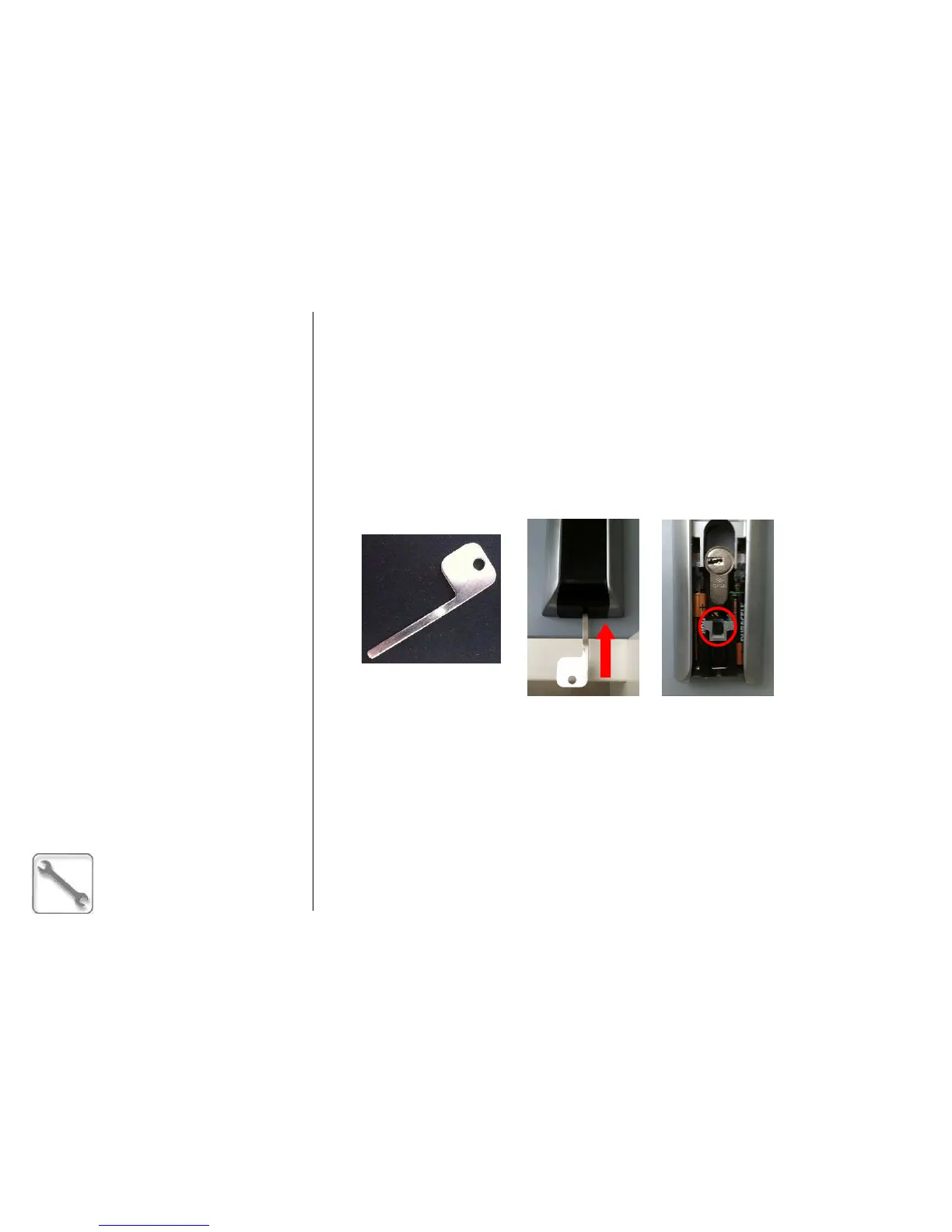
• with the proper tool, remove the lower plastic cover from the external plate;
• disconnect the batteries holder by pressing the central pin;
• replace the batteries (3 alkaline AAA LR3 type batteries are needed).
E
EE
E
MERGENCY
MERGENCY MERGENCY
MERGENCY
M
MM
M
ECHANIC
ECHANICECHANIC
ECHANICAL
ALAL
AL
C
CC
C
YLINDER
YLINDERYLINDER
YLINDER
The electronic locks always have an emergency mechanical cylinder with variable key bitting.
The cylinder works with 3 different keys (number from 1 to 3):
• key number 1 must be used first;
• in case of key number 1 has been lost or has not been considered secure, key number 2 can be
used. In this case the use of the key number 1 is blocked;
• in the same way, using key number 3, key number 2 will be disabled.
Independently from the key you are using, follow this procedure:
• expose the mechanical cylinder by removing the lower plastic cover from the external plate, using
the proper tool (see figure above);
• insert the mechanical key and turn 360° in the clockwise direction;
• rotate the knob (external handle).



 To Next Page