ESIGNO_SYSTEM_USER_MANUAL_101.DOCX 42/71
C
CC
CREATE
REATEREATE
REATE
H
HH
HISTORY
ISTORY ISTORY
ISTORY C
CC
CARD
ARDARD
ARD
L
LL
LOAD
OADOAD
OAD
C
CC
CARD
ARD ARD
ARD H
HH
HISTORY
ISTORYISTORY
ISTORY
E
EE
ENCODER
NCODER NCODER
NCODER M
MM
MODE
ODE ODE
ODE
M
MM
MENU
ENUENU
ENU
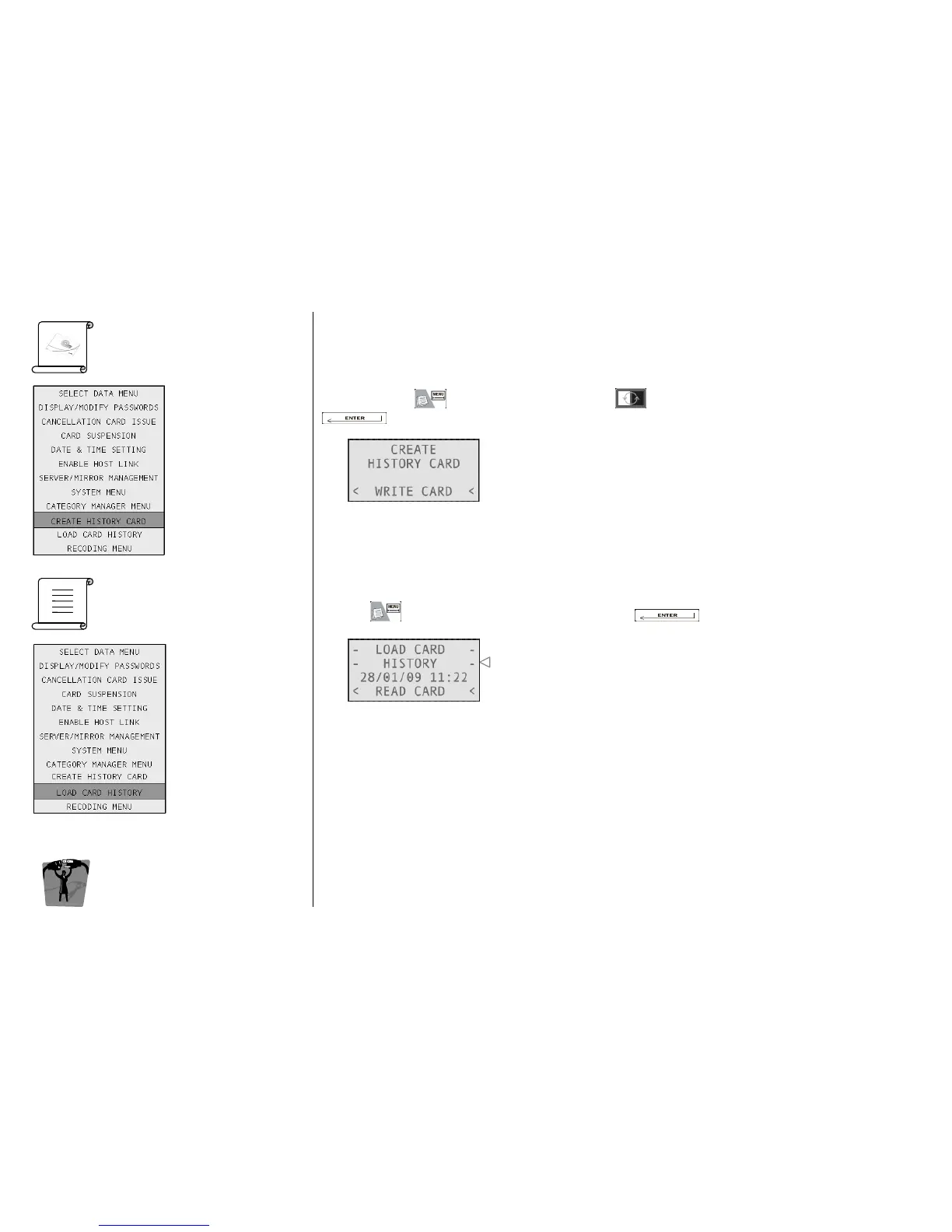
It’s possible to create a special card that, once presented to a lock, can download its whole history.
To do this, press , navigate into the menu with and select Create History Card by pressing
. The encoder will ask you to present a card to be written.
Once the history card has been written, you can present it to the reader of the lock: in this way history
data will be written on the card. When this operation is completed, the lock will simultaneously display
red and green lights.
In order to visualize data, you have to:
• press and select Load Card History by pressing ;
The encoder will ask you the card to be read.
• present the card with history data on board to the encoder;
if the card has some data stored on its memory, they will be transferred into the encoder and
shown on the display;
if the card contains no data, an error message will be shown.
Note
NoteNote
Notes
ss
s:
: :
:
• a history card can be used just once; to use it again, you have to create a new one.
• on wireless locks, it is possible to perform this operation by remote.



 To Next Page