ESIGNO_SYSTEM_USER_MANUAL_101.DOCX 33/71
D
DD
DISPLAY
ISPLAY ISPLAY
ISPLAY /
//
/
M
MM
MODIFY
ODIFYODIFY
ODIFY
P
PP
PASSWORDS
ASSWORDSASSWORDS
ASSWORDS
C
CC
CANCELLATION
ANCELLATIONANCELLATION
ANCELLATION
C
CC
CARD
ARD ARD
ARD I
II
ISSUE
SSUESSUE
SSUE
E
EE
ENCODER
NCODER NCODER
NCODER M
MM
MODE
ODE ODE
ODE
M
MM
MENU
ENUENU
ENU
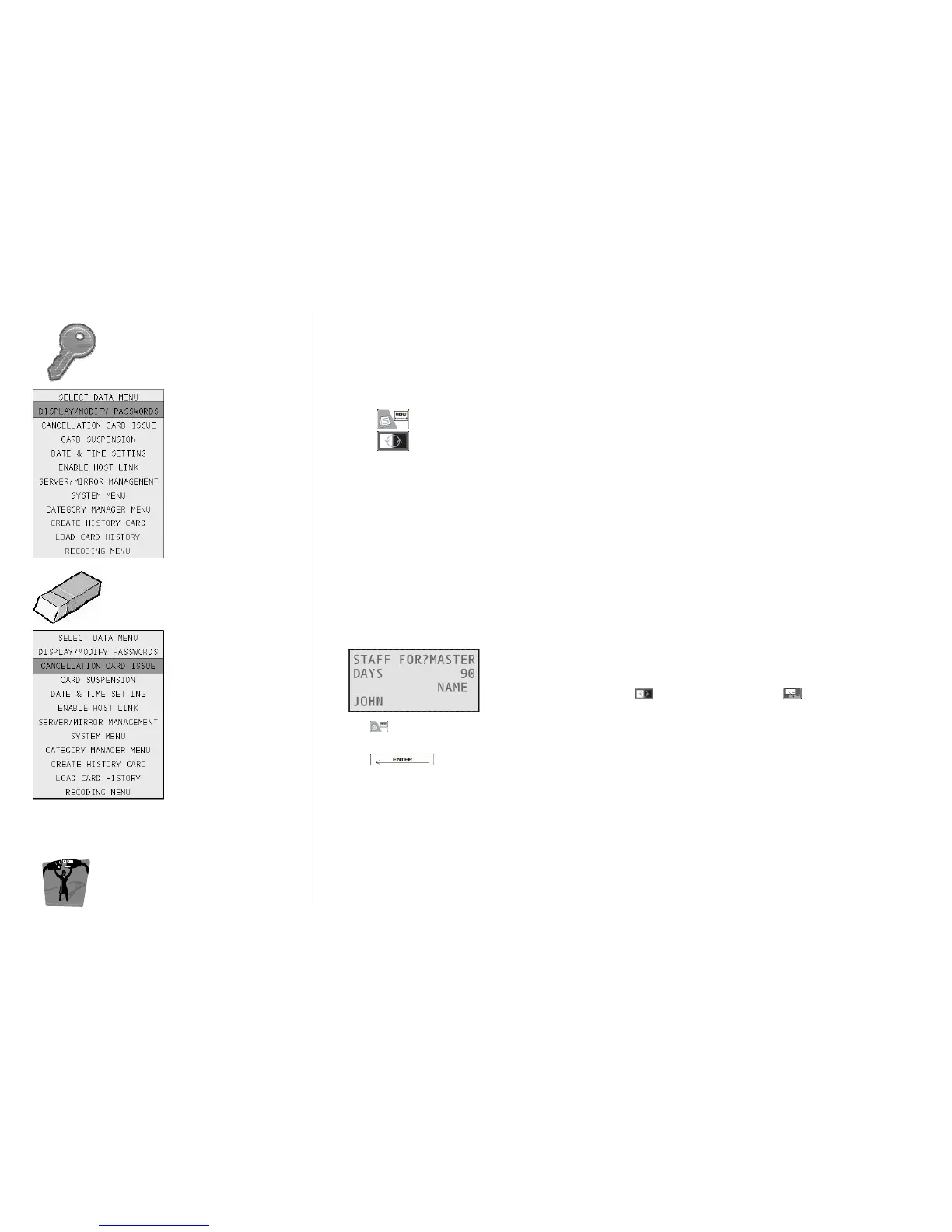
MODIFY PASSWORDS
MODIFY PASSWORDSMODIFY PASSWORDS
MODIFY PASSWORDS
Enables the users to change their own password, or the system manager to change the password
of other operators. Steps are as follows:
• from the Input Form approach your own operator card or search for an operator;
• press ;
• press and select Display / Modify Passwords (the card in zoom mode will be displayed);
change the password.
On each lock, there is a black list where it is possible to memorize a certain number of guest, staff,
operator or emergency cards, so that they are then barred from entering the room.
CREATING A
CREATING A CREATING A
CREATING A CANCELLATION
CANCELLATION CANCELLATION
CANCELLATION CARD
CARDCARD
CARD
• Approach the card to be inserted into the black list to the tag
reader; alternatively, you can search for that card from the Input
Form: navigate with to Staff For, then press until you
visualize the card you want to cancel;
press ;
• select Cancellation Card Issue (the card in zoom mode will be displayed);
• press to confirm;
• write the Cancellation Card by approaching a virgin card to the encoder;
• keep it close to all the locks: the desired card has now been inserted into the black list.
BLACK LIST CAPACITY
BLACK LIST CAPACITYBLACK LIST CAPACITY
BLACK LIST CAPACITY:
• Normal lock: up to 150 staff or operator cards (guest cards are disabled by passing a new one);
• Common lock: up to 150 staff, operator or guest cards.
Note
NoteNote
Note: on wireless locks, it is possible to update the black list by remote.



 To Next Page