ESIGNO_SYSTEM_USER_MANUAL_101.DOCX 51/71
P
PP
PROGRAM
ROGRAM ROGRAM
ROGRAM L
LL
LOCK
OCKOCK
OCK
(
((
(1
11
1)
))
)
HHI
HHIHHI
HHI
M
MM
MODE
ODE ODE
ODE
M
MM
MENU
ENUENU
ENU
I
II
I
NITIALIZE
NITIALIZENITIALIZE
NITIALIZE
L
LL
L
OCK
OCKOCK
OCK
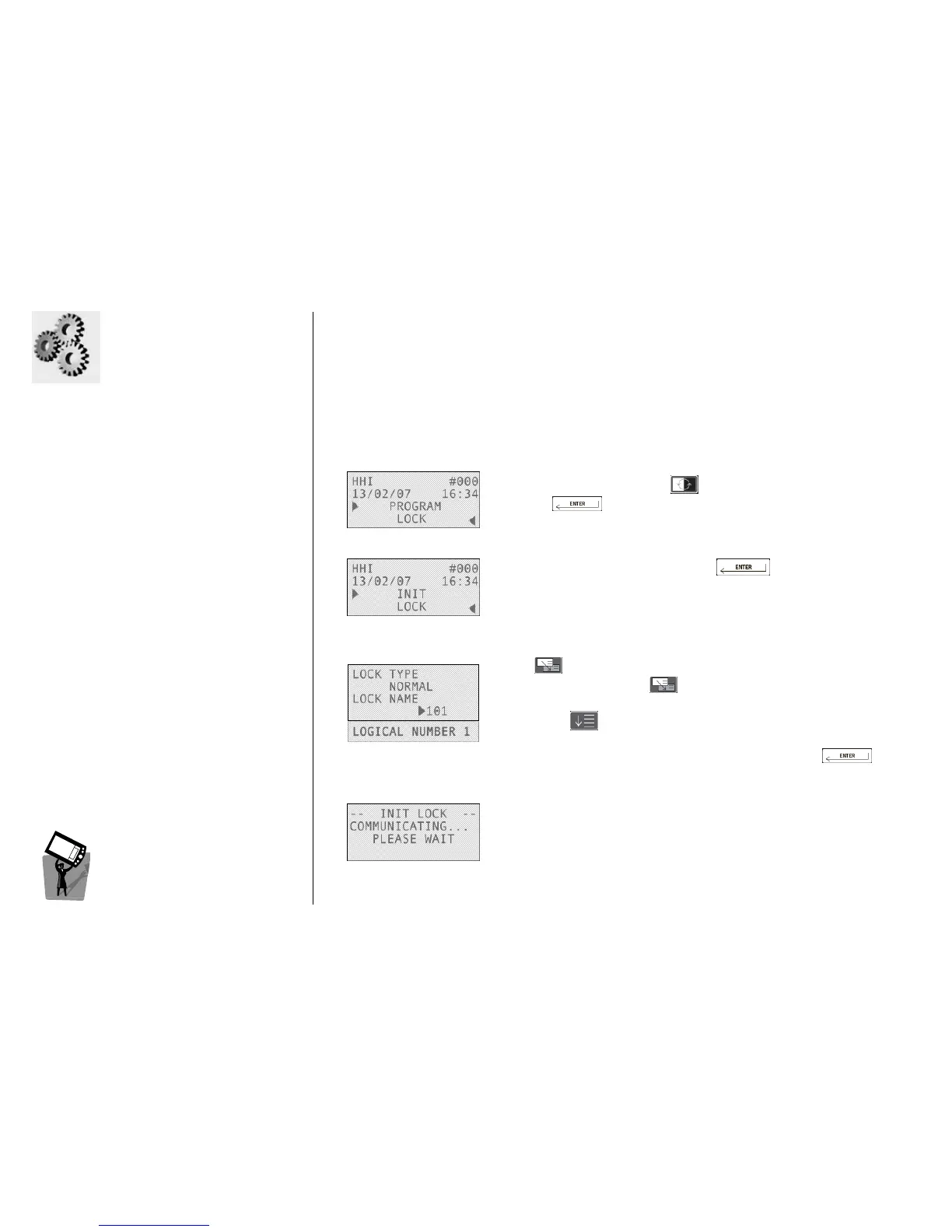
Each door needs to be initialized with a specific number and with specific parameters.
1
11
1
To initialize the lock press , then choose Program Lock by
pressing .
2
22
2
Select the Init Lock option by pressing .
Note
NoteNote
Note: if the lock is already initialised, you have to reset it before
re-initialising it (Reset Lock option in Lock Assistance menu).
3
33
3
Type the number you want to assign to the door (e.g. 101), then
press .
Alternatively, simply press to navigate through the available lock
numbers.
By pressing you can visualize the logical number assigned to the
door.
To confirm your choice and begin the initialization, press .
4
44
4
Initializaion data are now being transmitted to the lock.
If the communication is successful, the lock will display a succession of
two green, one red and two green blinks.
This procedure will send to the electronic lock, the name, time, groups
and daylight savings time.



 To Next Page