C
CC
C
HANGE
HANGE HANGE
HANGE
O
OO
O
PENING
PENING PENING
PENING
T
TT
T
IME
IMEIME
IME
From this menu it is possible to set:
• Opening time
Opening timeOpening time
Opening time: this function cannot be used for special locks (see the paragraph below);
• Access time
Access timeAccess time
Access time: time period where the door is open after which a delayed close operation is written in
the door’s history;
• Maximum Motor idle
Maximum Motor idleMaximum Motor idle
Maximum Motor idle: sets the day delay between last and current motor activations by an Auto
Motor On autoprogram;
• Enable Auto
Enable AutoEnable Auto
Enable Auto-
--
-relock
relockrelock
relock: in an engaged lock with Office function active, presenting a card or inserting
privacy from the inside acts like a toggle switch for engaging or disengaging the lock.
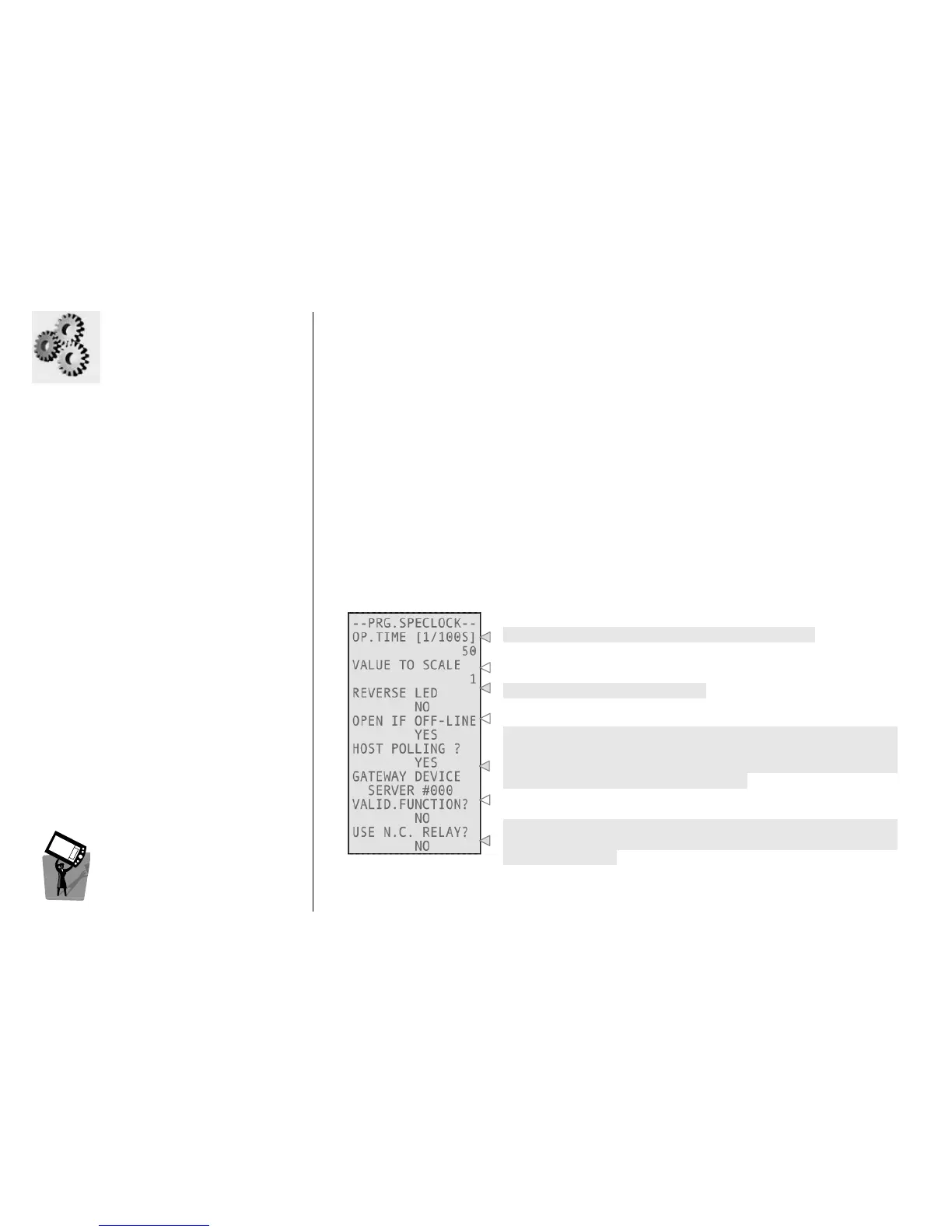
Opening time of the relay (from 1/100 to 600 seconds).
Using access on payment with credits, this is the value to decrement
from the guests credits.
Feature used on Smart systems only.
Specifies what to do if an online special lock goes off line.
These two fields are useful to configure the communication with
History Collection Protocol (HCP). If you set No, the special lock sends
data via serial cable to the device selected below; by setting Yes, the
selected device asks data to the special lock.
It allows you to enable the validator function for this lock (this is
possible if recoding function is enabled).
Changing this value permits to invert the logic of contacts into a M306
special lock (which has two contacts, by default a common one and a
normally open one).



 To Next Page