ESIGNO_SYSTEM_USER_MANUAL_101.DOCX 20/71
O
OO
ONE
NE NE
NE S
SS
SHOT
HOT HOT
HOT
C
CC
CARDS
ARDSARDS
ARDS
These cards are issued in special cases (needed
maintenance inside a room) and allow to open
the door only once. Once logged into the
system, to write One Shot cards, press and
select 1SHOT FOR.
D
DD
DANGER
ANGER ANGER
ANGER /
//
/
R
RR
REVERSAL
EVERSAL EVERSAL
EVERSAL D
DD
DANGER
ANGERANGER
ANGER
C
CC
CARDS
ARDSARDS
ARDS
• Danger card
Danger cardDanger card
Danger card: opens all the doors (overriding
the privacy as well) and keeps the locks in the
opening state until a reversal danger card is
kept close to them. This allows guest and staff
to get out quickly in events of danger and
prevents the door from closing;
• Reversal
Reversal Reversal
Reversal D
DD
Danger
angeranger
anger: reverses danger function.
• Once logged into the system, to write these
cards, press and select DANG. FOR or
REV.DANG.
E
EE
ENCODER
NCODER NCODER
NCODER M
MM
MODE
ODEODE
ODE
C
CC
CARD
ARD ARD
ARD O
OO
OPERATIONS
PERATIONSPERATIONS
PERATIONS
1
11
1
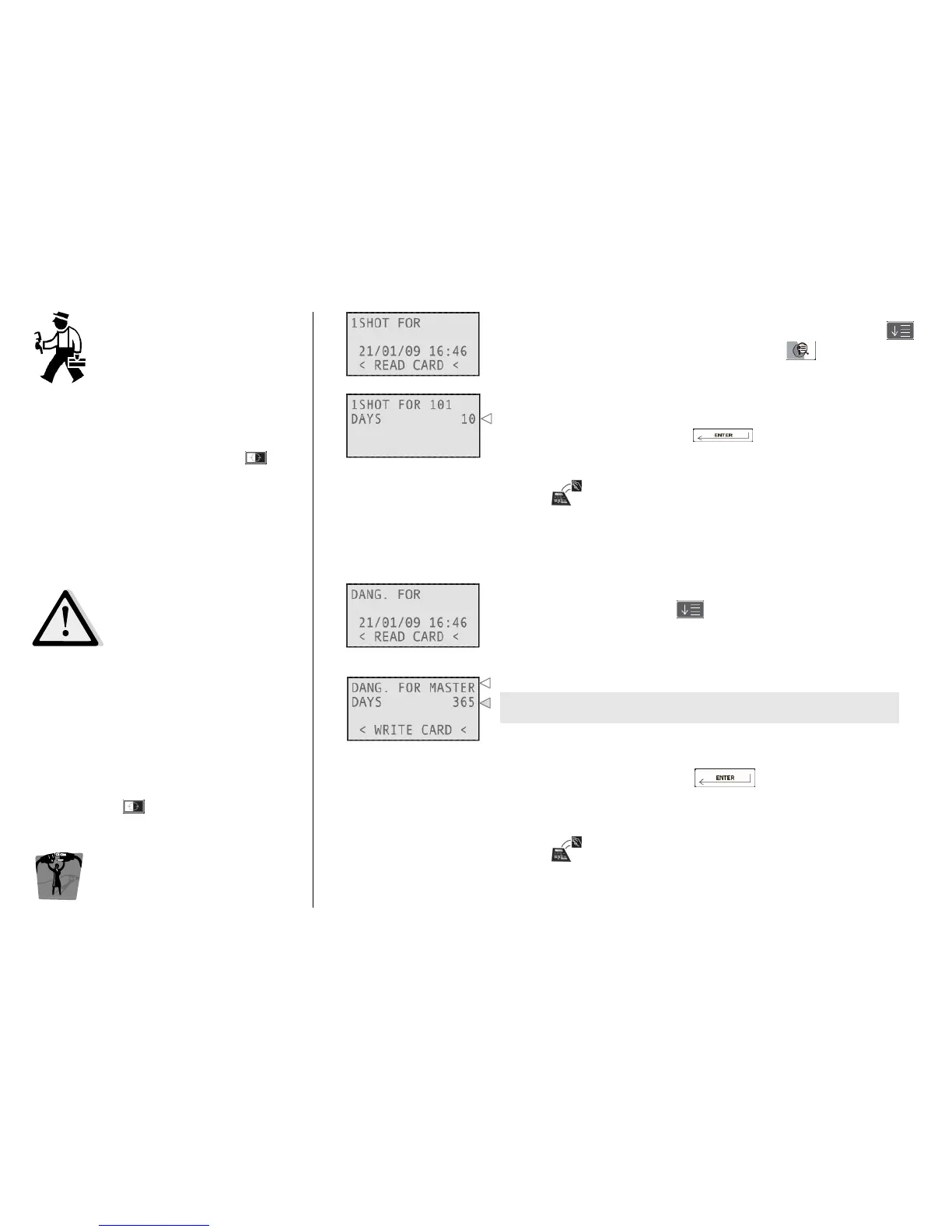
Type the room number or the zone and the days of validity, press
after each field. To change other parameters, press
The time validity specifies the duration of the card; it will, however,
open the correspondent lock only once.
Confirm your choices by pressing
Move the card over the tag reader/writer on the encoder and wait
for the short beep.
Card writing is now completed!
Press any numeric button, then and finally the days of validity.
It is possible to issue Danger (or Reverse Danger) cards for the Master
zone only, which means that these cards are valid for all the rooms.
By setting these fields you can manage the time validity of the card
you are issuing.
A newly created card of both types invalidates the previous one if it is
approached to the locks.
Confirm your choices by pressing
Move the card over the tag reader/writer on the encoder and wait
for the short beep.
Card writing is now completed!



 To Next Page