ESIGNO_SYSTEM_USER_MANUAL_101.DOCX 4/71
O
OO
OPERATING THE
PERATING THE PERATING THE
PERATING THE e
ee
eSIGNO
SIGNOSIGNO
SIGNO
L
LL
LOCK
OCKOCK
OCK
1
11
1
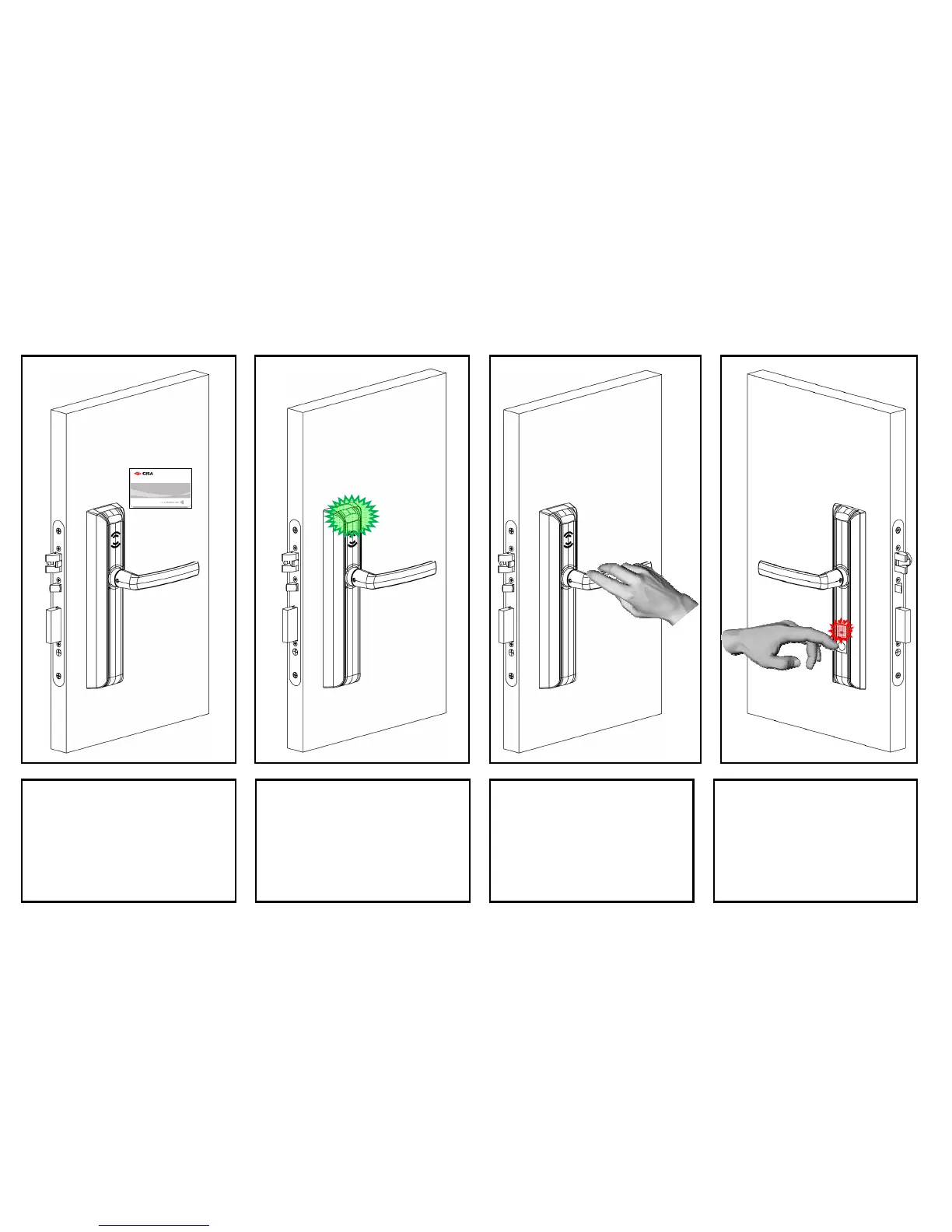
Keep the card close to the reader
for 1 second, in order to allow a
correct communication.
2
22
2
Wait for the lock to give green
blinks: this is the signal of a correct
card reading.
3
33
3
Rotate the knob/external handle,
in order to open the lock, before
the delay opening time expires
(5 seconds default).
4
44
4
Once entered the room, if you
want to enable the Privacy
function, press the Do Not
Disturb button, which turns red.



 To Next Page