1. Find the Mesh End unit in the wireless network that is most
suitable for forwarding multicast traffic.
NOTE
Multicast flow redirection information can only be
specified from a Mesh End unit. The Mesh End unit
will distribute the multicast data to all other Cisco
devices in the wireless network.
2. Connect to the Mesh End unit as shown in “Accessing the Cisco
FM4200 Fiber for device configuration” (page 57).
3. Click the -multicast link under ADVANCED SETTINGS in the
left-hand settings menu.
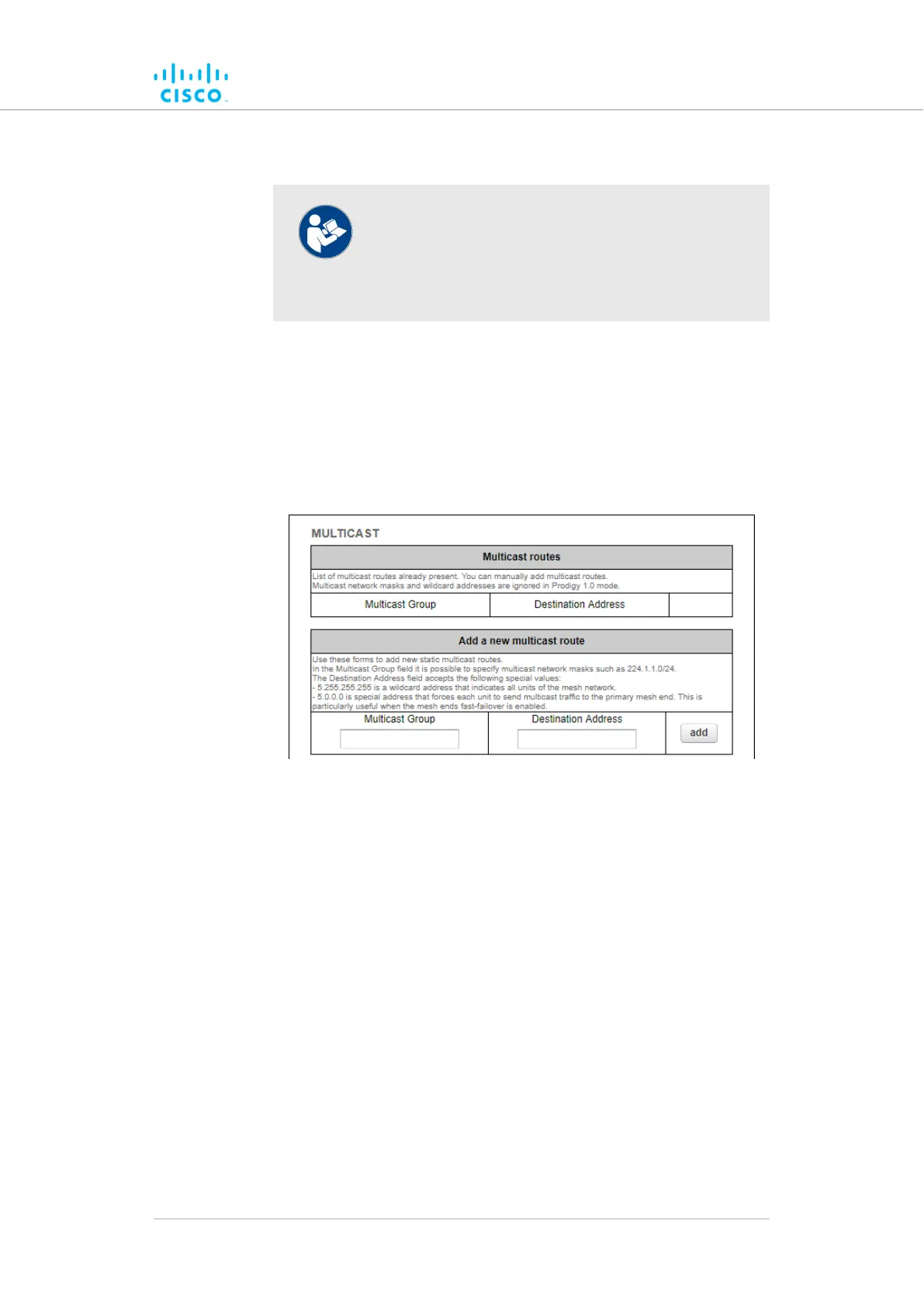
• The MULTICAST dialog will be shown (Figure 41 (page
114)).
Figure 41. Multicast dialog (Mesh End mode)
4. Compile the needed multicast rule. Use the following syntax rules
to create the rule:
• A multicast rule consists of two parts: a multicast group
designator and a destination address.
• Define the multicast group designator. For example, the
designator 224.1.1.0/24 indicates all multicast groups in
the range 224.1.1.1 through 224.1.1.254.
• The destination address consists of one or more Cisco
unit ID numbers, in the form 5.a.b.c. These ID numbers
belong to the physical Cisco device or devices to
which the multicast traffic must be forwarded.
• Destination-address wildcards can also be used. For
addressdestinationtheexample,
5.255.255.255 theinunitsCiscoallrepresents
wireless network.
Device configuration using the configurator interface
© 2021 Cisco and/or its affiliates. All rights reserved. Page 114 of 189



 To Next Page