To convert a License code into an Activation code for a Cisco device,do
the following steps:
1. Log on to the Cisco Partner Portal.
Click the2. Plug-ins link.
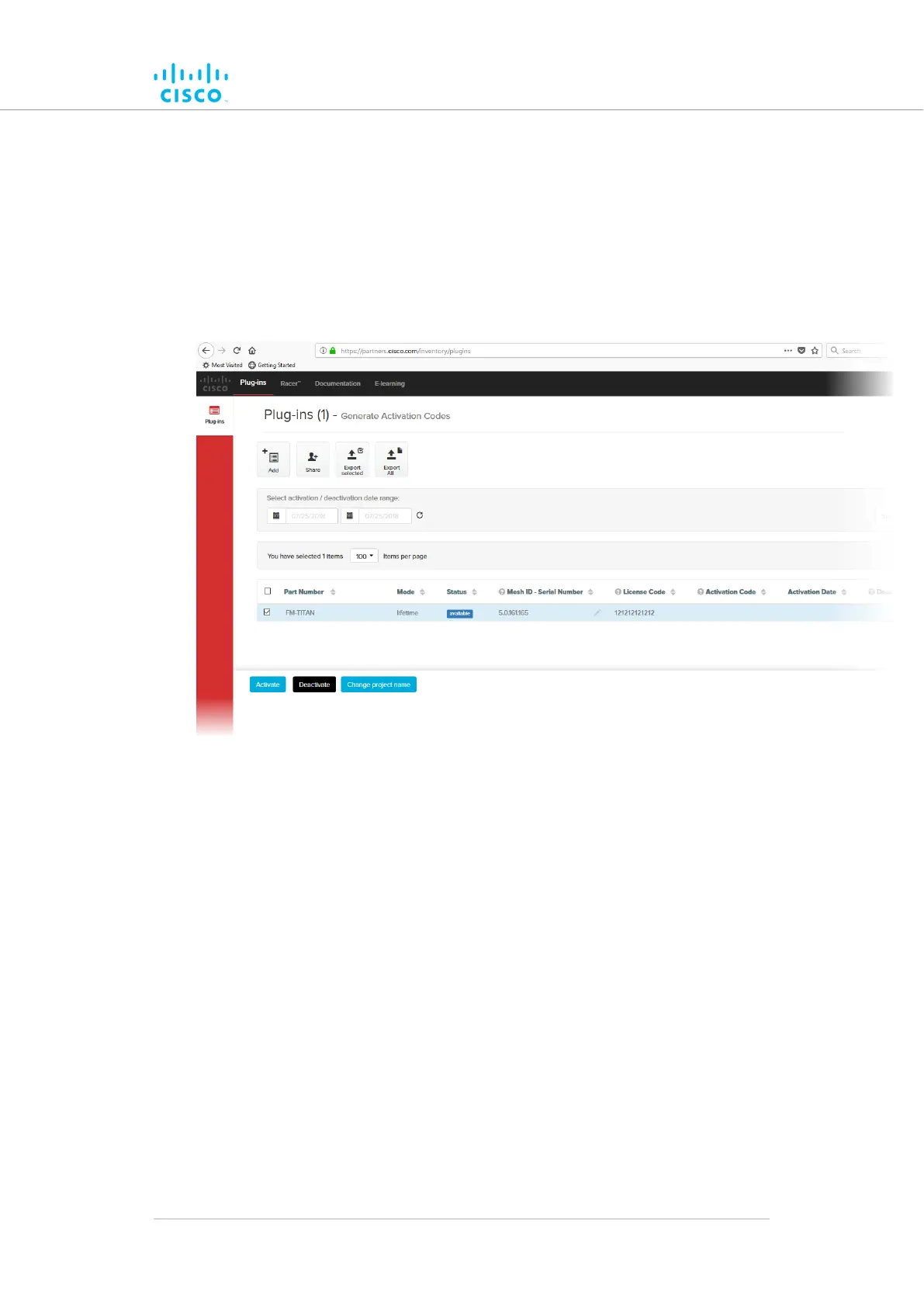
• When you purchase a generic 16-digit License code, the
License code and corresponding plug-in will be listed on
the Plug-ins page (Figure 68 (page 162)).
Figure 68. Partner Portal Plug-ins page (License code
plug-in)
• When the generic License code was purchased, you will
have received an E-mail from plugins@cisco.com
containing the License code. If the License code and
corresponding plug-in are not listed on the Plug-ins page,
click the Add button in the upper left-hand corner of the
Plug-ins web page, and enter the License code using the
dialog.
3. Enter the unit identification number (5.a.b.c) or the unit serial
number of the Cisco unit in the Mesh ID - Serial Number
field.
4. If needed, enter the name of the relevant technical project in the
Project Name field.
Software Plug-Ins
© 2021 Cisco and/or its affiliates. All rights reserved. Page 162 of 189



 To Next Page