FM Racer configuration files use the *.FMCONF file extension.
If the unit is not connected to the Internet, you can still use the FM Racer
configuration interface to define a configuration file, then upload it to the
unit. This can be done in either of two different ways:
• A range of ready-made configuration templates are available from
the FM Racer interface. Each template caters to a particular
configuration scenario, and can be copied and modified to your
needs.
• Alternatively, you can create a new, custom configuration template.
For instructions on how to copy, modify or create a configuration template
using the FM Racer interface, refer to the Cisco Networks FM RacerUser
Manual.
A configuration file that has been created using the FM Racer interface
must be uploaded to the unit. To upload a FM Racer configuration file, do
the following steps:
1. Switch the unit to Offline mode as shown in “Switching between
offline and online modes” (page 67).
Click the2. -RACER™ link in the left-hand settings menu.
• The Configurator landing page will be shown.
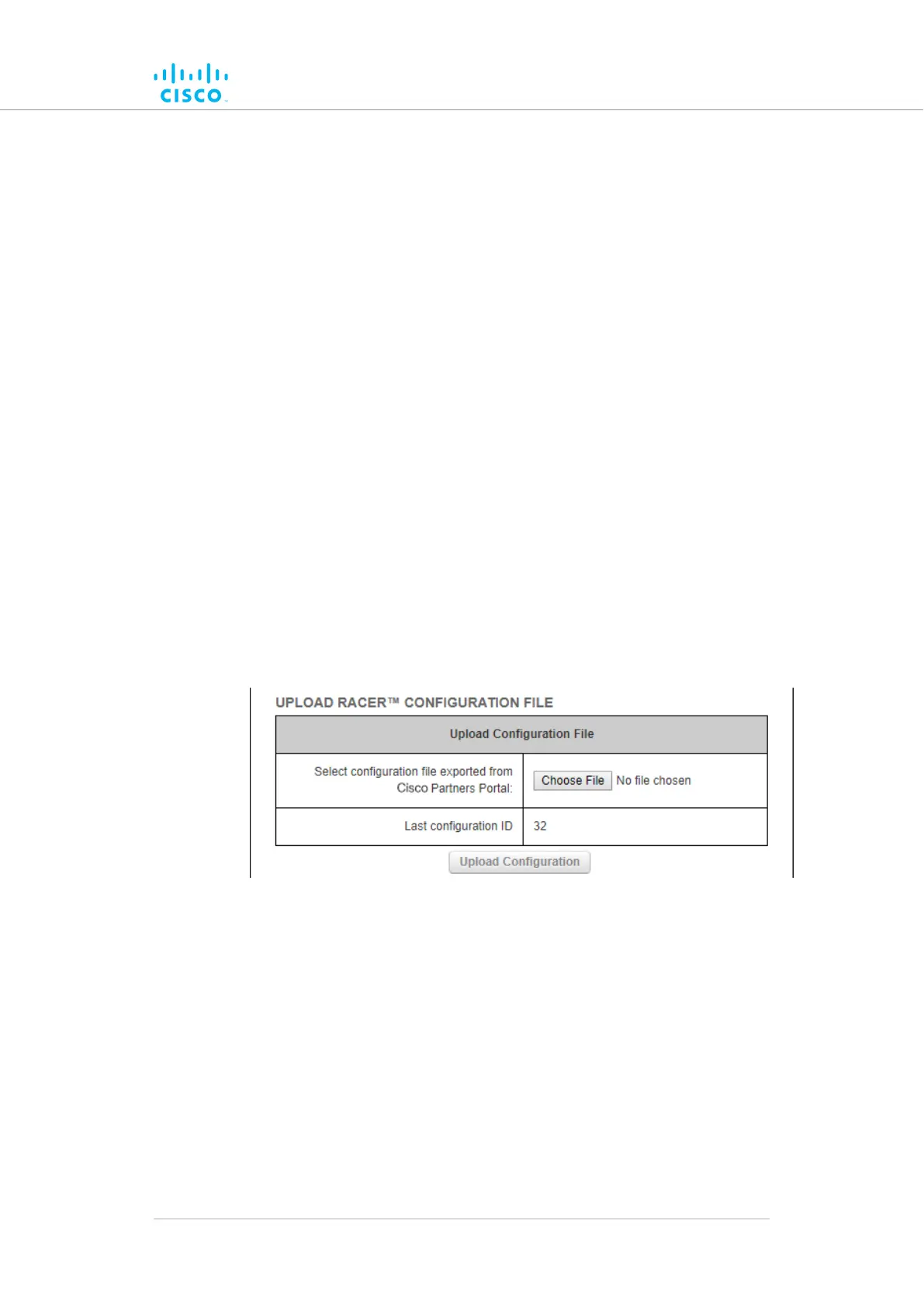
3. Click the Choose File button in the Upload Configuration File
section (Figure 22 (page 69)).
Figure 22. Configurator interface (FM Racer configuration file
upload dialog)
• Find and choose the correct configuration file by following
the software prompts.
Click the4. Upload Configuration button.
• The configuration file will be uploaded and applied to the
unit.
Device configuration using the configurator interface
© 2021 Cisco and/or its affiliates. All rights reserved. Page 69 of 189



 To Next Page