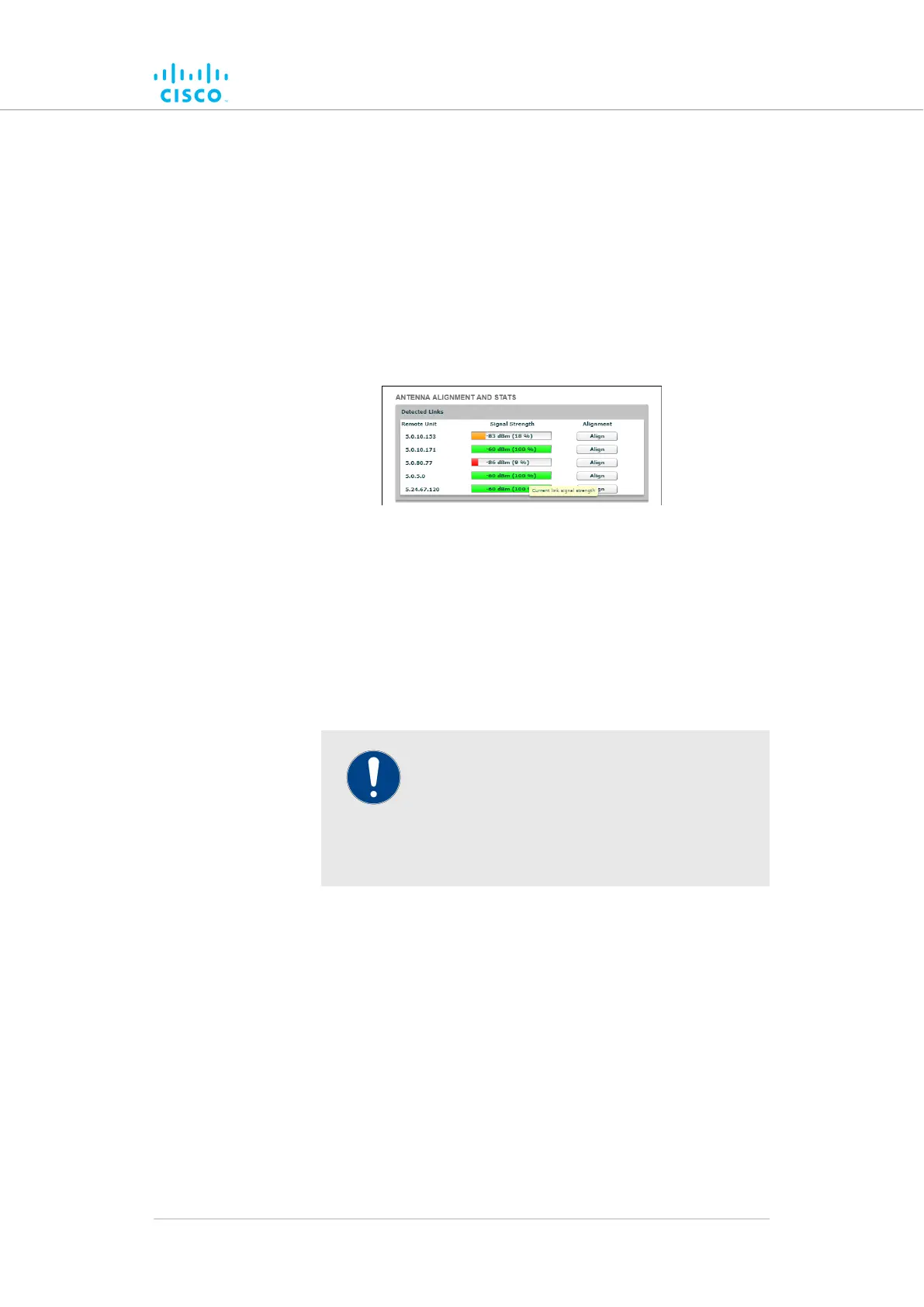
The window shows a list of wireless links to other Cisco units that
have been detected by the local unit, and the relative strength of each
wireless link in decibel-milliwatts (dBm).
To do an accurate alignment of a local antenna for a specific wireless link,
do the following steps:
1. Click the -antenna alignment and stats link under GENERAL
SETTINGS in the left-hand settings menu.
• The ANTENNA ALIGNMENT AND STATS window will be
shown (Figure 27 (page 80)).
andalignment(AntennaGUIConfiguratorFigure 27.
stats dialog)
2. More than one two-way wireless link may be shown in the
Detected Links table. Find the two-way link for which the local
antenna must be adjusted.
Click the3. Align button.
• The ANTENNA ALIGNMENT AND STATS tool will be
shown (Figure 28 (page 81)).
IMPORTANT
The Cisco Transmission Power Control
(TPC) algorithm will be disabled during the
antenna alignment process. This eliminates
the possibility of false radio-transmission
power readings.
Device configuration using the configurator interface
© 2021 Cisco and/or its affiliates. All rights reserved. Page 80 of 189



 To Next Page