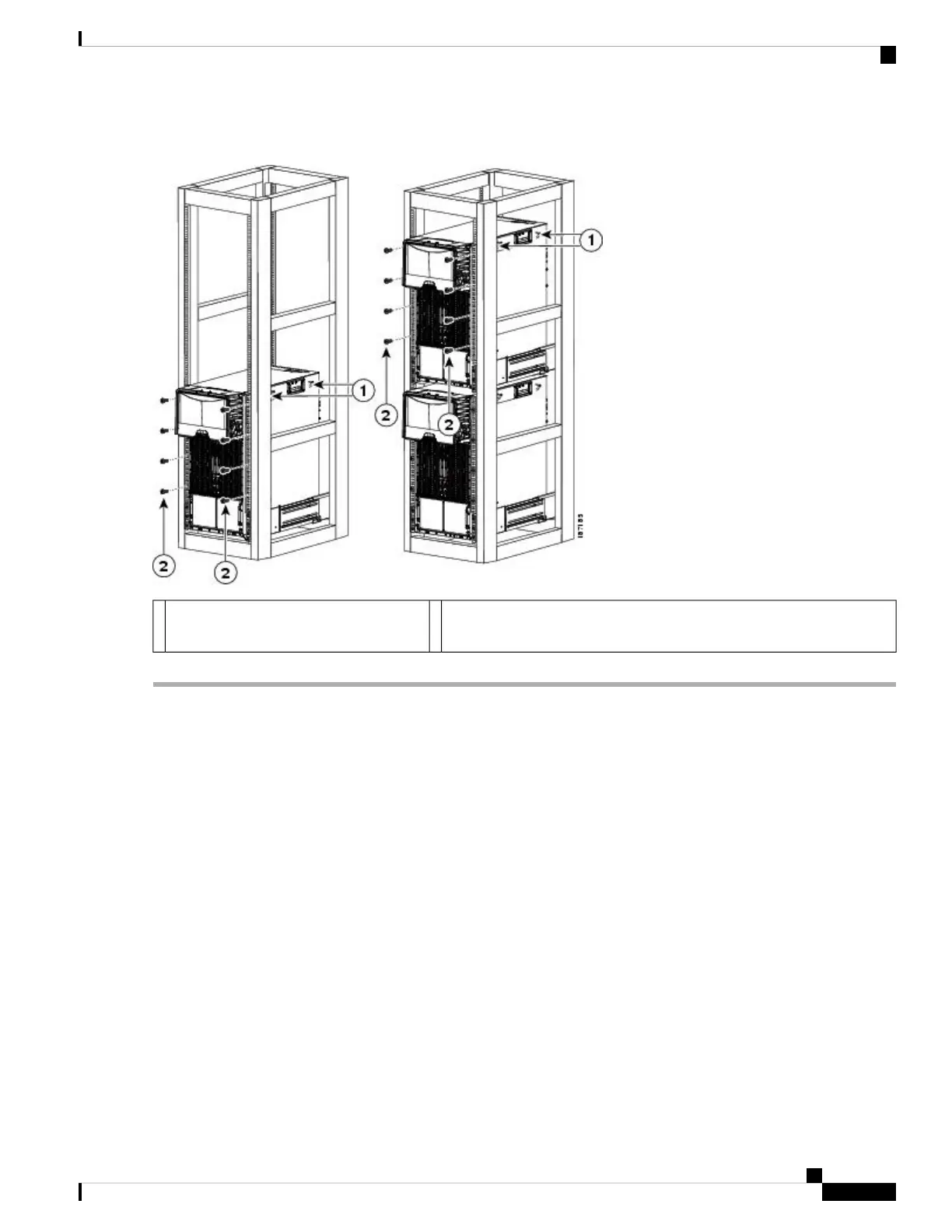
Figure 36: Attaching the Cisco Nexus 7010 Chassis to the Rack
Four M6 x 19 mm or 10-24 x 3/4 in. Phillips screws used to attach each
side bracket to a front mounting rail (use a total of eight screws)
2Handles used to adjust the chassis
placement
1
Grounding the Cisco Nexus 7010 Chassis
The Cisco Nexus 7010 system is grounded through the AC power supply cables and one of two grounding
connections on the chassis. The AC power supply cables provide a connection to an earth ground whenever
you connect the AC power to the system. The system ground, also referred to as the network equipment
building system (NEBS) ground, provides additional grounding for EMI shielding requirements and for the
low-voltage supplies (DC-DC converters) on the modules. This grounding system is active even when the
AC power cables are not connected to the system. You establish this ground by connecting one of the two
grounding pads on the chassis to the rack (if it is connected to an earth ground) or directly to the earth ground
for the data center building.
This section includes the following topics:
Prerequisites for Grounding the Chassis
Before you can ground the chassis, you must have a connection to the earth ground for the data center building.
If you installed the Cisco Nexus 7010 chassis into a bonded rack (see the rack manufacturer’s instructions for
more information) that now has a connection to the data center earth ground, you can ground the chassis by
Cisco Nexus 7000 Series Hardware Installation and Reference Guide
79
Installing a Cisco Nexus 7010 Chassis
Grounding the Cisco Nexus 7010 Chassis










 To Next Page