Per
After selecting the manual test display, you can set test parameters.
The user can change an individual field setting when the field is shown
highlighted (use encoder to highlight any fields to be changed). Then
press R
fast key (highlighted when selected), and use the
encoder (to cycle through) to change the variable in the selected field.
Before moving to next field you must deselect Rotate Field. Repeat
process until all desired field settings are selected as required.
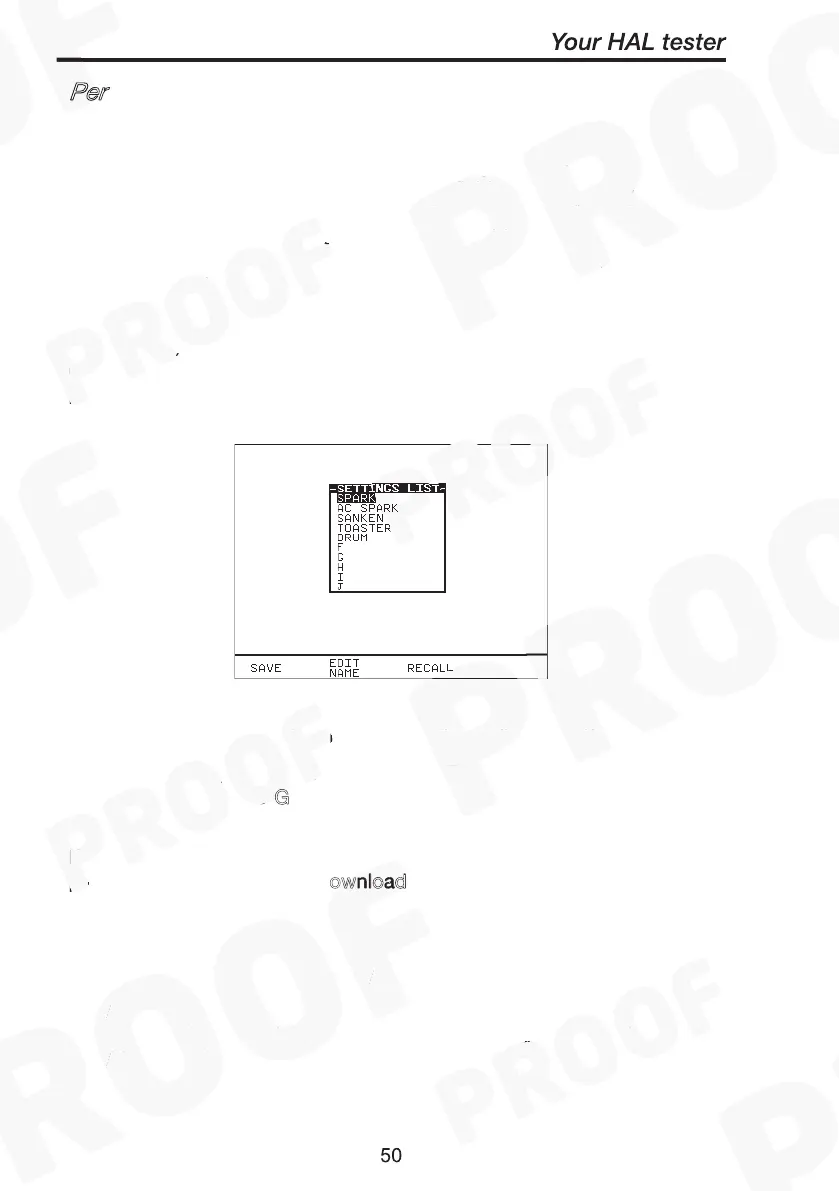
Now these manual test settings can also be saved to a list of file names
(max. of ten) which can be recalled for future tests. Press S
to save
current setting to highlighted file or select a previously saved file and
press R
will bring those settings to the manual test display screen.
Performing a Manual Test
Rotate Field
Save
Recall
Green
Download
Performing a Manual Test
Rotate Field
Save
Recall
Use Edit Name key and the encoder to edit any file name if necessary.
To start the test, select (highlight) the ‘START’ field, close the safety
guard and then press G
. Pressing Red or Abort Test fast key will
abort the test at any time.
If User wishes to print out the test results immediately after the test,
pre-select the After Test: D
ownload option at System Configuration
setup. Alternatively any stored test results can be printed through the
Download Results option at Main menu.
Note
In manual mode you will not get Abort Options, when Abort
stimulus is initiated the test will simply stop and revert to the
Meter display. The aborted test will not be stored.



 To Next Page