D
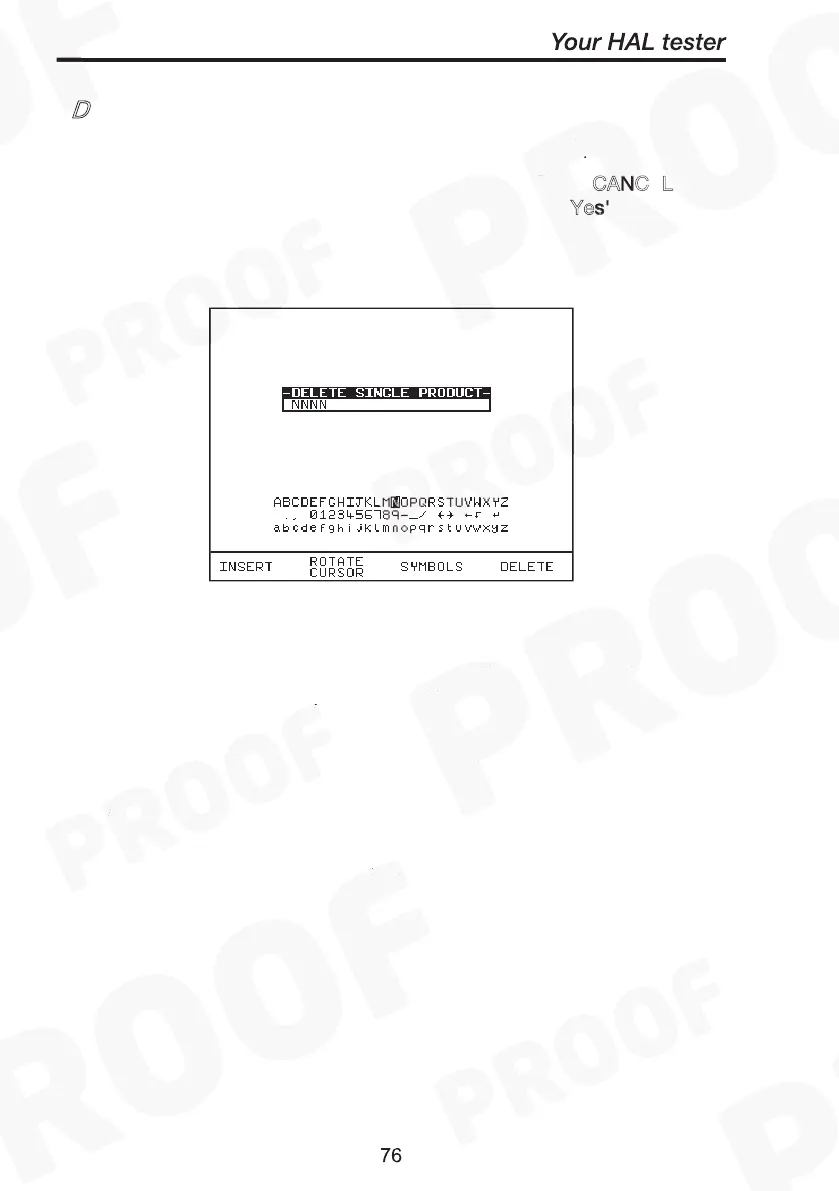
Enter the Product number to delete a single Product and press Green.
A warning ‘Are You Sure?’ prompt box will appear. Press C
ANC
L fast
key to abort and return to the previous menu or press ‘Y
es' fast key to
perform the delete operation and return to the previous menu.
Delete Single Product
CANCEL
Yes'
Note:
Deleting Products in this way will delete all of the matched
Products across all of the Sites and Locations.
When a single Product is deleted it is not removed from
memory but hidden from the user. This test is still resident in
memory and is taking up memory space, and this test can be
reviewed / downloaded at a later date. Since the test is still
resident in memory the View Memory Capacity figure may
seem false. I.e. whilst you may think you have no results stored
and the View Memory Capacity indicates there are results
stored, previously deleted Products are resident in memory. In
this situation to remove all resident tests select clear results
memory.
Delete Single Product
CANCEL
Yes'



 To Next Page