Service Manual-CA60 24-Electrical System 40
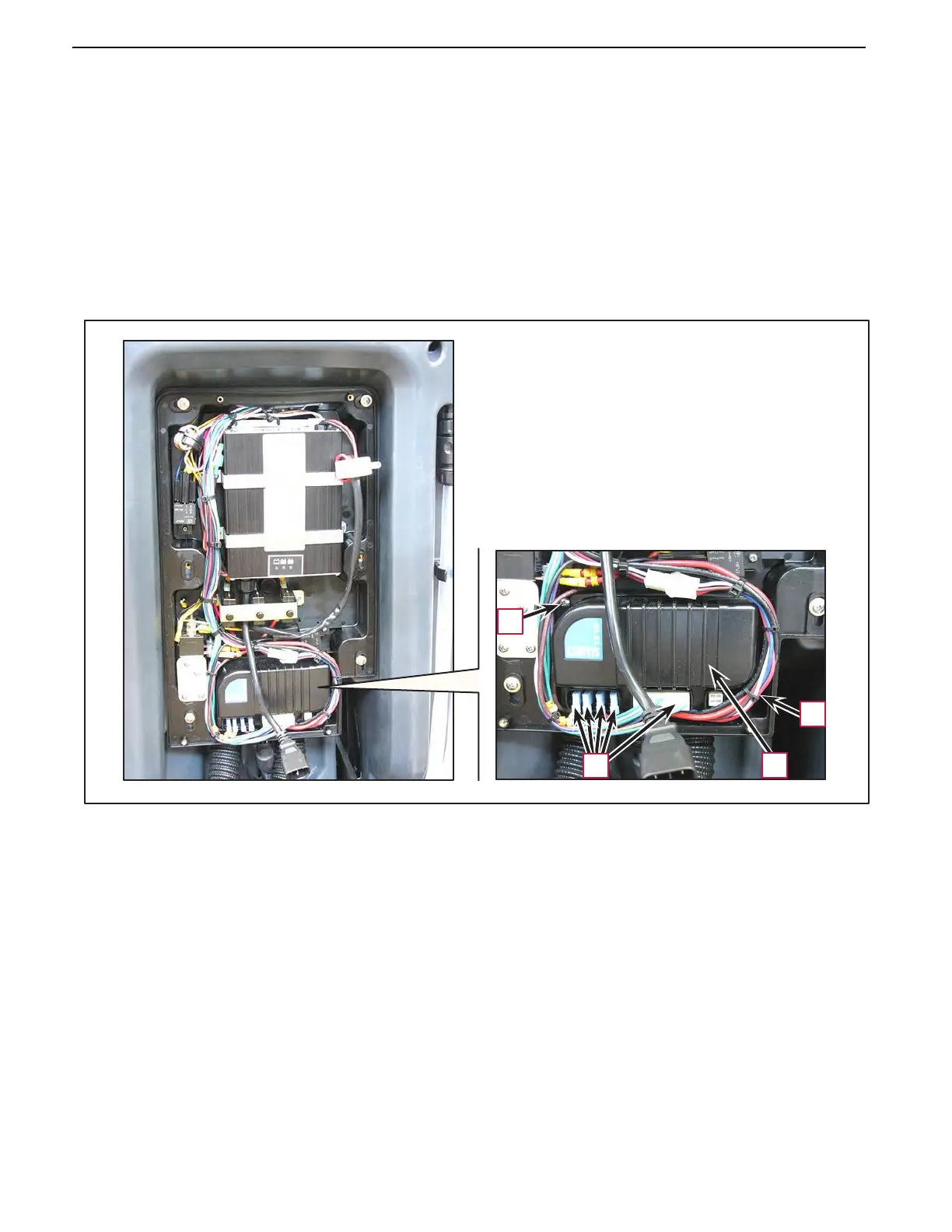
Drive system electronic board disassembly/assembly
Disassembly
1.
Remove the rear panel (see the procedure in the relevant paragraph).
2.
Disconnect the electrical connections (A) on the drive system electronic board (B), then move the wiring
out of the way.
3.
Unscrew the two screws (C) and remove the drive system electronic board (B).
Assembly
4.
Assemble the components in the reverse order of disassembly.
C
C
A
B



 To Next Page