•
Transfer mode: Here you can select the priority between fluency/video qualities.
•
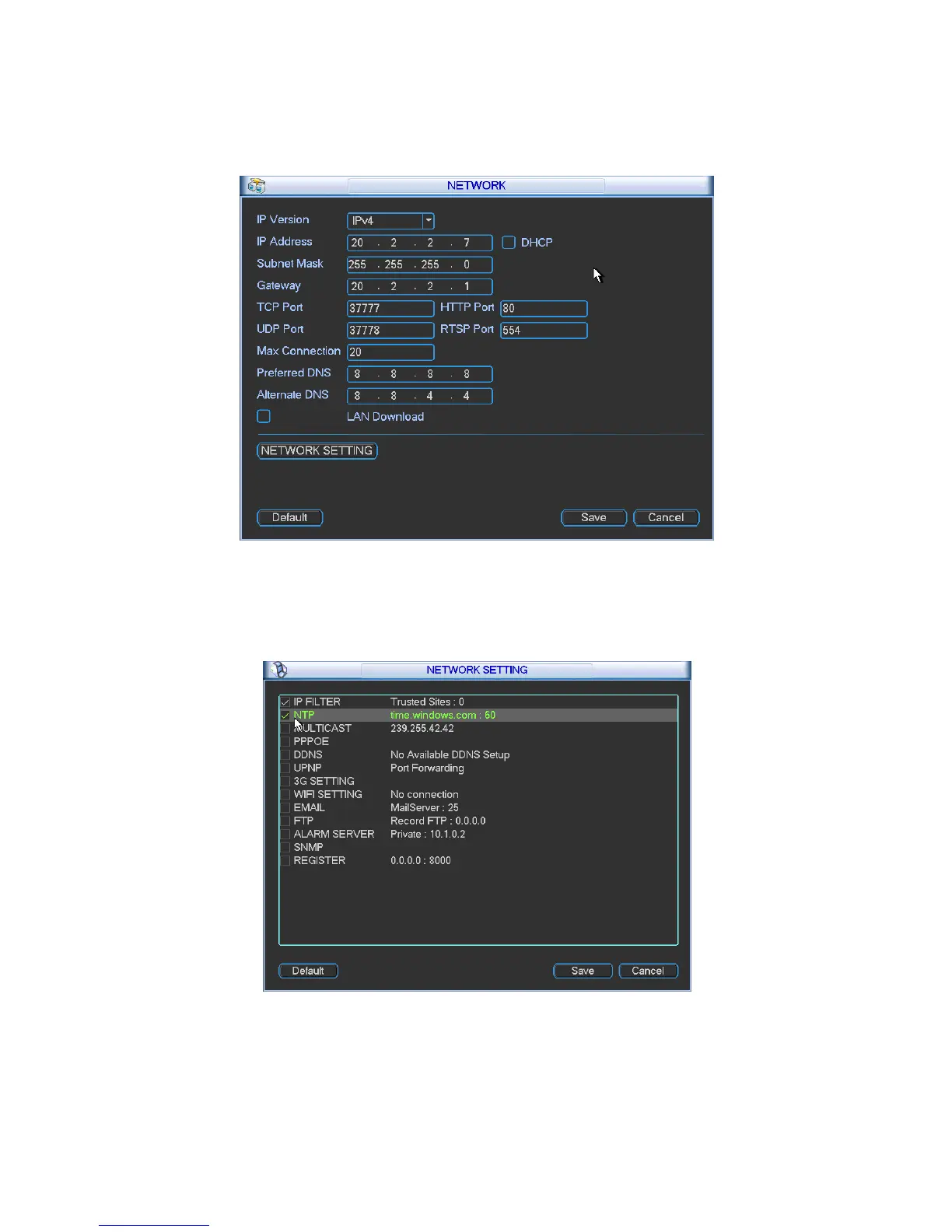
LAN download: System can process the downloaded data first if you enable this function.
The download speed is 1.5X or 2.0X of the normal speed.
After completing all the setups please click save button, system goes back to the previous menu.
5.3.4.1 Advanced Setup
Figure 5-8
Advanced setup interface is shown as in Figure 5-9. Please draw a circle to enable
corresponding function and then double click current item to go to setup interface.
5.3.4.2 IP Filter
Figure 5-9
IP filter interface is shown as in Figure 5-10. You can add IP in the following list. The list
supports max 64 IP addresses.
Please note after you enabled this function, only the IP listed below can access current DVR.


 To Next Page