Multi-Appliance Touch Pad Control
PNE2002 Series Control
Page 14
Ducted Gas Central Heatin
Using Your Touch Pad With Ducted Gas Central Heating
Using your Touch Pad for manual operation of your Central Heating when you want direct control,
without timers or programming.
THERM O
PERATION (THERMOSTAT)
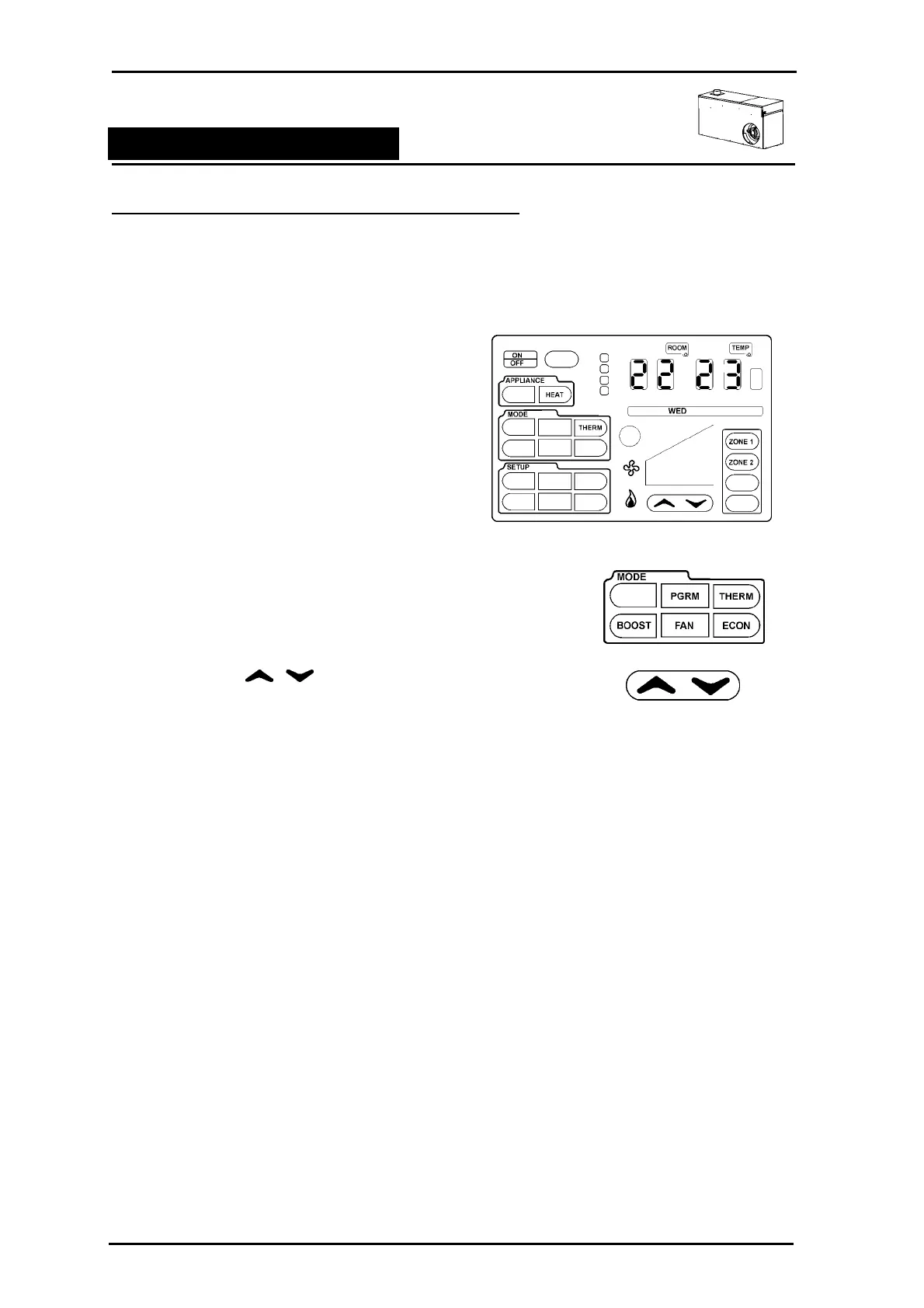
Step 1 To turn the Touch Pad on, press and release
the ON/OFF button. If there is only a central
heater HEAT will automatically display in the
Appliance Outline.
NOTE: Your Touch Pad Control is designed to
automatically detect the appliances you have
installed. Options not required for your
appliances will not displayed on the touchpad.
So don't worry if you don't see all the menu
items listed in this book.
Step 2 Press anywhere within the MODE outline.
The available icons will flash. Select THERM . The icon will
become solid and the remaining icons will flash 3 more times
before disappearing.
Step 3 Press the arrows to increase or decrease the
set temperature (TEMP) .
Step 4 Your Touch Pad measures the room temperature using a thermostat inside its case. The Touch
Pad will run the Heater until it measures temperature a little above your set temperature and
then turn off the unit. When the temperature falls a little below the set temperature the unit will
restart. The unit operation will be as follows:
• When the room temperature (ROOM) is colder than the set temperature (TEMP) the heater
will come on after approximately a 30 second ignition process
• If at start up the room temperature (ROOM) is 2.0° or more below the set temperature
(TEMP), the central heater will start up at high fan speed and high gas rate bring your
house up to temperature as quickly s possible.
• As the room temperature gets closer to the set temperature the central heater will reduce
the room air fan and the gas rate to the burner.
• When the thermostat reaches the set temperature the central heater will be on low fan and
the gas will modulate to low fire.
• When the temperature has gone over the set temperature by 0.5° the central heater will
shut down.
• When the temperature has dropped to 1° below set temperature the unit will restart.
• The flame symbol will be displayed on the control to indicate the heater is
functioning.



 To Next Page