Multi-Appliance Touch Pad
PNE2004 Series Control
Page 46
Controls – Installation / Setu
/ Commissionin
FAN SPEED SETTINGS
There are 2 available fan speed setting options for evaporative air conditioning as set out on the Fan
Speed Chart. Minimum fan speed should not go below 500 RPM else the fan motor will stop and start
because of over temping.
NOTE: fan speed settings should ONLY be set by a qualified installer or service technician
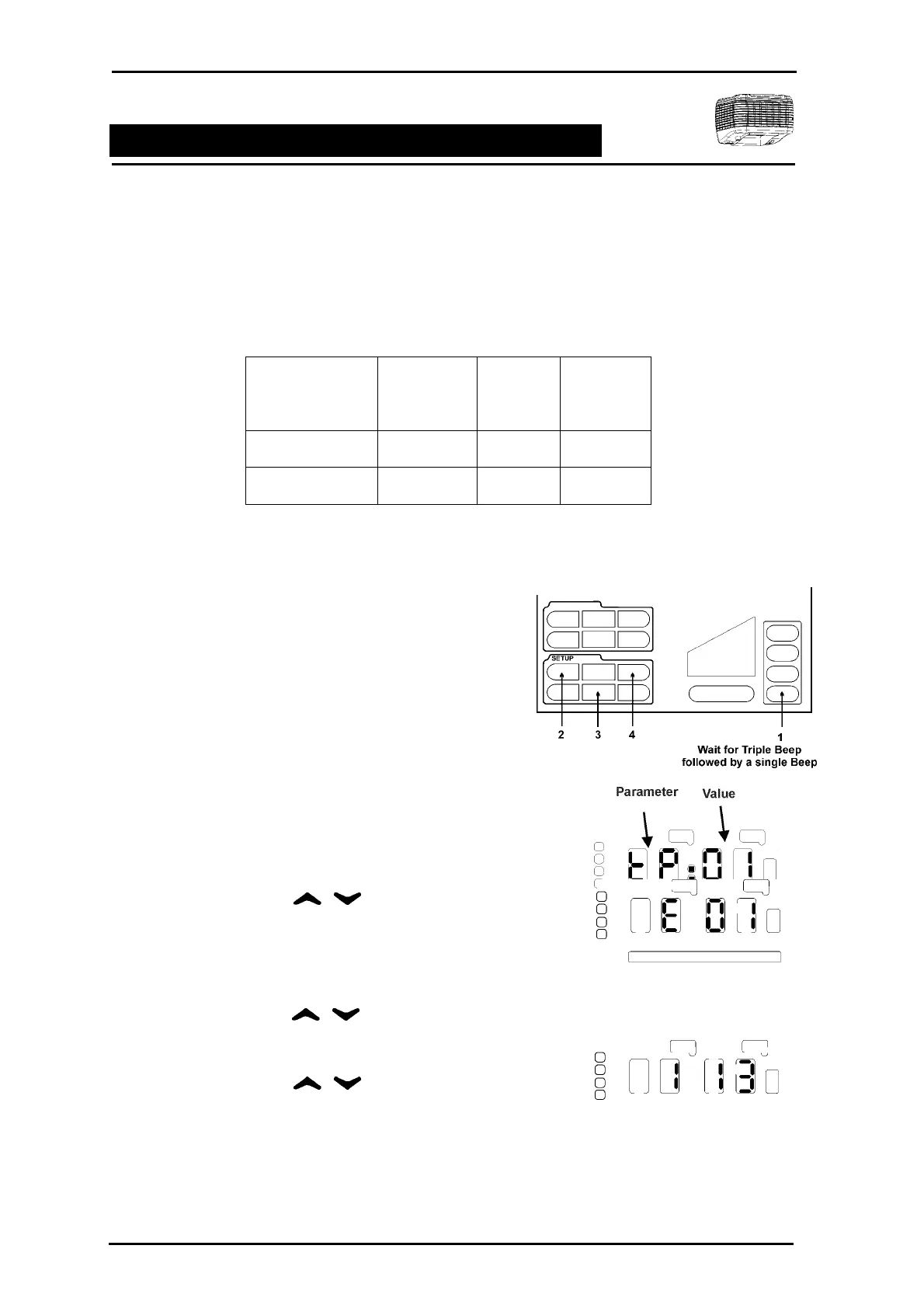
To enter into the installer maintenance to adjust minimum and maximum fans speeds, the following steps
must be followed.
Step 1 Ensure the control is in the OFF mode.
Step 2 A series of unseen icons must be pressed
1. Press and hold the ZONE 4 icon allowing for
a triple BEEP followed by a single BEEP.
2. In quick succession press the unseen
SETUP icons ENTER, REVIEW & CLOCK.
If successfully executed the clock LEDs will
display tP:01.
3. If unsuccessful repeat 1 and 2 of STEP 2.
Step 3 Using the select E:01
from the LED display.
Step 4 Press ENTER. The display will now
change to 1 13 or what ever the last setting
was made to.
Step 5 Using the select the low
or high speed parameter for change. Press
ENTER. The fan will begin operation.
Step 6 Using the change the
value / fan speed setting. Press ENTER to
save the revised setting.
Step 7 To change the other fan speed parameter
repeat Step 5 – 6.
Step 8 Press FINISH to exit.
Fan Speed Chart
Installer
Maintenance
Parameter Default Value
Range
Low Fan Speed 1 13 0 – 35
High Fan Speed 2 35 0 - 35



 To Next Page