Multi-Appliance Touch Pad
PNE2004 Series Control
Page 45
Controls – Installation / Setu
/ Commissionin
SETTING THE WATER LEVEL & BLEED RATE
There are 3 diagnostic modes available for use of which Parameter 2 and 3 can be used to assist the
setting of water levels in the unit. See the table below.
To enter into the installer maintenance / diagnostic mode to check water level and pump function, use the
following steps:-
Step 1 Ensure the control is in the OFF mode.
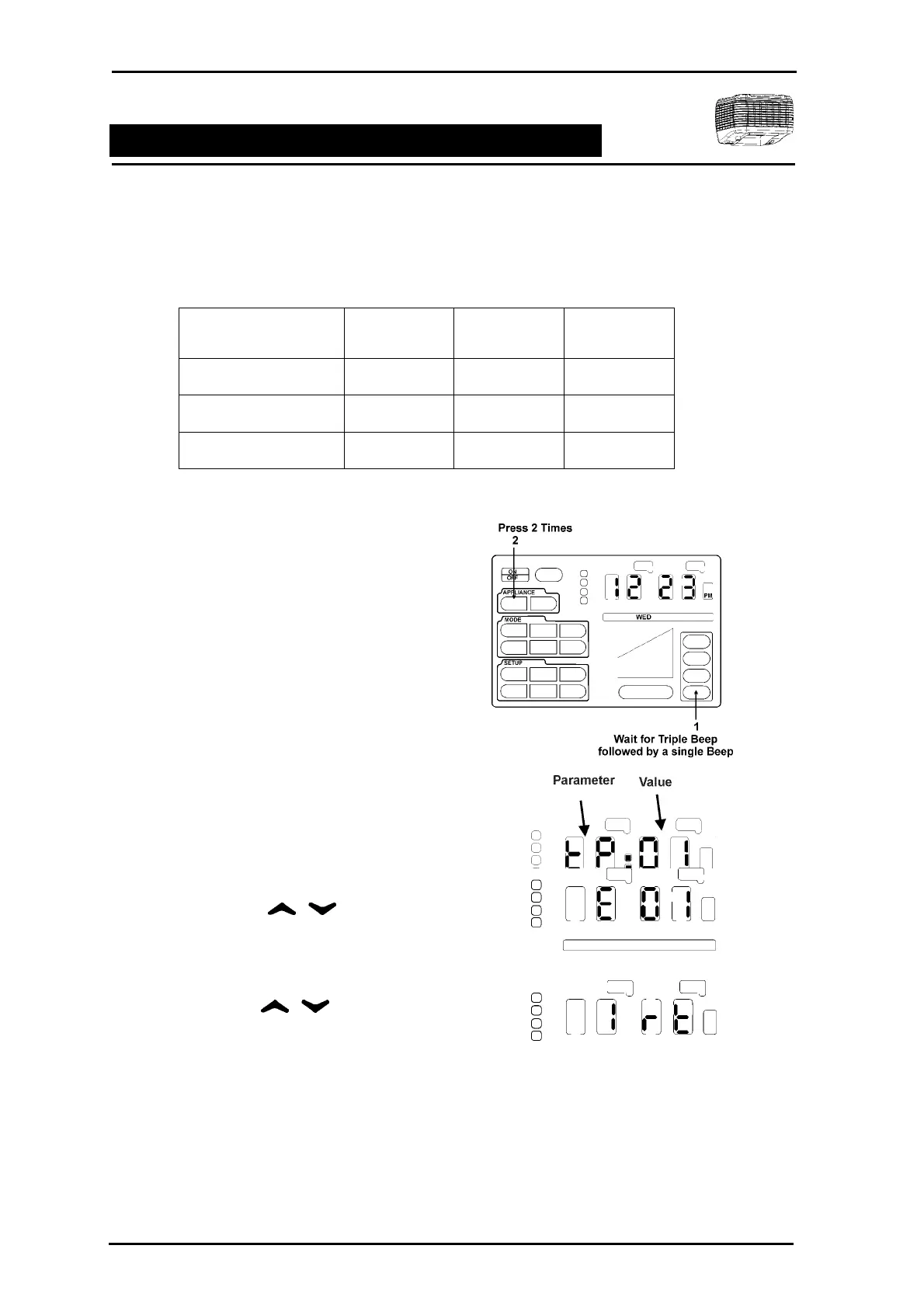
Step 2 A series of unseen icons must be pressed
1. Press and hold the ZONE 4 icon
allowing for a triple BEEP followed
by a BEEP.
2. In quick succession press the
unseen APPLIANCE COOL icon 2
times.
If successfully executed the clock
LEDs will display tP 01.
3. If unsuccessful repeat 1 and 2 of
STEP 2.
Step 3 Using the select E:01 from
the LED display.
Step 4 Press ENTER. The display will now
change to 1 rt.
Step 5 Using the arrows select
the diagnostic 2 or 3 as per the Diagnostic
Table on this page. Press ENTER. 00 will
flash for the duration period.
Step 6 To exit the diagnostic, press ENTER.
Step 7 To select the other diagnostic parameter
repeat Step 5 & 6.
Step 8 Press FINISH to exit.
Diagnostic Table
Installer Maintenance Parameter Value Duration
Unit Run Time 1 Rt _ _ _ _ x 100
Fill Valve 2 00 10 Minutes
Fill Valve & Pump 3 00 20 Minutes



 To Next Page