Multi-Appliance Touch Pad Control
PNE2002 Series Control
Page 17
Ducted Gas Central Heatin
2, or 3) will be saved. Just switch back to program mode, select the day combination and scroll through
your settings using the ENTER key and carry on from where you left off.
During the program sequence only the icons requiring changing for each step will be displayed.
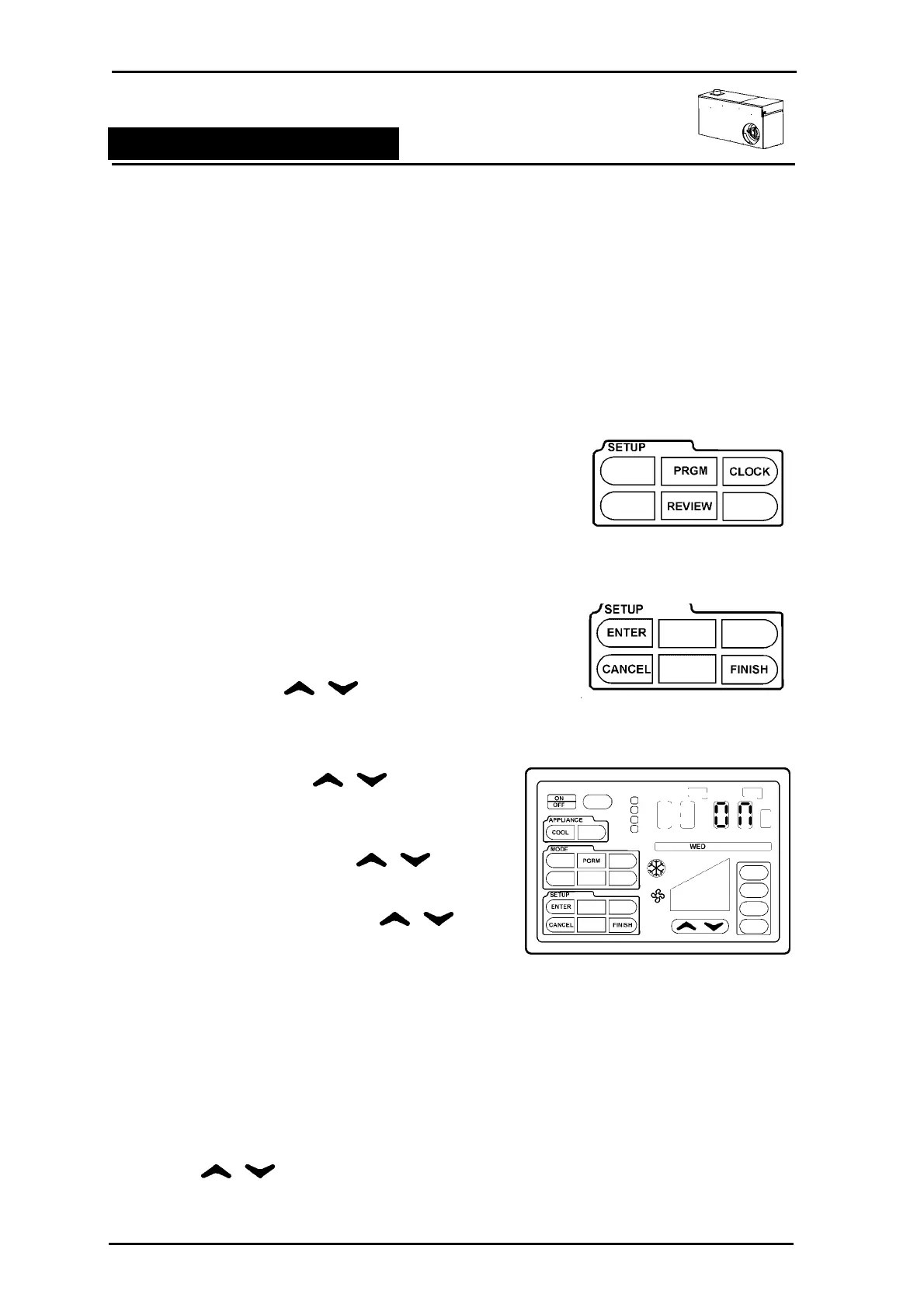
In the SETUP outline, there are 2 setup mode icons PGRM and CLOCK as well as 4 function icons
ENTER, CANCEL, REVIEW and FINISH. To enter setup mode, touch anywhere within the SETUP
outline. The accessible icons will be displayed.
Program Setup
Program setup will take you through the steps to set your Ducted
Gas Central Heater up for automatic control:
Step 1 To select the PGRM (Program) mode touch anywhere
in the SETUP outline.
Step 2 Press PGRM. The 3 icons will disappear and edit
mode has begun with the 1
st
period.
Two new icons will now be displayed ENTER &
CANCEL.
• ENTER will save each step of the program
• CANCEL will step back the program 1 step at a
time.
Step 3 Using the arrows select the
day or day grouping to program. Press
ENTER
Step 4 Period 1 will be displayed with ON or OFF.
Using the arrows
make a selection if required and press
ENTER.
Step 5 Set the Hour using the
arrows and press ENTER
Step 6 Set the Minutes using the
arrows and Press ENTER
Step 7 Change the Unit in the APPLIANCE area if
required.
Step 8 Select the MODE of operation, THERM, ECON,
BOOST, FAN (only) and press ENTER.
Step 9 If zones are fitted, select the zones required to be
open.
Step 10 Adjust the SET temperature using the
arrows and press ENTER
The First Program period is now completed.



 To Next Page