32
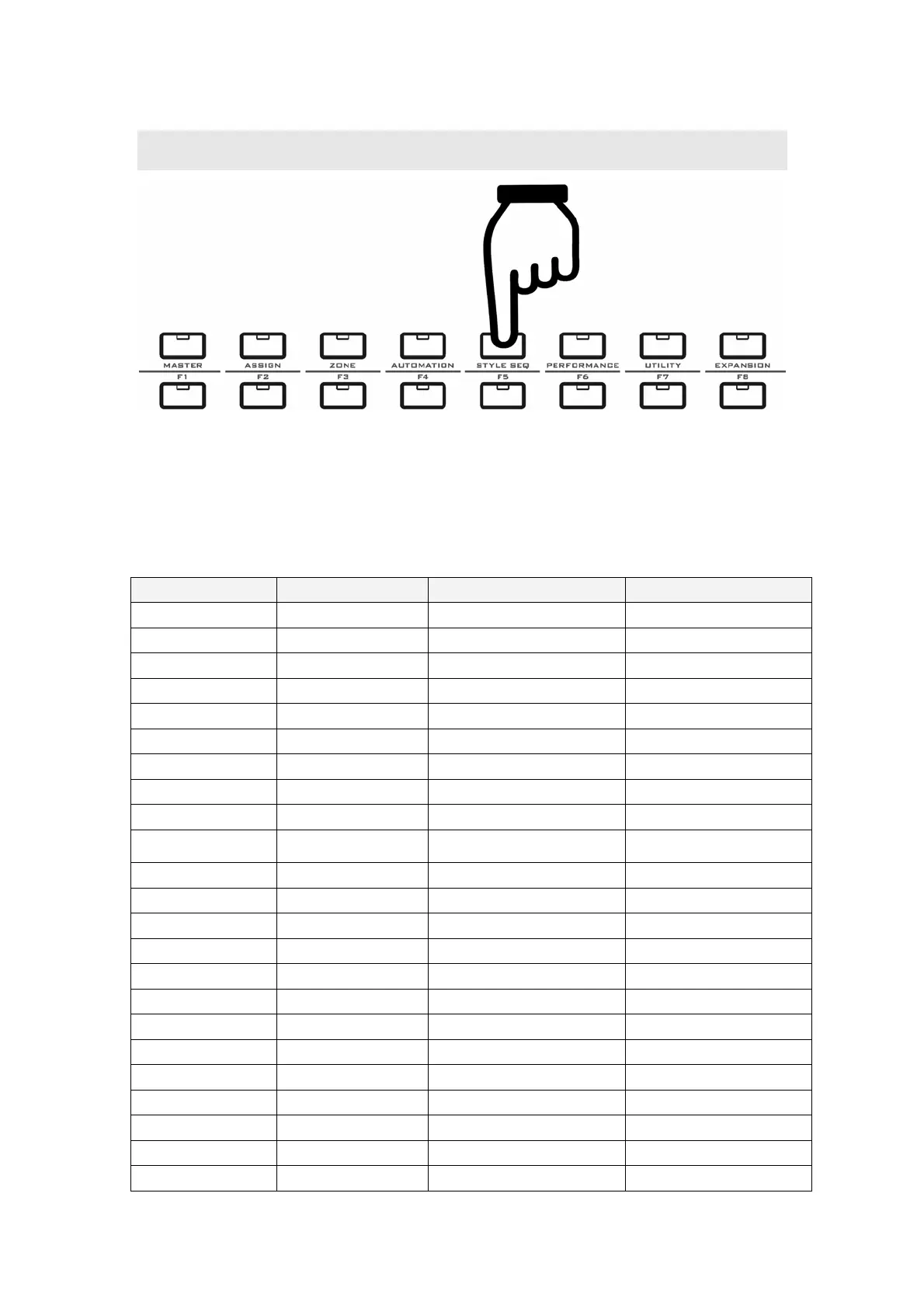
11 STYLE SEQ
Notes for the STYLE SEQ mode:
z In the STYLE SEQ mode you can use pads to play songs and play with the song.
z When the STYLE SEQ mode is on, the MASTER mode will be OFF.
11.1 STYLE SEQ data list
Part name Panel ID Data type Data sent
Keyboard - Note on & Note Off Note on & Note Off
Aftertouch - After Touch After Touch
Pitch wheel PITCHBEND Pitch Bend Pitch Bend
Modulation wheel MODULATION Modulation CC-001
Ribbon control RIBBON CONTROL Brightness CC-074
Pedal A PEDAL A Expression CC-011
Pedal B PEDAL B Sustain CC-064
Breath control B.C Breath CC-002
Function shortcut F1 Song#,tempo, time signature -
Function shortcut F2
Keyboard part#, voice#,
bank#
-
Function shortcut F3 Melody on/off -
Function shortcut F4 Pad status setting -
Function shortcut F5 Motorized fader mode -
Function shortcut F6 Song play mode -
Function shortcut F7 Change fader channel -
Function shortcut F8 Panic -
Seq transport RTZ Return to start point -
Seq transport REW Fast rewind -
Seq transport FF Fast forward -
Seq transport REC - -
Seq transport STOP Stop song playing -
Seq transport PLAY Play the song -
Remote control LOCATE 1 - -


 To Next Page