33
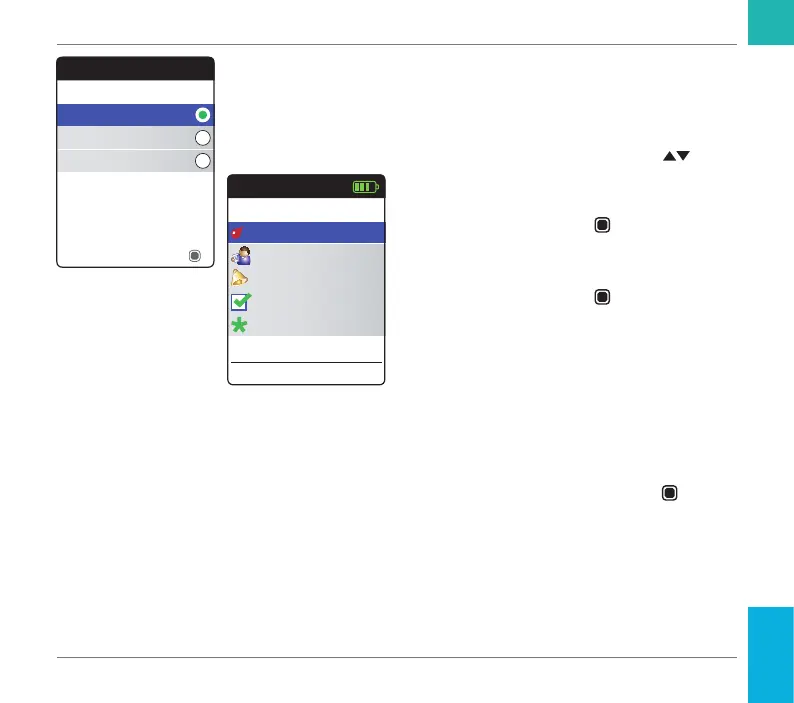
Select the preferred coagulation unit (for
displaying a test result) as the last step of this
initial setup process. The currently active unit
is indicated by a green dot.
11 Use the up/down arrows button
to select your preferred unit. The newly
selected unit is highlighted.
12 Press the Enter button
to conrm the
selection, which is now indicated by the
green dot.
13 Press the Enter button
again to save the
selected unit.
The initial setup is now nished, and the meter
displays the Main Menu. For a complete
overview of setup options (including those
which are not part of the initial setup) see the
chapter Meter settings starting on page 85.
If you wish to power off the meter after setup:
14 Press and hold the Enter button
until
the meter powers off.
Units
INR
%Q
Sec
Save
Main Menu
Test
17:03
Settings
Reminders
My Results
17 Sep 2018
Other
Starting Up
CoaguChek INRange User’s Manual



 To Next Page