44
The test strip symbol prompts you to insert a
test strip.
7 Remove a test strip from its container. Im-
mediately after removing a test strip, close
the container again with the stopper.
NOTICE
Exposure to external inuences (e.g. humidity)
may deteriorate the test strips and may lead
to error messages.
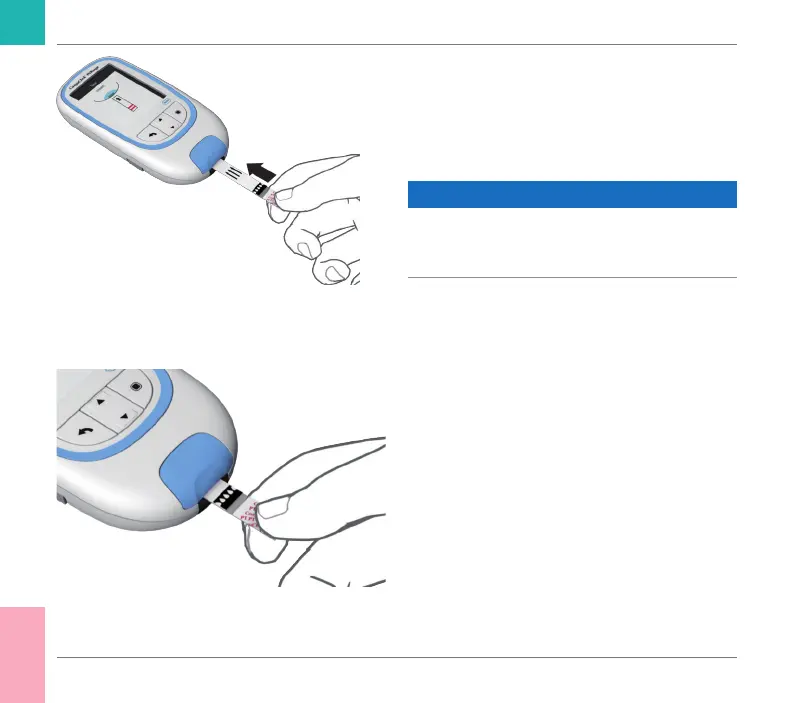
8 Hold the test strip so that the lettering, the
arrows and the blood drop symbols are
facing upward.
9 Slide the test strip into the test strip guide
in the direction indicated by the arrows.
Slide the test strip in as far as it will go.
Abeep tone indicates that the test strip
has been detected.
Testing a Capillary Blood Sample
CoaguChek INRange User’s Manual



 To Next Page