81
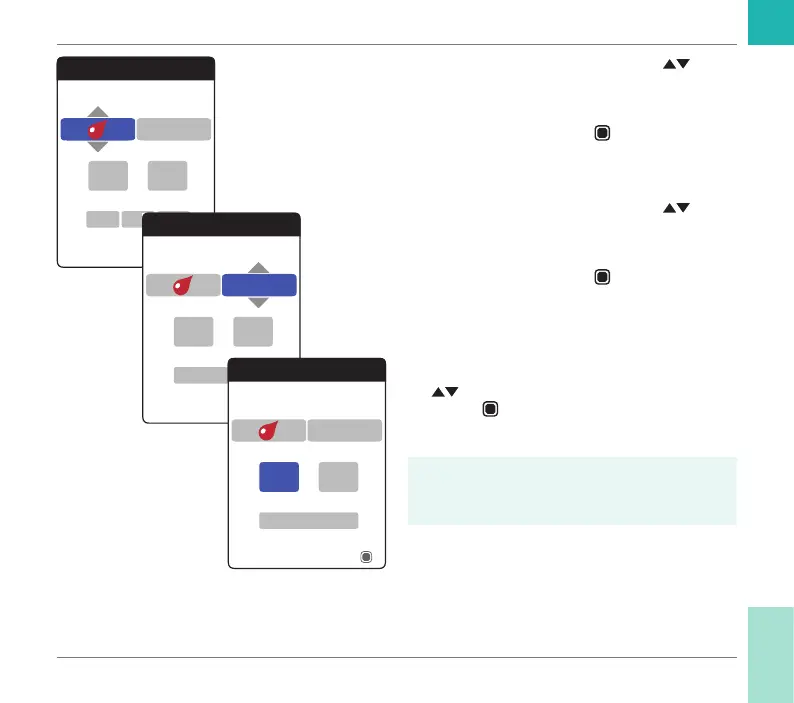
4 Use the up/down arrows button to set
the desired type (test, medication, appoint-
ment, other).
5 Press the Enter button
to conrm the
selected type. The next reminder para-
meter (frequency) will be highlighted.
6 Use the up/down arrows button
to set
the desired interval (once, daily, every 7,
14, 21, or 28 days).
7 Press the Enter button
to conrm the
selected interval. The next reminder pa-
rameter (hour) will be highlighted.
8 Set the remaining time/date parameters,
always using the up/down arrows button
to set the parameters, and the Enter
button
to conrm and jump to the next
parameter.
Depending on the chosen interval, there
will be different time/date parameters to
set.
Reminders
Select reminder type
13
17Sep
Next
45:
2018
Once
Reminders
Select frequency
13
Next
45:
7 Days
Monday
Reminders
Set time
13
Monday
Next
45:
7 Days
Reminders and Meter Settings
CoaguChek INRange User’s Manual



 To Next Page