82
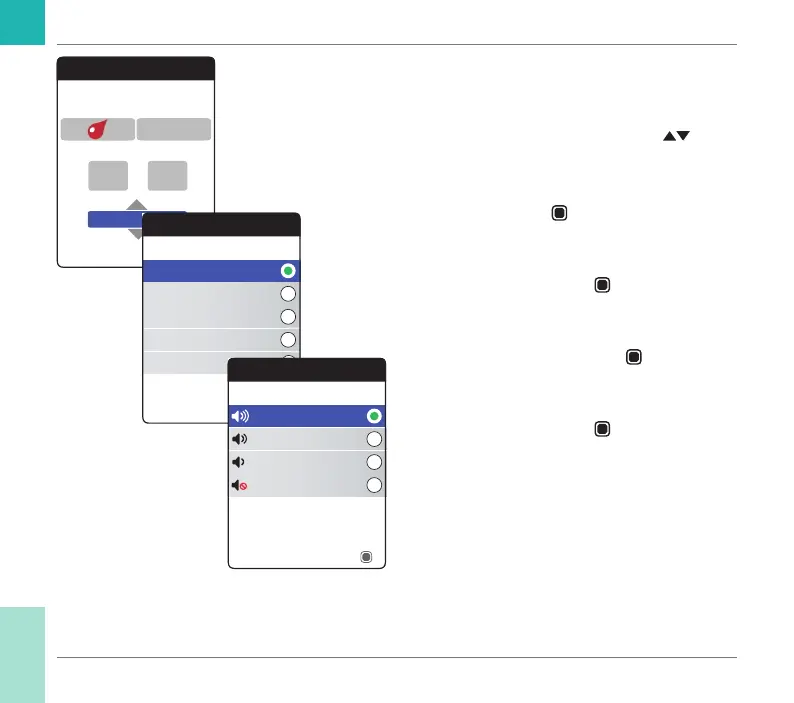
After entering and conrming the day, you
are prompted to set the audio signal for the
reminder.
9 Use the up/down arrows button
to
select the desired Reminder Tone, which
may, for example, help you to distinguish
acoustically between reminder types. Press
the Enter button
to conrm your selec-
tion. A green dot indicates the selected
tone.
10 Press the Enter button
again to save the
selection and proceed.
11 Select the desired Reminder Volume
and press the Enter button
to conrm
your selection. A green dot indicates the
selected volume.
12 Press the Enter button
to save the
reminder.
Reminders
Set day of week
13
Monday
Next
45:
7 Days
Reminder Tones
Doorbell
Timba
Marimba
Bell
Ascending
Save
Reminder Volume
Medium
High
Off
Low
Next
Reminders and Meter Settings
CoaguChek INRange User’s Manual



 To Next Page