EasyManua.ls Logo

COBHAM D-MBR 3707 - User Manual

COBHAM D-MBR 3707
75 pages
Print Icon
To Next Page IconTo Next Page
Loading...
Cobham Wireless Coverage
Date: 17-Jan-16
www.cobham.com/wireless
Doc. No. 00060CDUM Rev. 1.1 Page | I
The most important thing we build is trust
D-MBR 3707 3708
Class A PS NFPA Signal Booster
The future of in-building coverage
User Manual 00068CDUM Rev. 1.2
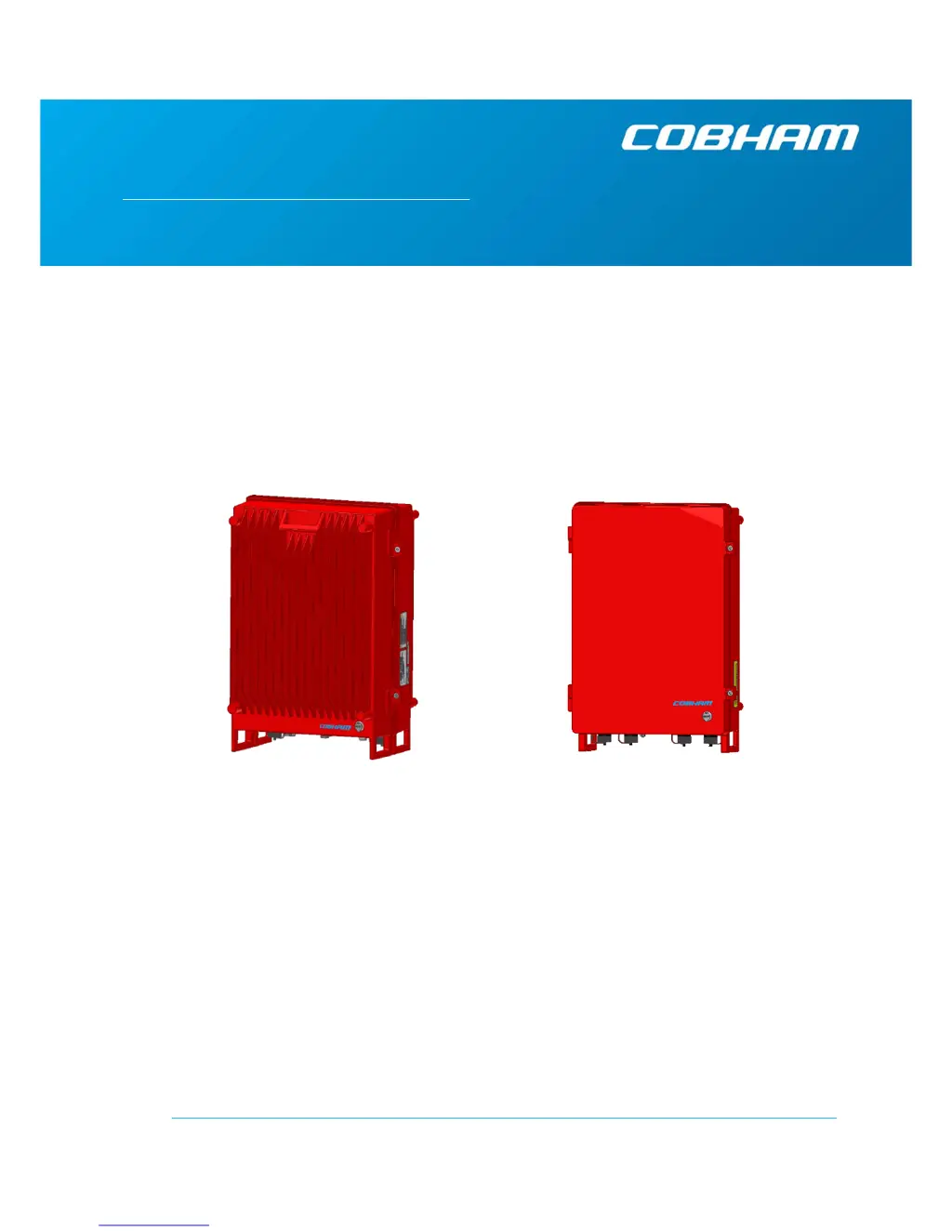
This manual is relevant for 700/800 MHz Digital Multi-Channel Class A RF Signal
Booster
D-MBR 3707-3708 PS NFPA Booster
D-MBR 3707-3708 AC feeder and battery charger

Table of Contents

Questions and Answers

  • J
    Jonathan GilbertJul 31, 2025
    What to do if COBHAM D-MBR 3707 Extender is muted?
    • K
      Katie WilsonJul 31, 2025
      If your COBHAM Extender is muted, especially if system-initiated, it might be due to an isolation problem or temperature issue. Check the booster's gain. If the gain is minimal, there may be an isolation problem; try to improve isolation. You can also try turning the booster off and then on again to reset the function. If the problem continues, consider replacing the unit.
  • J
    jessicathompsonAug 5, 2025
    What to do if the signal from the donor antenna (DL) is too low on COBHAM D-MBR 3707?
    • M
      Mark JohnsonAug 5, 2025
      If the signal from the donor antenna on your COBHAM Extender is too low, check the donor/base connections and the antenna position. Also, check the signal level of the donor/base antenna. If the alarm persists, increase the value of the DL Output Threshold Delta [dBm] as needed.
  • T
    toddsmithAug 9, 2025
    How to cool down COBHAM D-MBR 3707 Extender?
    • A
      Amy EstesAug 9, 2025
      If your COBHAM Extender's temperature is exceedingly high, check the booster case for external causes such as sun exposure, a hot environment, or blocked airflow. Eliminate the cause of the excessive heat.
  • D
    David DonaldsonAug 13, 2025
    Why does COBHAM D-MBR 3707 trigger an alarm related to return loss?
    • M
      Megan GreeneAug 13, 2025
      This alarm is triggered on your COBHAM Extender when the return loss of the downlink or uplink antenna or cable connection exceeds the allowed limit. This can be caused by a defective cable or antenna, which decreases the VSWR. Check the cable to resolve this issue.
  • K
    Kimberly MorseAug 17, 2025
    How to fix power failure in COBHAM Extender?
    • B
      Briana LeAug 17, 2025
      To address a power failure in your COBHAM Extender, turn the booster off (this will reset the function) and then turn it back on. If the fault continues, replace the unit.
  • A
    Angel WigginsAug 22, 2025
    What does it mean if the power amplifier current is not within limits on COBHAM D-MBR 3707 Extender?
    • M
      Michelle RitterAug 22, 2025
      If the power amplifier current is not within limits (too high or too low) on your COBHAM Extender, and the mute option is enabled, this indicates low power amplifier current caused by the mute. Check the LEDs status in the Booster and contact Cobham Wireless service support.
  • J
    Jennifer BrownAug 27, 2025
    What causes system mute on COBHAM D-MBR 3707?
    • M
      Michael GonzalezAug 27, 2025
      System mute on your COBHAM Extender can be caused by temperature failure, synthesizer failure, hardware failure, or high RSSI power DL/UL when the shutdown mechanisms are on. Check the LED and other alarms from the Booster and contact Cobham Wireless Support.

Summary

Introduction to the Booster

Main Features

Details the key features and capabilities of the D-MBR 3707-3708 PS NFPA Signal Booster.

Booster Ordering Information

Provides identification numbers and descriptions for ordering the signal booster unit.

Architecture

Explains the system architecture, including power sources and alarm connections for NFPA compliance.

Smart-ALC Function

Describes the Smart Automatic Level Control (Smart-ALC) algorithm for gain adjustment and oscillation prevention.

Power Feeder and Battery Charger

Details the AC feeder and battery charger unit for installations where UPS is not available.

Booster Interfaces

Illustrates and describes the various interface ports located on the booster's front panel.

Functional Description

Explains the overall functionality of the signal booster, including downlink and uplink signal paths.

Booster Pre-Installation Requirements and Guidelines

Donor Antenna Considerations

Guidelines for selecting and installing the donor antenna, including required information and specifications.

Service Antenna Considerations

Requirements and recommendations for service antennas, covering indoor and outdoor installation types.

Required BTS Information

Lists essential information required from the Base Transceiver Station (BTS) for setup.

Selecting the Booster Location

Criteria and environmental considerations for choosing the optimal installation location for the signal booster.

RF Cable Installation Guidelines

Provides guidelines for selecting and installing high-performance, low-loss coaxial cables for the booster.

Booster Mounting and Installation

Booster Installation Overview

Outlines the step-by-step workflow for installing the signal booster unit.

Booster Unpacking and Package Contents

Details the procedure for unpacking the booster and verifying the included package contents.

Mounting the System

Provides instructions and criteria for mounting the booster unit, including wall and rack installations.

Booster Connections

Describes how to make the necessary connections for grounding, antennas, and power-up.

Battery Charger Description and Installation

Charger Ordering Information

Lists the identification and part numbers for ordering the AC feeder and battery charger.

Charger Architecture

Illustrates the architecture of the battery charger, its power flow, and alarm connections.

Charger Interfaces

Details the interfaces on the AC feeder and battery charger, including power and alarm connections.

Charger Installation Procedure

Step-by-step guide for installing the battery charger, including location, grounding, and connections.

Setup and Commissioning

Overview of the Commissioning Procedure

Provides a summary of the procedures required for setting up and commissioning the D-MBR Booster.

Opening a Session to the Booster and Navigating the GUI

Instructions on how to establish a local web session and navigate the booster's management GUI.

RF Parameters and Channel Configuration

Details on configuring RF parameters and up to 12 sub-bands for the 700 MHz and 800 MHz bands.

Date and Time Settings

Procedure for setting the correct date and time for accurate event and alarm logging.

External Alarms Configuration

Guides on configuring external alarm inputs from sources like the battery charger or UPS.

IP Address and SNMP Notifications

Instructions for setting up the booster's IP address and configuring SNMP trap notifications for fault reporting.

Changing Password

Procedure for changing the administrator password to enhance system security.

Administrative Operations

User Management

Describes how to manage user accounts, including adding, editing, and deleting users with different access levels.

Viewing General Information

How to view booster-level information (hardware/software versions) and band-level details.

Band-Level Configuration Backup;Restore

Procedures for backing up and restoring band-level configuration files for the signal booster.

CMU Software Upgrade

Instructions for upgrading the booster's CMU software version, allowing for previous version restore.

Monitoring and Troubleshooting

LED Troubleshooting

Explains the meaning of the uplink and downlink status LEDs and corrective actions for faults.

Booster Level Alarms Log

How to view the log of past and current alarms generated by the booster.

Viewing Activated Alarms

Displays currently activated alarms, including any relevant dry-contact alarms.

Band-Level Alarms and Troubleshooting

Description of band-specific alarms, their causes, and recommended troubleshooting actions.

Modifying Alarm Severities

Procedure to adjust the severity levels (minor, major, critical) of alarms.

Appendix A - Booster and Charger Specifications

COBHAM D-MBR 3707 Specifications

General IconGeneral
BrandCOBHAM
ModelD-MBR 3707
CategoryExtender
LanguageEnglish