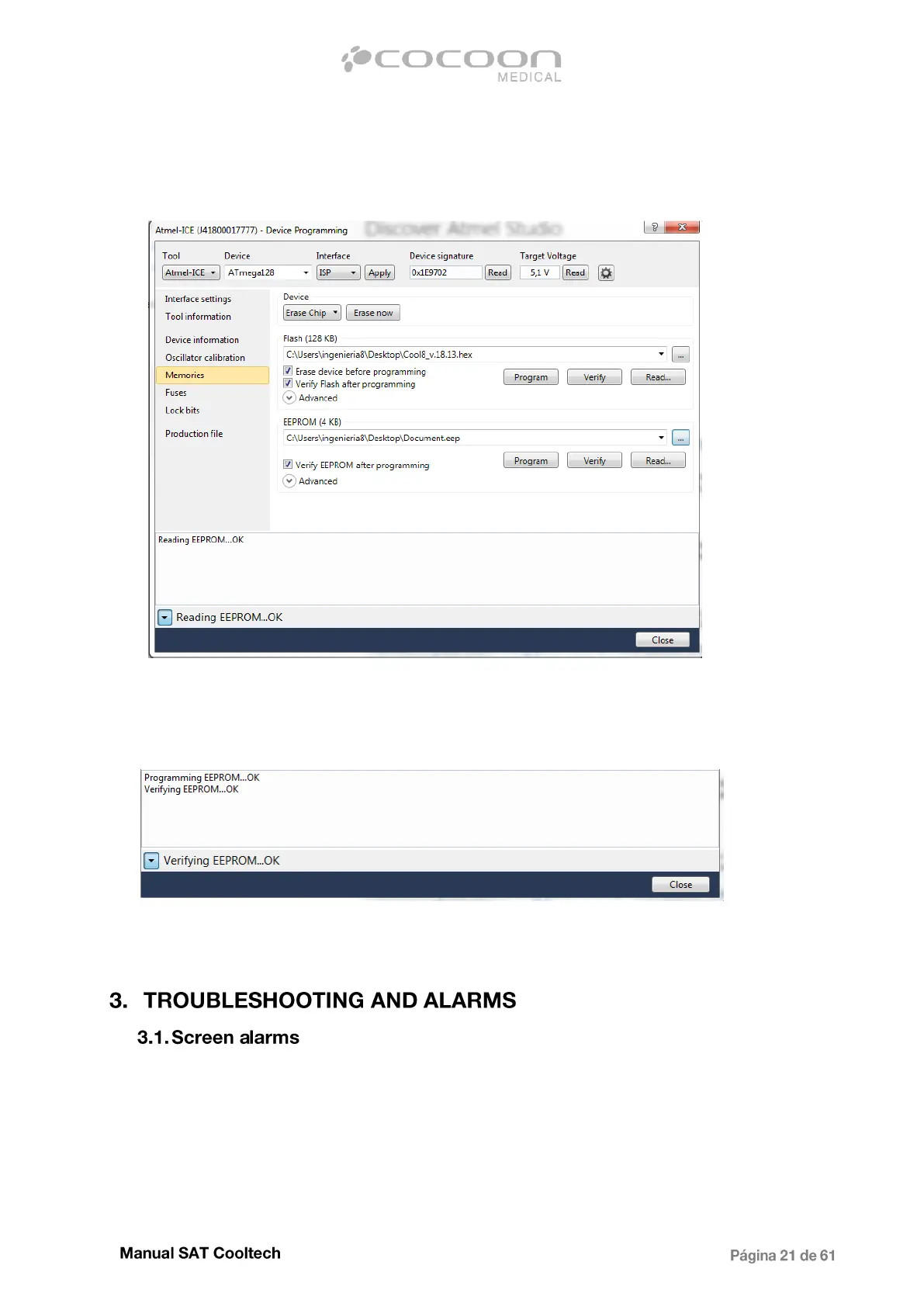
7. Click on the "Program" button in the EEPROM section to program the information that was
previously saved:
8. To ensure that the programming process in the section "EEPROM" has gone correctly, check if
appears at the bottom of the screen the following text:
These are the alarms that appear during a treatment as animated image on the screen indicating the
type of fault. Some can stop the treatment and others are only a warning.
In below are described the different screen alarms:


 To Next Page