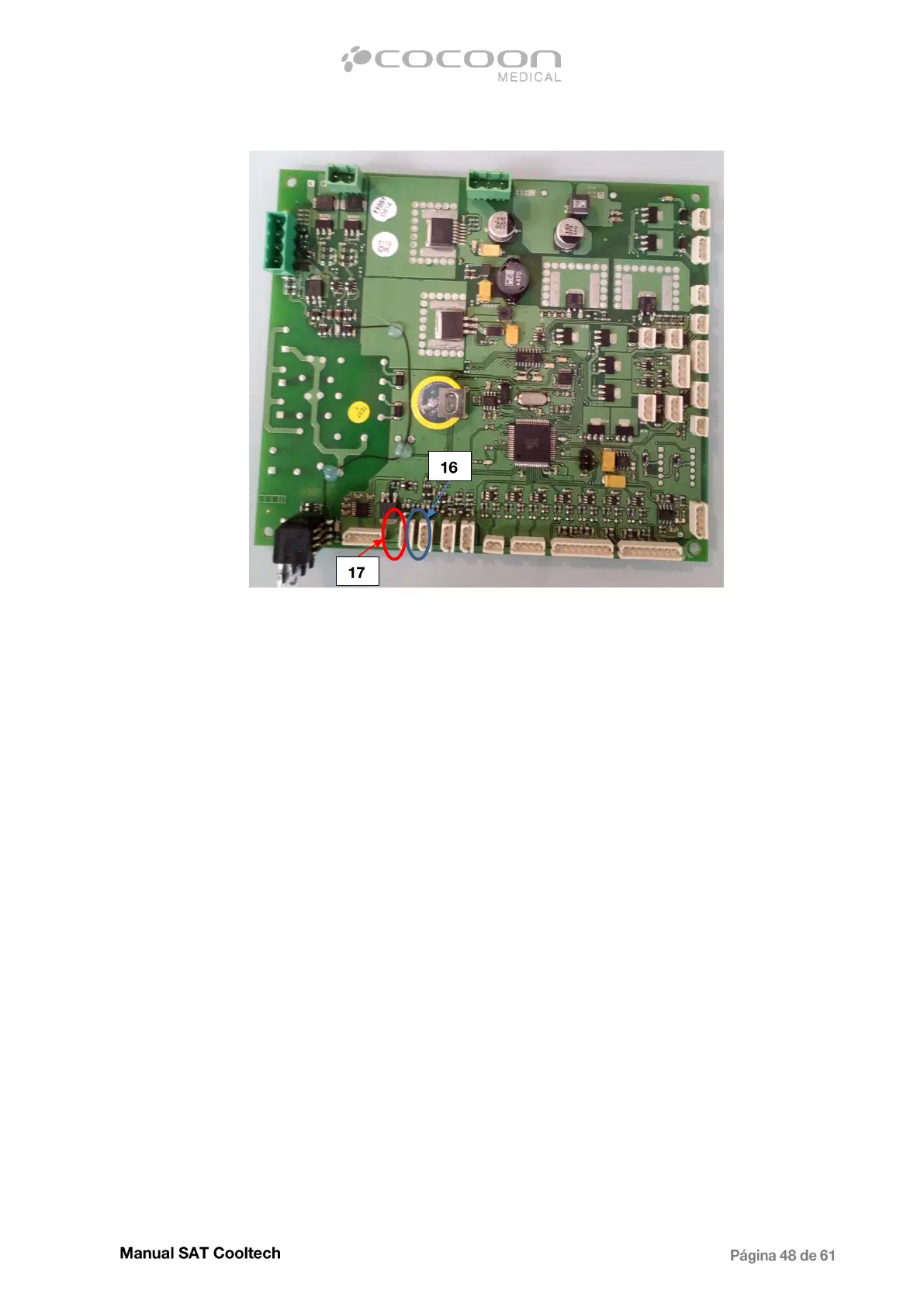
Move the control cable of the source that does not work to make sure it is not a cable fault, and if the
source voltage reappear, replace the control cable. On the contrary, if the failure persists, exchange
the connectors 17 and 16 to rule out a possible CPU problem.
If after exchanging the cables, the source that did not work begin functioning, change the CPU, but
on the contrary, if the problem persists proceed to replace the power supply.
To do this, disconnect the cables from the source and remove the 4 screws from the rear that hold it
to the intermediate chassis.


 To Next Page