Follow the procedure and test the hand pieces separately to find out which one has the obstruction.
Compare the pressure value and if one of them has a value, much higher than the other, replace the
applicator. If both have high values, proceed to check the equipment with other hand pieces for a
possible obstruction in the equipment hydraulic circuit. To do this (with the new applicators
connected) check visibly the flow rate in the filter and in case that there is no flow the obstruction
could be in the radiator. Make a bypass of the radiator and monitor if the flow in the filter recovers. If
so, change the radiator.
If after doing the radiator bypass, the flow is still missing, replace the hydraulic pump.
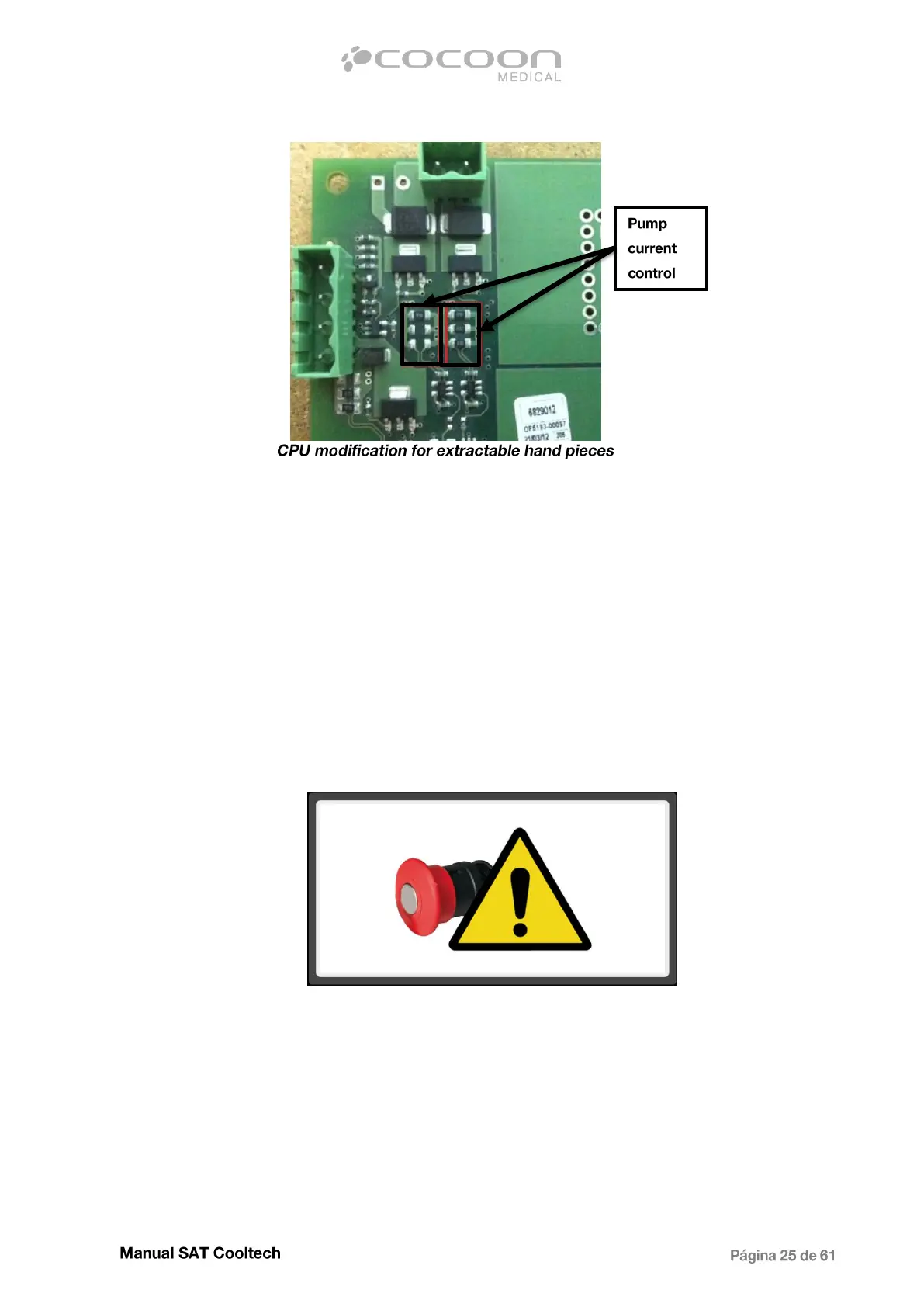
On the other hand, when flow rate is correct and still have problems with different hand pieces that
connected to other equipment are working well, proceed with replacing the CPU, obviously has
problem in the current sensor circuit.
3.1.3 - Emergency stop actived
Appears only on the main screen, indicating that during the treatment the emergency button has been
pressed.
If during a treatment process the emergency stop is pressed, the equipment is being restarted,
stopping the treatment, but maintaining the suction to avoid the applicator fall.
Once pressed, to release the button, turn it in direction indicated by the arrows. If after having done
the previous step and the warning image still remain on the display, check the internal wiring and
connectors. The cable to be checked is marked with number 8. Measure with a multimeter if with
released button there is continuity (NC) and pressing changes the state to open (NO). In case of no
switching of state, proceed to replace the push-button assembly.
If the button works correctly, replace the CPU.


 To Next Page