3.2.3 - Screen does not respond
When pressing the touchscreen and it does not respond, to solve this problem, perform first a screen
calibration.
If the display has a protective plastic it is better to remove it and carry out the process without it. The
plastic is only to protect the screen during the manufacture process of the equipment.
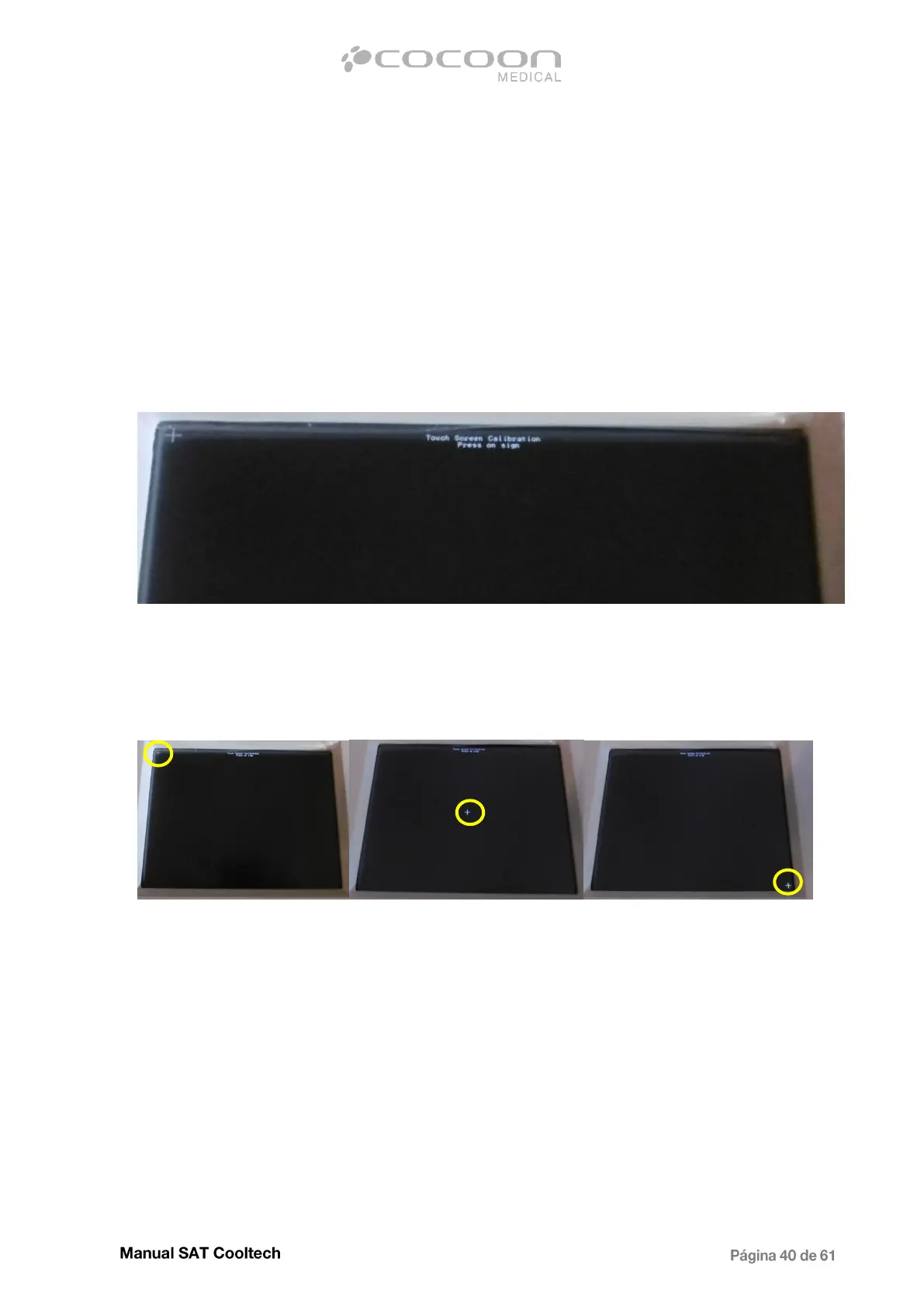
To start the calibration process, turn the device off and presswith a finger in the center of the screen.
Keeping pressed switch on the machine and wait until the next image appears.
Calibration start screen
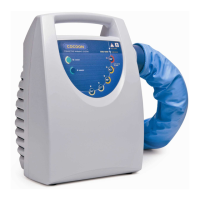
Click on the “plus” signs that appear on the screen, using a pencil or some Sharp stick for higher
accuracy in terms of calibration.
First step (upper left corner) Second step (center) Third step (lower right corner)
3 “plus” signs will appear, first in the upper left corner, in the center and in the bottom right corner.
Once finished, the software will be loaded. Repeat the procedure if the display does not respond well.
If the problem still persists, replace the display block.


 To Next Page