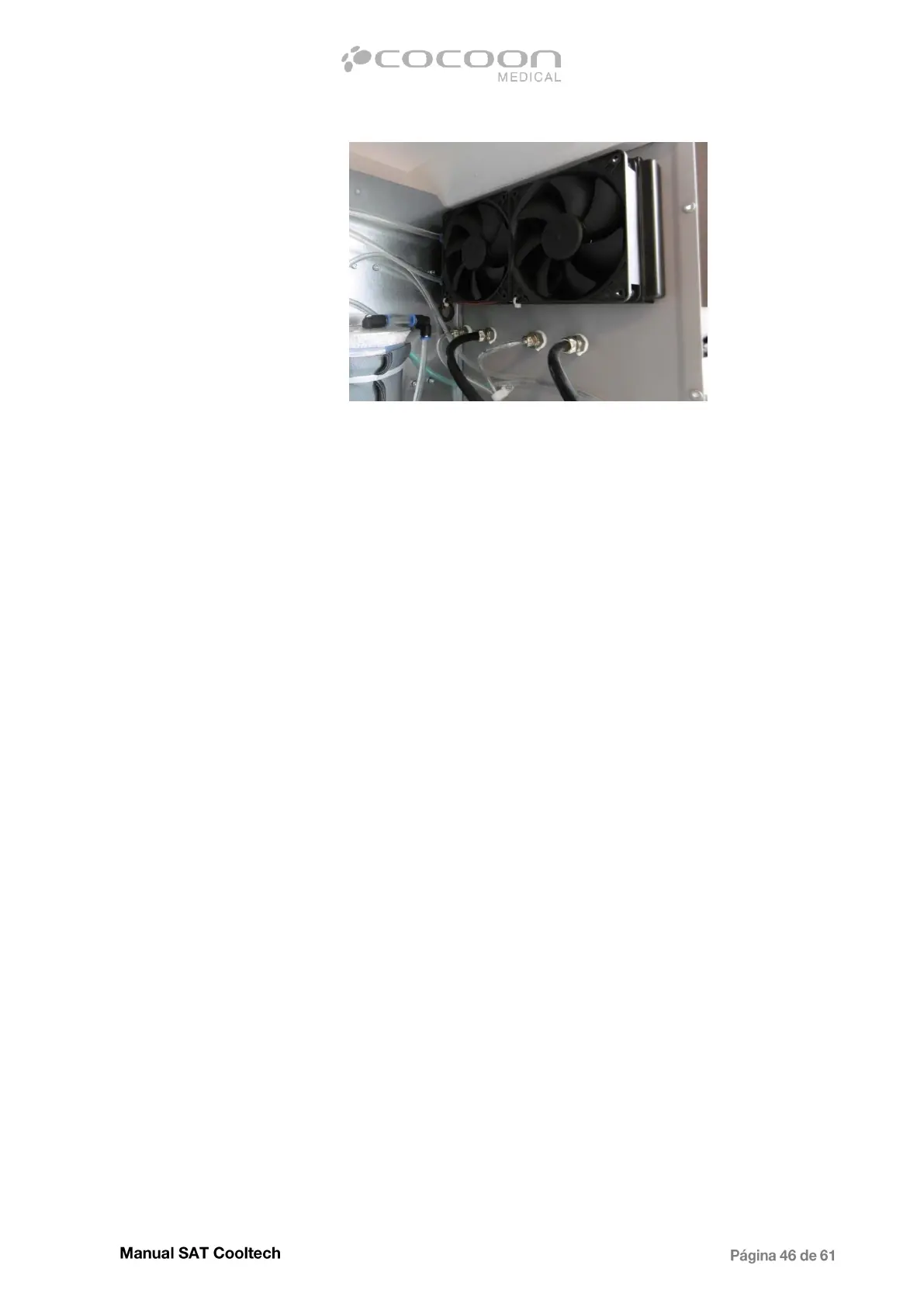
Correct position of the fan
Reconnect the fan to the Main board and check the air flow direction.
- Dusty radiator.
In case the fans work correctly, but the air flow is not enough, it is possible that the
radiator externally is obstructed by dust, blocking the passage of air. To solve the
problem open the equipment and clean the radiator either with compressed air or remove
both fans for better Access and use a vacuum cleaner.
- Faulty applicator.
Check the real time temperatures of each plate (explained in previous chart). If the
values are not similar could be possible that some of the peltier elements is faulty and
can not reach the set temperature. Proceed replacing the applicator.
3.2.7 - Applicator temperature does not decrease
In case that one of the hand pieces does not reach the programmed temperature, but the other one
does a few minutes after start, exchange the applicators to determine if the fault is in the applicator or
in the channel. If the problem persists in the same hand piece proceed to replace it, but in case is in
same channel check the operation of the power source.
Open the equipment`s electic cabinet and measure the output voltage of the power source, supplying
the faulty applicator (SPV-300W-12V).


 To Next Page