e-mark marking device Chapter 5 Operation
CODI Standard 1.0 Page 32 of 61
Operating and Maintenance Manual
time and acoustic signal the imprint can be made. Be aware that the colors do not change if no imprints
are saved on the device.
Notice: To make use of the automatic date, time or numbering function the e-mark needs permanent
connection to the App. Therefore, imprints with such functions cannot be stored on the e-mark, because
they cannot be updated automatically.
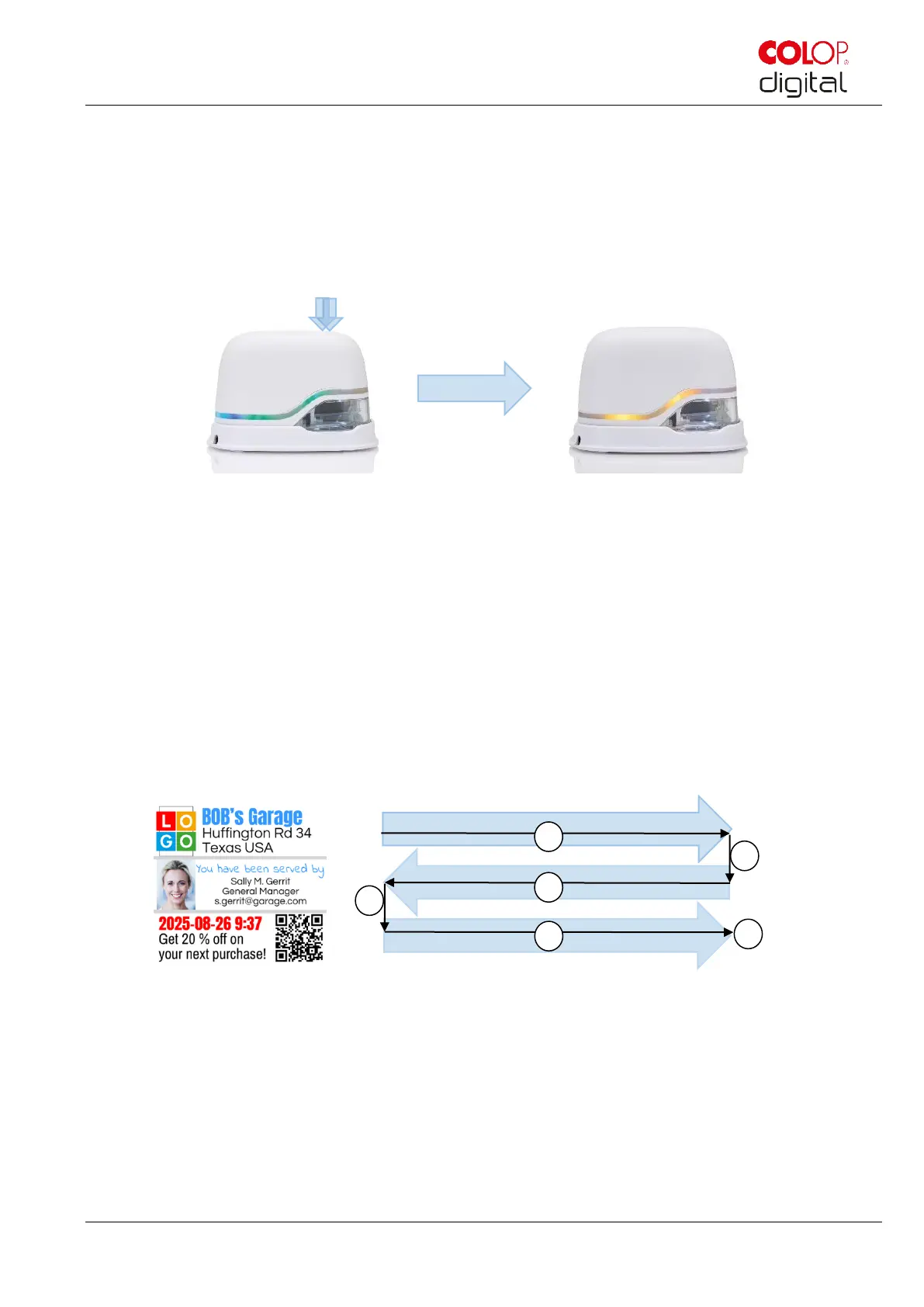
Fig. 21: Light pipe changes from green to yellow (indicating one of the stored imprints as active position)
Multi-line imprint option:
The e-mark can also make 2-line or 3-line imprints. Proceed as follows:
1. Starting from the left, move the e-mark to the right until the signal sounds, indicating the end of the line
has been reached.
2. Then move the e-mark downwards until the signal sounds, indicating the next line has been reached.
3. Move the e-mark to the left until the signal sounds, indicating the end of the second line has been
reached.
4. and 5. For another line, repeat steps 2 and 1 until the signal sounds, indicating the end of the third line
has been reached (6.).



 To Next Page