ALARM
11
CONTENTS
Cameras
Alarm-Alarm menu-Cameras
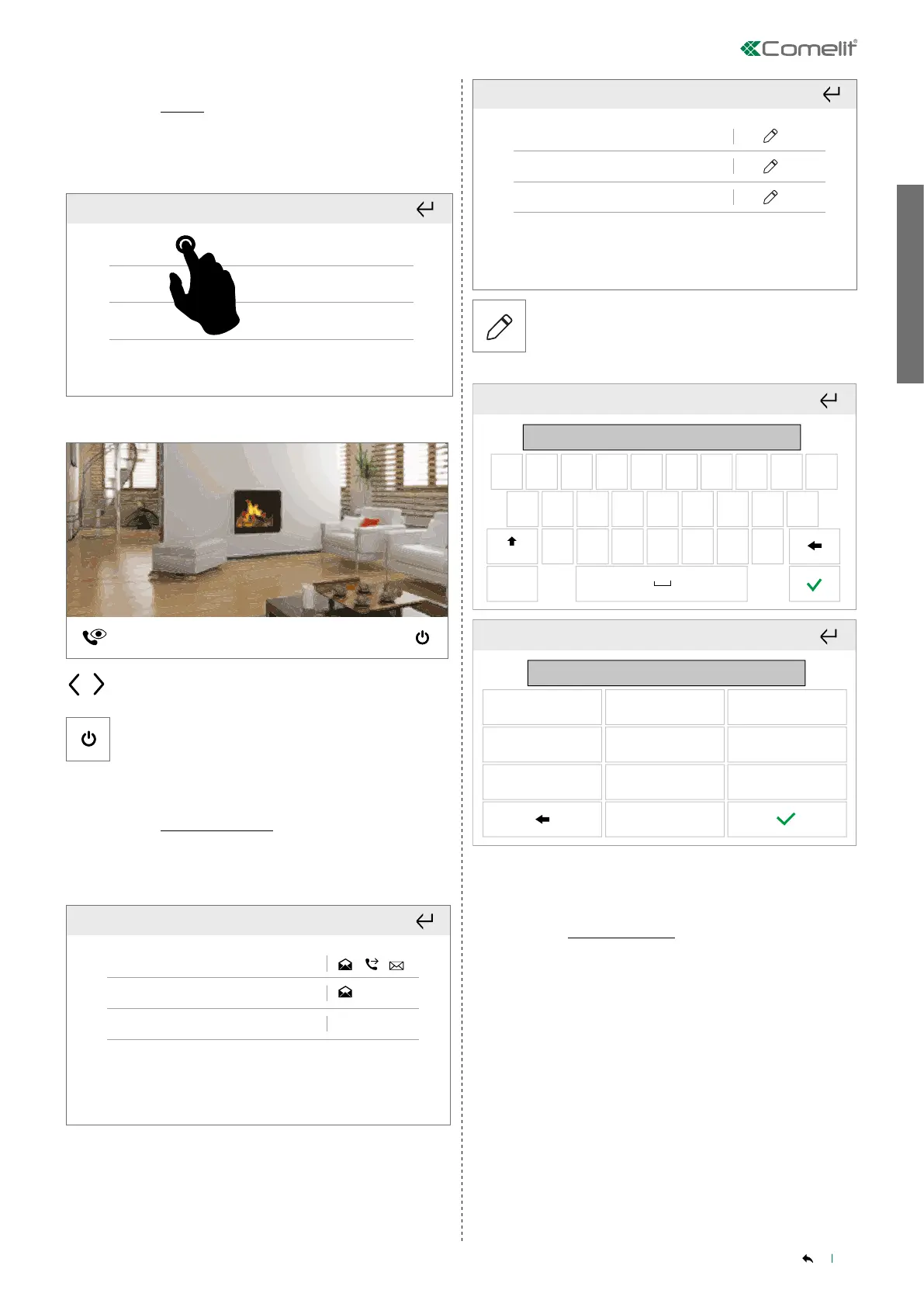
The directory lists the available cameras and can be used to start live
viewing.
Cam 1
Cam 2
Cam 3
Select the desired camera.
Cam 1
In communication
Use the arrows to move from one camera to another.
OFF ON
1. 2. 3.
OFF ON
OFF ON
OFF ON
40%
20%
100%
100%
OFF ON
1. 2. 3.
OFF ON
OFF ON
OFF ON
40%
20%
100%
100%
Press to stop playback and return to the previous screen.
Telephone contacts list
Alarm-Alarm menu-Telephone contacts list
This function allows you to edit the telephone contacts list saved on
the control panel.
Select the desired contact to view the saved information.
Name: Mario Rossi
E-mail: mario.rossi@example.com
Phone
: 0123 456789
Phone
1
Name: Mario Rossi
E-mail: mario.rossi@example.com
Phone
: 0123 456789
Phone
1
Press the icon to change the value of the corresponding
entry.
Phone 1
Mario Rossi
q
123
Aa
sa
z x c v b n m
d f g h j k l
w e r t y u i o p
Phone 1
1 2
0123456789
3
4 5 6
7 8
0
9
Customised activation
Alarm-Alarm menu-Customised activation
The menu shows a list of all AREAS in the alarm system and the status
associated with each of them, allowing activation/deactivation of the
burglar alarm for each.
Select the relevant area.



 To Next Page