INSTALLER SETUP
40
CONTENTS
To edit, see paragraph “Delete/edit an element saved in the directory"
on page 40
Doors
Setup_Installer setup menu_Directories_Doors
This function is used to add the addresses of external units (doors and
entrances) connected to the door entry system to receive an alert if a
door is open.
Door 1
Door 2
Door 3
Door 4
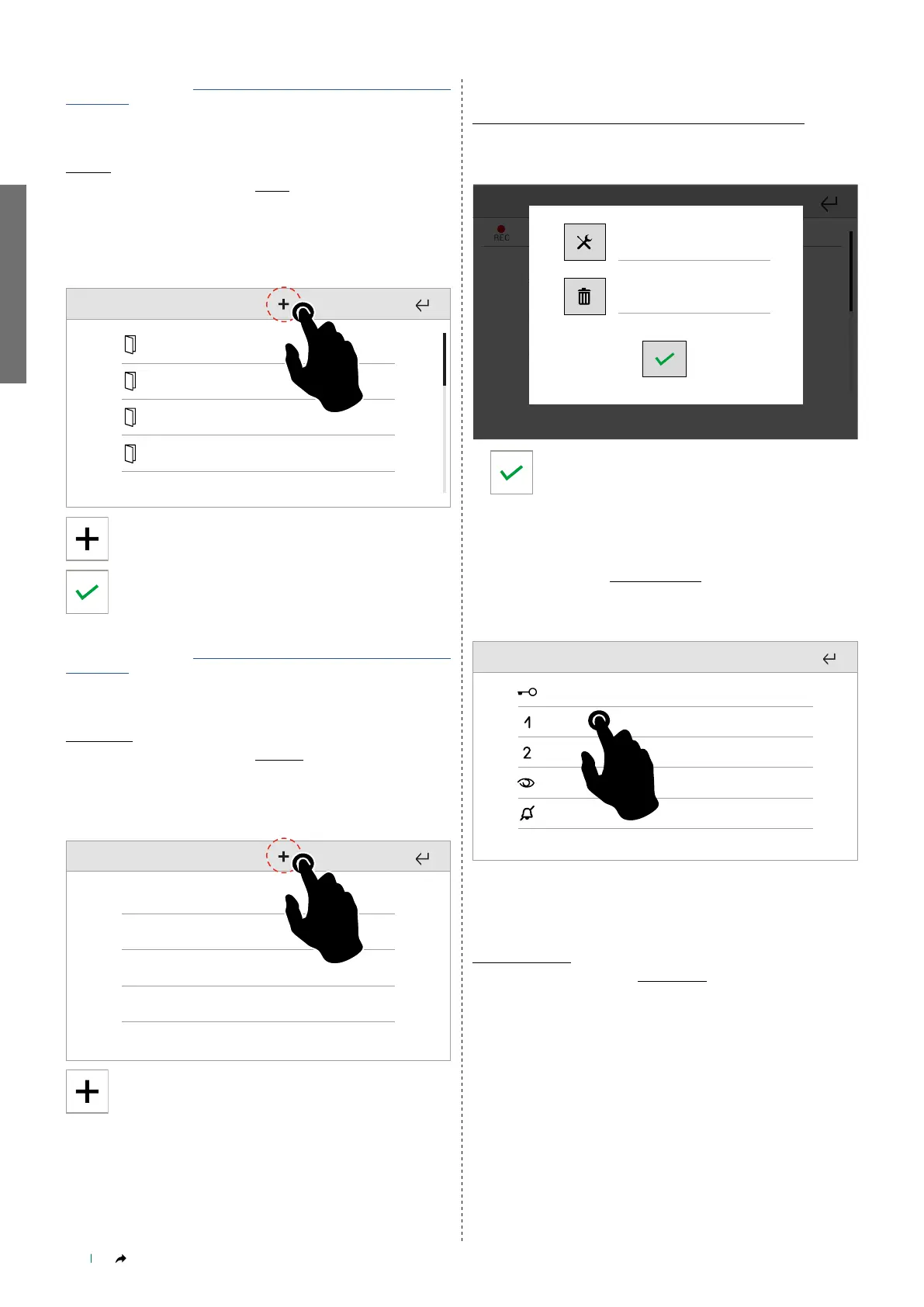
Press + to add a new element to the directory
Enter the desired value, then confirm.
To edit, see paragraph “Delete/edit an element saved in the directory"
on page 40
Cameras
Setup_Installer setup menu_Directories_Cameras
This function allows you manage a directory of the cameras connected
to ViP systems or via RTSP protocol.
Camera 1
Camera 2
Camera 3
Camera 4
Press + to add a new element to the directory
Identify the type of camera, choosing from:
• EXTERNAL UNIT CAMERA
• PAL CAMERA
• IP CAMERA
The parameters to be set vary depending on the type of camera
chosen.
______________________________
Delete/edit an element saved in the directory
In the directory, press and hold the name to show the editing
window.
Chiave 1
CHIAVETTA
Chiave 2
Chiave 3
Chiave 4
REC
Elimina
Modifica
Edit
Delete
Proceed with editing, otherwise press Delete and
confirm.
______________________________
Keys programming
Setup_Installer setup menu_Keys programming
From this menu you can assign one of the available functions to each
of the programmable keys.
______________________________
Reset
Factory reset
Setup_Installer setup Menu_Reset_Factory reset
This function deletes all user, door entry monitor, home automation
and alarm system settings, plus calibration settings, restoring the
default settings of the product.



 To Next Page