INTRODUCTION
6
CONTENTS CONTENTS
Advanced info not enabled
5 / 30
Advanced info enabled
In the example: 5 elements active
30 elements available
30 / 30
Advanced info enabled
In the example: 30 elements active
30 elements available
This option can be enabled for: ALARM / CLIMATE / OTHER
/ ROLLER BLINDS / LIGHTS / IRRIGATION / AUTOMATION /
LOADS / AUDIO BROADCAST.
SCREEN SAVER
When the monitor is in standby, as an alternative to the display being
o you can choose to show a series of images that change every 5
seconds.
See “Set screensaver" on page 31
MENU ICONS
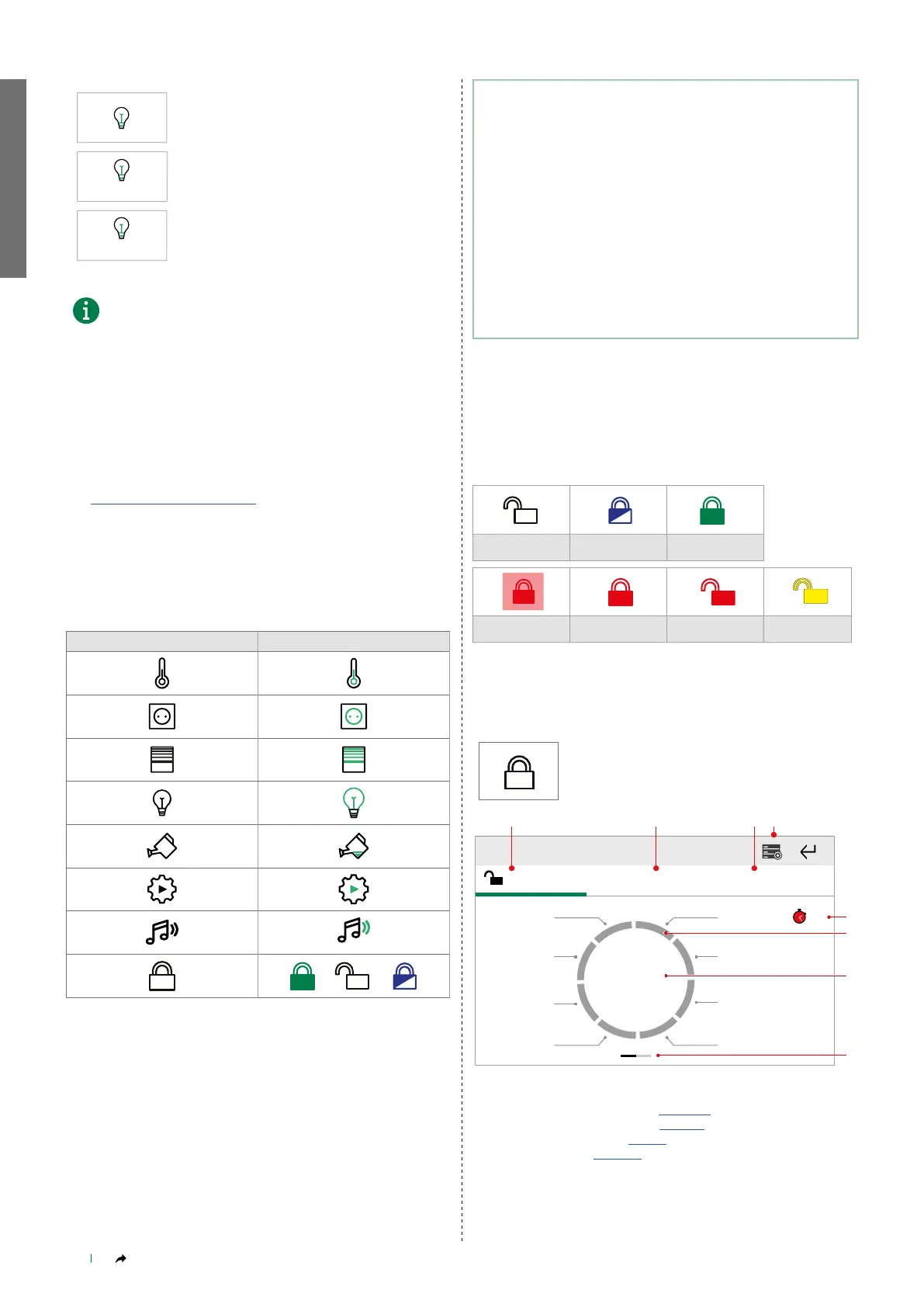
The icons on the Functions page change colour or shape to indicate
the presence of active elements.
NO ACTIVE ELEMENTS AT LEAST 1 ACTIVE ELEMENT
Using Maxi Manager in alarm
systems with Vedo control
panel.
• Compatible Vedo control panels: Vedo 10, Vedo 34, Vedo 68,
Vedo 200 not certified!
• The firmware for art. 20003320W must be updated to version
2.1.4 or higher.
• The firmware for the Vedo control panel must be updated to
version 2.10 or higher.
Alarm
The Alarm icon varies according to the status of the system.
DISARMED PART ARMED
ARMED ACROSS THE
ENTIRE SYSTEM
IN ALARM
ARMED - ALARM
EVENT MEMORY
DISARMED - ALARM
EVENT MEMORY
TECHNICAL FAULT
MAIN SCREEN
Press the icon to access the menu.
Inserimento
totale
OFF
Disarmed Activation control
Front garden Garage 1
Garage 2
Basement
room
Cellar
Back garden
Full
activation
Day zone
Night zone
Quick commands
1. Alarm system status
2. Activation control (Paragraph page 12 )
3. Quick commands (Paragraph page 12)
4. Alarm menu (Paragraph page 9)
5. Timer (Paragraph page 14)
6. Alarm areas
7. Full burglar alarm activation/deactivation control
8. Swipe to view a live stream from the cameras



 To Next Page