INTRODUCTION
4
CONTENTS CONTENTS
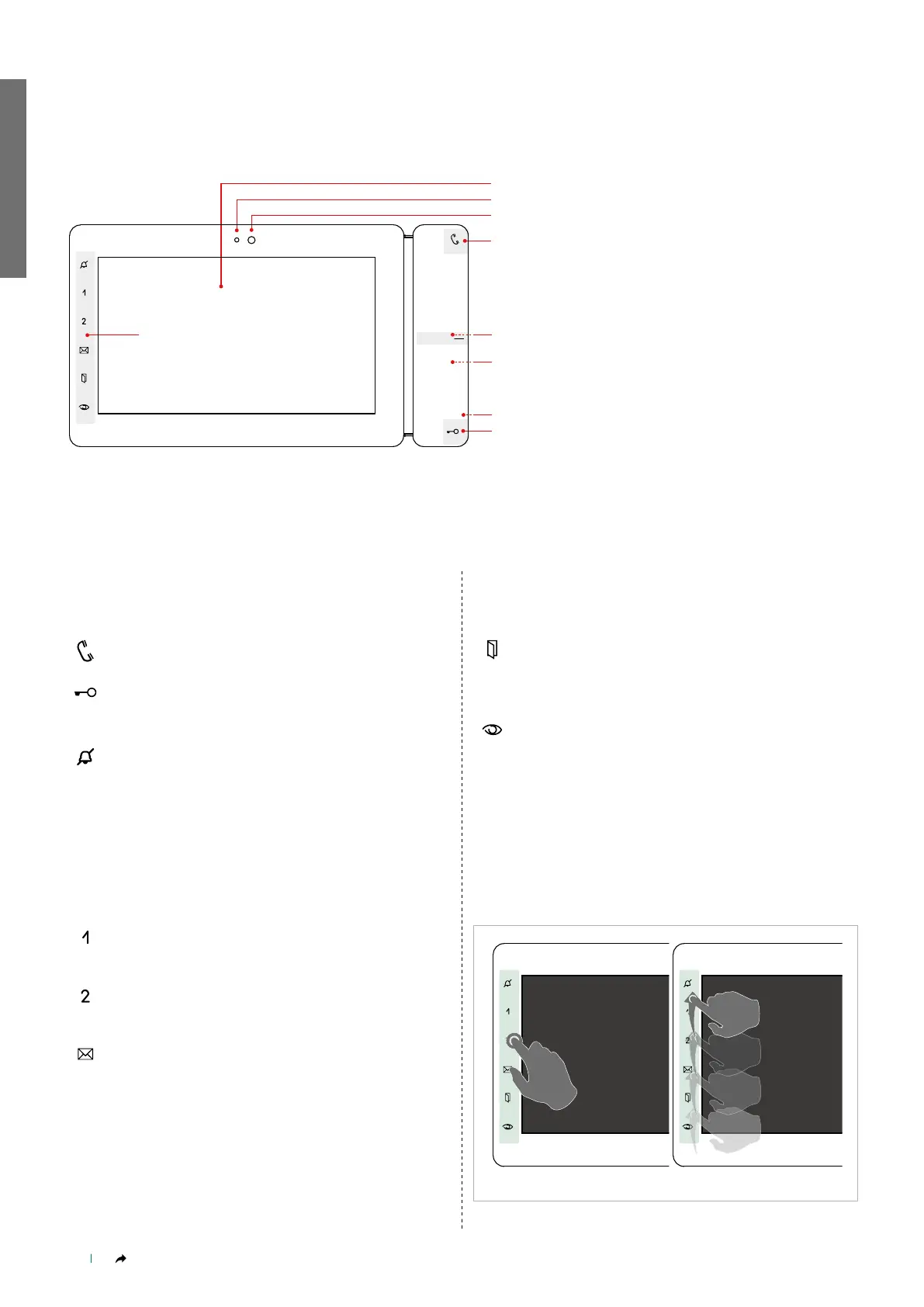
Touch or swipe the zone shown in Fig. 1 to view the keys in
standby.
Fig. 1
2.
3.
4.
6.
7.
5.
FUNCTION KEYS
DESCRIPTION
SOFT-TOUCH KEYS
Audio
Activates/deactivates conversation with the external unit.
Lock-release
Opens the corresponding door lock.
[PROGRAMMABLE] ACTUATOR
Programmable key:
(PRIVACY) SILENT MODE /+ (DOCTOR) DOOR OPENING UPON
CALL
• SILENT mode is used to deactivate / reactivate the ringtone for calls
originating from the external unit and the CPS.
• DOOR OPENING UPON CALL mode allows automatic operation of
the lock-release on receipt of a call from the external unit.
• SILENT + DOOR OPENING UPON CALL mode, in addition to
deactivating the monitor ringtone, allows automatic operation of the
lock-release on receipt of a call from the external unit.
Press to enable the programmed mode.
STEADY LED: Programmed mode enabled.
Programmable key 1
INTERCOM / SELF-ACTIVATION / LOCK-RELEASE / PRIORITY
CALL 1-4 / ACTUATORS / ACTIVATE OUTPUT
Programmable key 2
INTERCOM / SELF-ACTIVATION / LOCK-RELEASE / PRIORITY
CALL 1-4 / ACTUATORS / ACTIVATE OUTPUT
Video memory key
Offers direct access to the Messages menu.
STEADY LED: call divert
FLASHING LED: new message waiting.
Doors open key
Offers direct access to the Doors open section.
STEADY LED: signals the opening of one or more of the
doors listed in the directory.
Self Activation key
Activates the camera for the video external unit, allowing you
to see outside via the monitor.
[PROGRAMMABLE]
INTERCOM / SELF-ACTIVATION / LOCK-RELEASE / ACTUATORS
/ SCENARIOS
1. 7" touch screen
2. Microphone
3. Front camera
4. Function keys
5. Soft-touch keys
6. RFID key sensor
7. Temperature/humidity sensor
8. Micro SD card slot



 To Next Page