DOOR ENTRY SYSTEM
16
CONTENTS CONTENTS
______________________________________________________________
ACTUATORS
Door entry system-Actuators
The menu can be used to view and control the actuators connected
to the ViP system.
Press the icon to access the menu.
______________________________________________________________
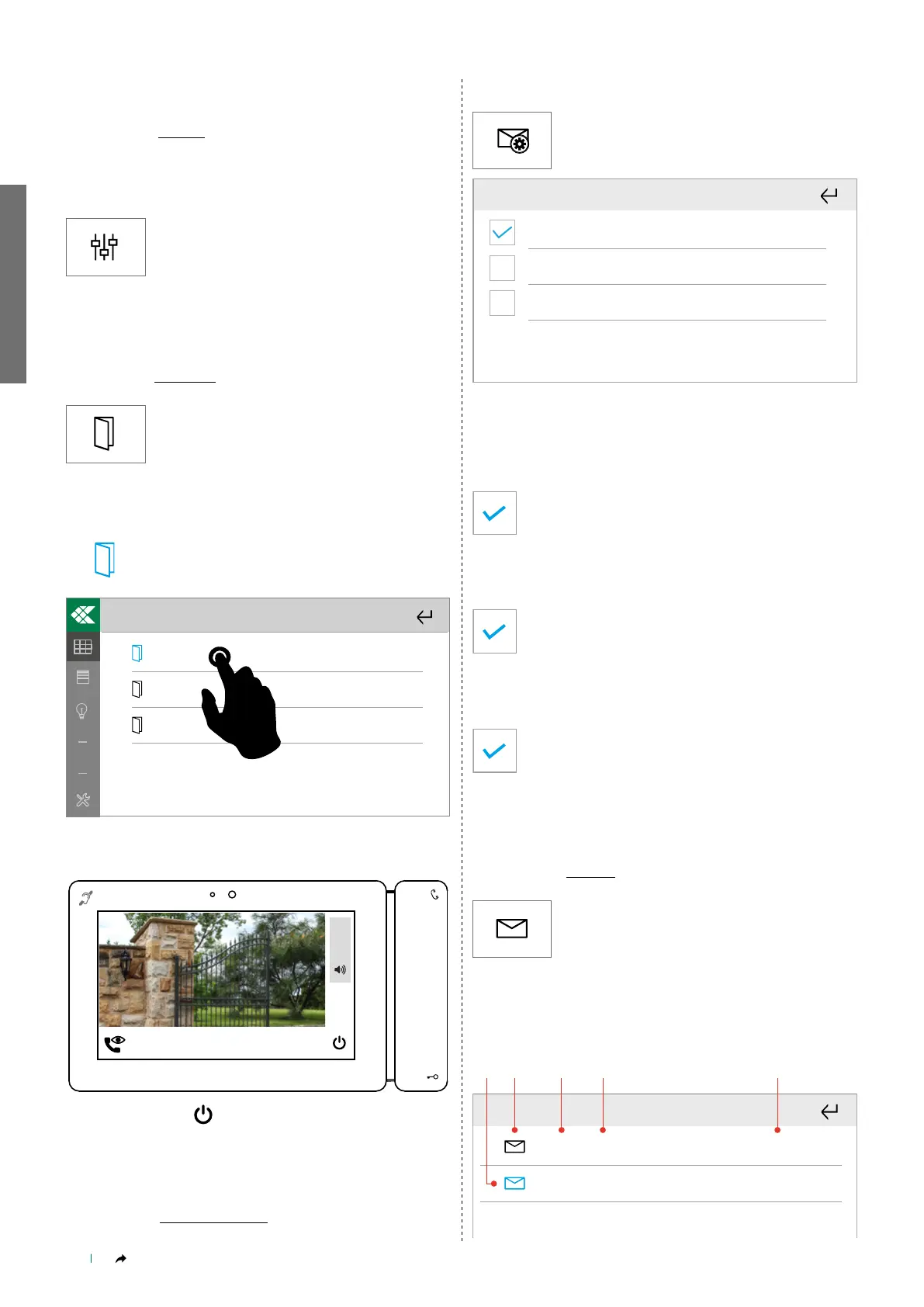
DOORS OPEN
Door entry system_Doors open
Press the icon to access the menu.
The menu can be used to view the list of doors saved in the directory
to check their status (open/closed).
» The icon changes colour to indicate that the door is open.
Garage 1
Garage 2
Door 1
123
Select a door from the directory to start viewing the paired camera.
Confirm or cancel by selecting "YES" or "NO"
In communication....
SELF ACTIVATION: Door 1
+
5
_
Finish by selecting
______________________________________________________________
AUDIO/VIDEO ANSWERING SERVICE
Door entry system_A/V Answering service
This menu allows you to manage the video memory function
parameters on the device.
Press the icon to access the menu.
External calls video memory
External calls answering service message
Internal calls answering service message
External calls video memory
When the video memory is active, if there is no answer the external
unit will record a video lasting 10 sec. which will automatically be
saved and made available in the List of calls menu.
Select the box to activate the function.
External calls answering service message
Select the box to activate the function that plays the
answering service message saved in the Setup menu.
Internal calls answering service message
Select the box to activate the function that plays the
answering service message saved in the Setup menu.
______________________________________________________________
MESSAGES
Door entry system_Messages
Press the icon to access the menu.
Common messages
This menu is dedicated to ViP messages. The messages originate
from the CPS or from the ViP Manager software.
001 - Title 1 10/04/2020 10:28
01/04/2020 08:25
001 - Title 2



 To Next Page