15
CLIMATEDOOR ENTRY SYSTEM
CONTENTS CONTENTS
DOOR ENTRY SYSTEM
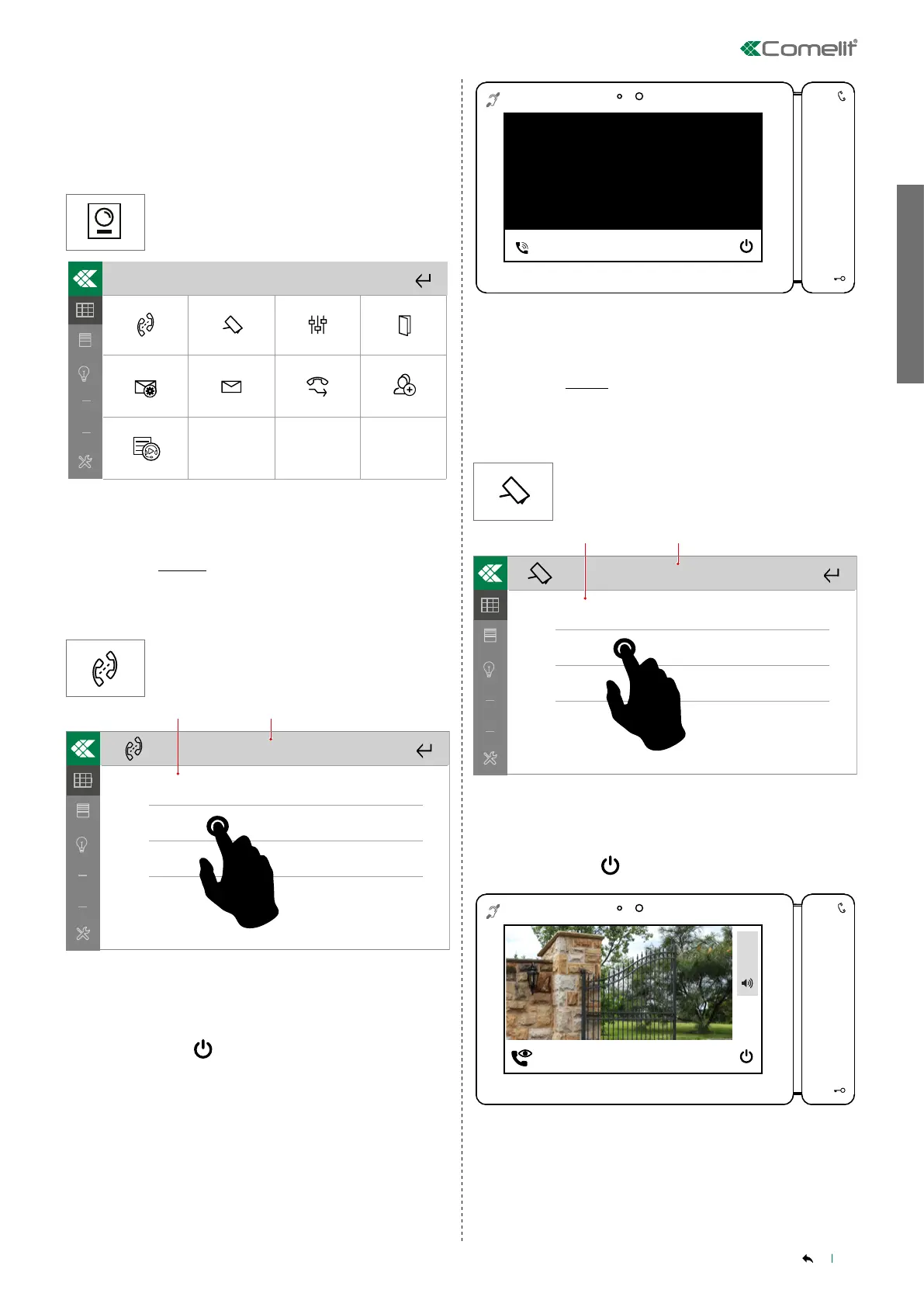
The available menus vary depending on the device mode (master/
slave), the configurations set using ViP Manager software and the
functions enabled manually in local menus.
Press the icon to access the menu.
10/04 16:35
Intercoms
A/V answering service
List of calls
Actuators
Call divert
Cameras
Messages
Doors open
Multiple addresses
______________________________________________________________
INTERCOMS
Door entry system-Intercoms
The menu can be used to make an intercom call to a ViP address
saved in the directory.
Press the icon to access the directory.
Granny
Oce
Tommy
123
In the directory, select the address [1.] you want to call, or enter
the ViP address for the APARTMENT [2.] to begin a general call.
[Option available if enabled via ViP Manager software].
Confirm or cancel by selecting "YES" or "NO"
Finish by selecting
Waiting for an answer....
INTERCOM CALL: 005
______________________________________________________________
CAMERAS
Door entry system-Cameras
The menu can be used to examine the cameras saved in the directory,
by starting playback in real time.
Press the icon to access the directory.
CAM1
CAM2
CAM3
123
Select a camera [1.] from those saved in the directory or enter
the address [2.] to view the images in real time. [Option available
if enabled via ViP Manager software].
Confirm or cancel by selecting "YES" or "NO"
Finish by selecting
In communication....
SELF ACTIVATION: Door 1
+
5
_



 To Next Page