Chapter 3:Installing the Wi-Fi cable modem
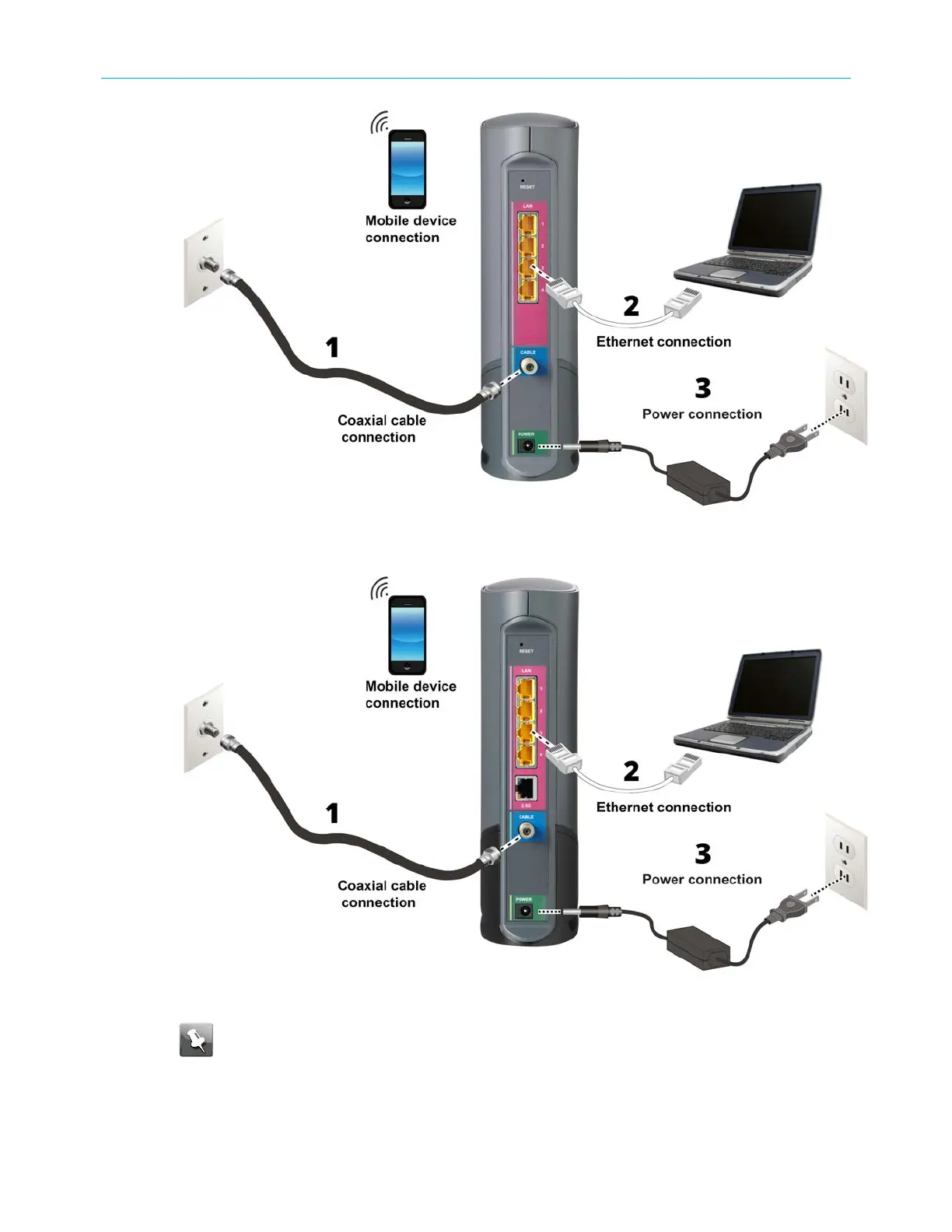
Figure 4a: G34 connection diagram
Figure 4b: G36 connection diagram
Note: The G34/G36 supports using an Ethernet port connection for your data
input in place of an RF cable connection. You will be able to connect to an alternate
Internet connection and use your G34/G36 as your router and Wi-Fi source. This is a
useful feature if you choose to change your Internet service to a provider that is not a
cable operator. You can still use the G34/G36 as your Wi-Fi router.
SURFboard
®
G34/G36 DOCSIS
®
3.1 Wi-Fi
®
Cable Modem User Guide STANDARD Revision x.3 18













 To Next Page