Chapter 7:Protecting & monitoring your Wi-Fi network
Exchange the routing information
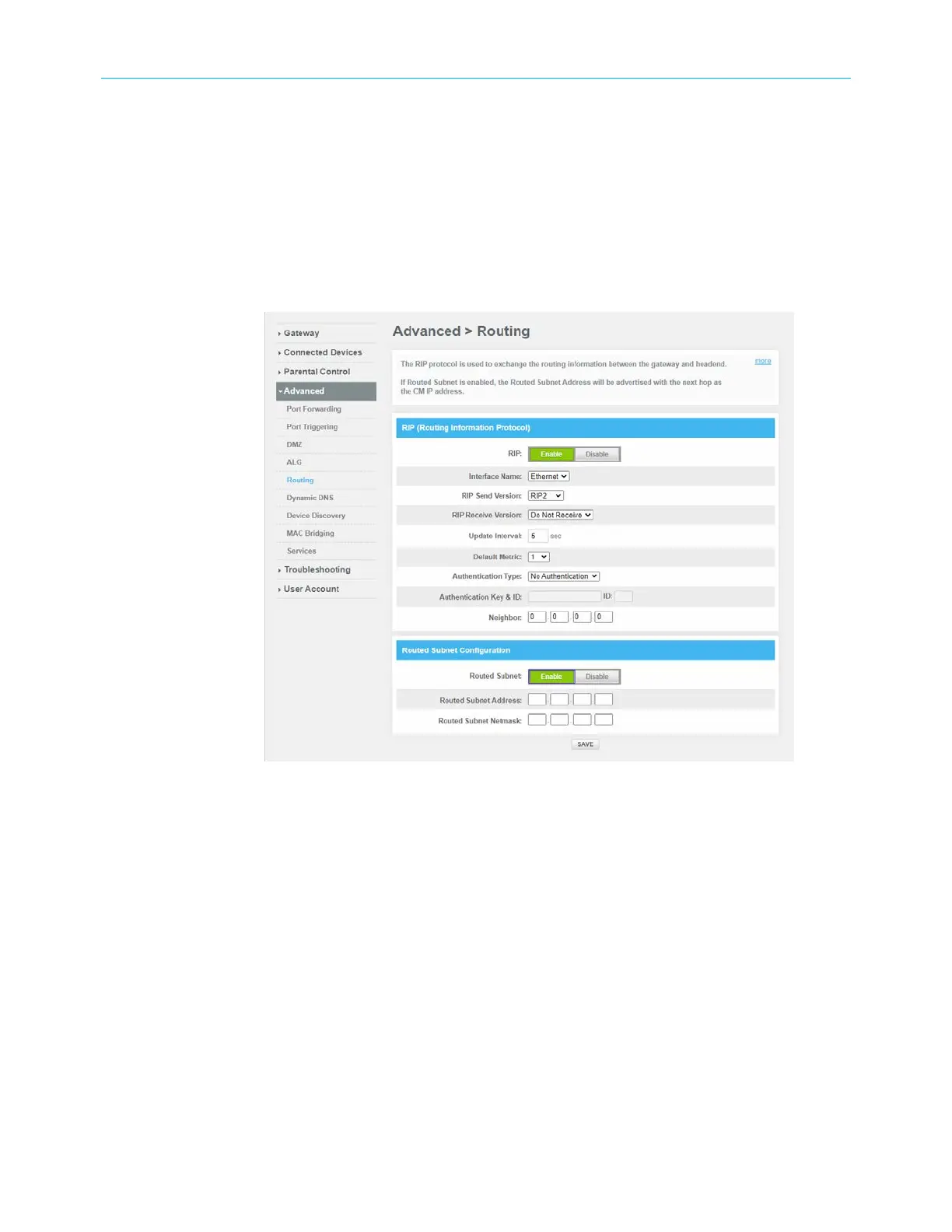
The RIP protocol is used to exchange the routing information between the gateway and the
headend.
To enable routing information:
1. From any G34/G36 Web Manager screen, click the Advanced menu link.
2. Click Routing to display the Routing screen.
Figure 56: Routing Information screen
3. Click Enable button to set up the routing information.
4. Specify the details for the RIP (Routing Information Protocol) and Routed Subnet
Configuration.
5. Click SAVE to save the changes.
Set up Dynamic DNS client
You can configure your Gateway's router functionality as a Dynamic DNS client.
To create as DNS client:
1. From any G34/G36 Web Manager screen, click the Advanced menu link.
2. Click Dynamic DNS to display the Dynamic DNS client screen.
SURFboard
®
G34/G36 DOCSIS
®
3.1 Wi-Fi
®
Cable Modem User Guide STANDARD Revision x.3 61













 To Next Page