Chapter 7:Protecting & monitoring your Wi-Fi network
Restore the G34/G36 default configuration
settings
Warning: This action will delete your current G34/G36 configuration settings and
allow you to restore the default (original) G34/G36 configuration.
Note: After the configuration settings are restored, the G34/G36 will automatically
reboot and you will have to log in using the default username (admin) and your
current admin password.
To open the Restart/Restore Gateway screen:
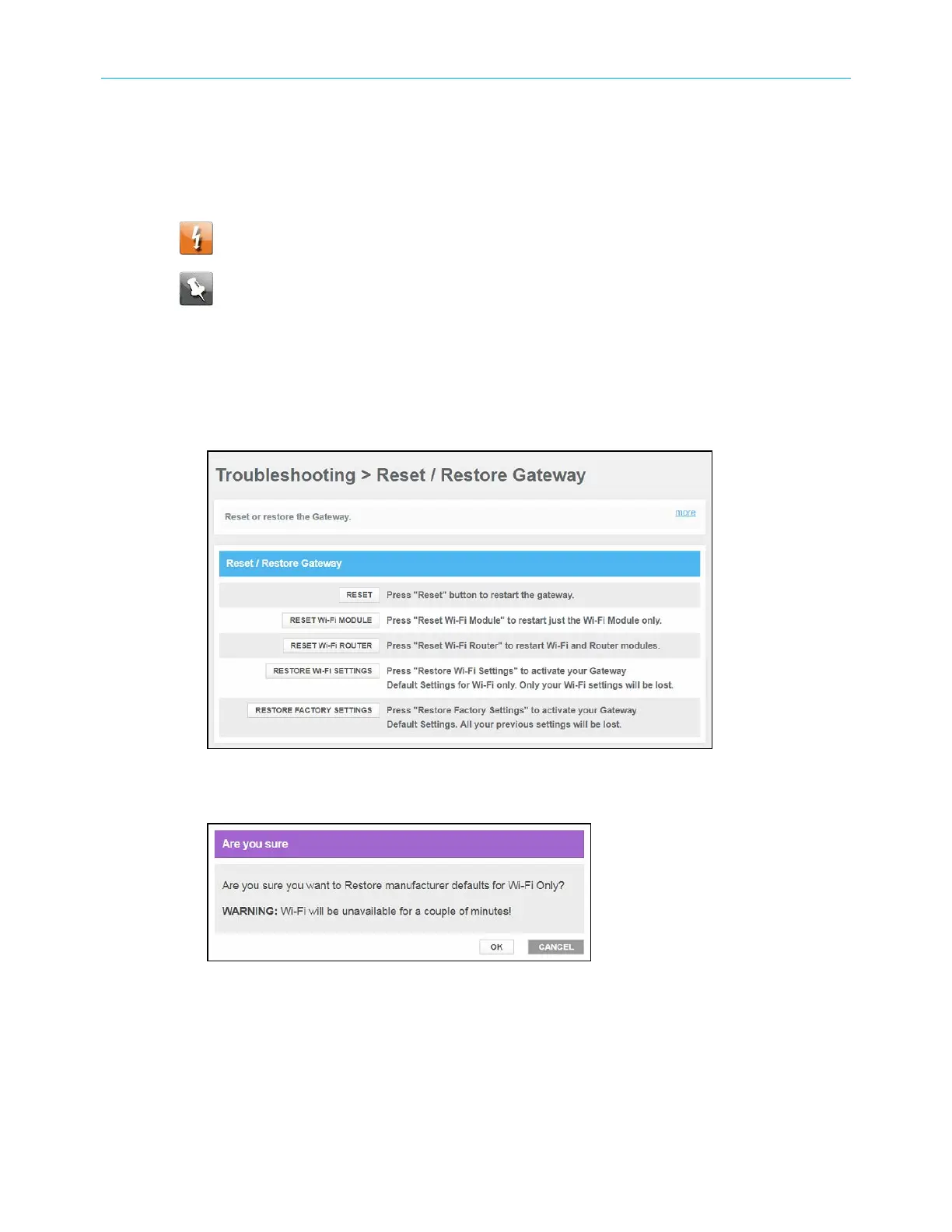
1. From any G34/G36 Web Manager screen, click the Troubleshooting menu link.
2. Click Restart/Restore from the Troubleshooting submenu links to display the
Troubleshooting Restart/Restore Gateway screen.
Figure 54: G34/G36 restore settings screen
3. Click RESTORE Wi-Fi SETTINGS to reset your G34/G36 Wi-Fi settings.
Figure 55: G34/G36 restore settings screen
4. Click OK to restore the Wi-Fi factory defaults.
The Operation in Progress for restarting the Wi-Fi radios message displays.
SURFboard
®
G34/G36 DOCSIS
®
3.1 Wi-Fi
®
Cable Modem User Guide STANDARD Revision x.3 60













 To Next Page