Chapter 6
Configuring your Wi-Fi network
You have the option to either use the default network settings which are unique to your
G34/G36 for security purposes or you can configure different network settings. The G34/
G36 supports a secure method for setting up multiple Wi-Fi networks on your G34/G36.
Set up your Wi-Fi network
1. Open a web browser and log on to the G34/G36 to open the G34/G36 Web Manager.
See Start the G34/G36 Web Manager (first-time login) (page30) for more information, if
necessary.
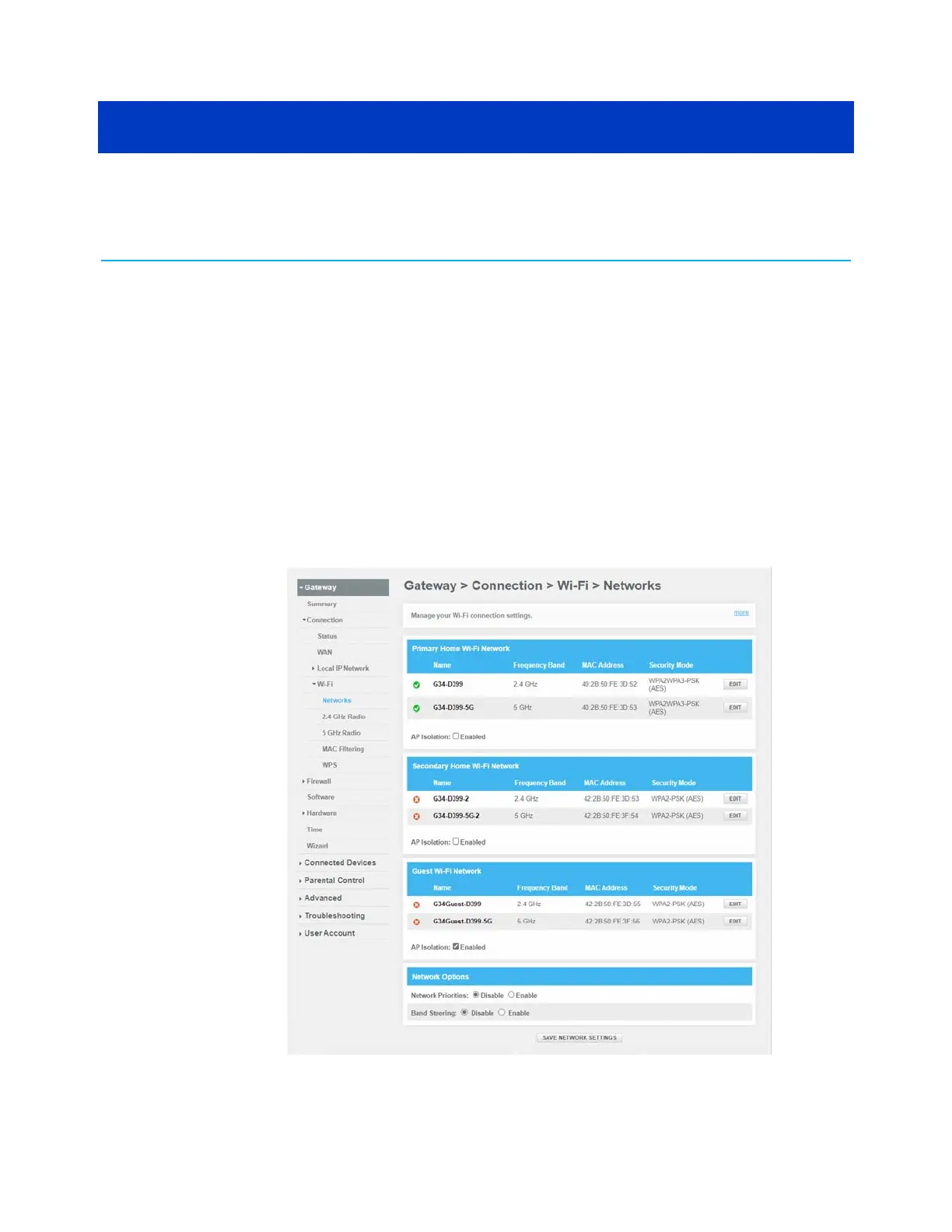
2. Click the menu links Gateway > Connection > Wi-Fi > Networks .
The Gateway Connection Wi-Fi screen appears.
Figure 26: G34/G36 Wi-Fi connection screen
SURFboard
®
G34/G36 DOCSIS
®
3.1 Wi-Fi
®
Cable Modem User Guide STANDARD Revision x.3 38













 To Next Page