Chapter 6:Configuring your Wi-Fi network
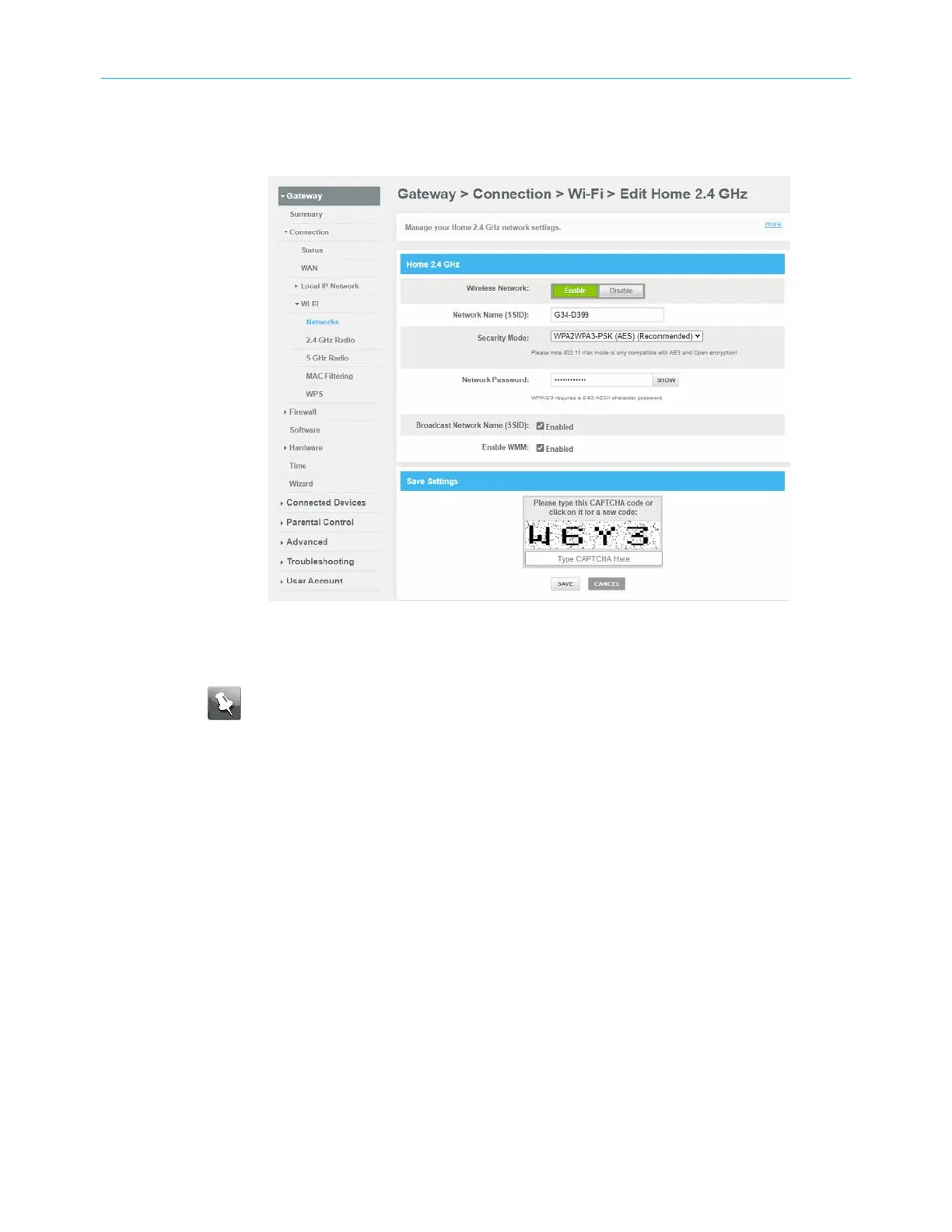
3. To set up the Network Security mode for your Wi-Fi home network, click the Home Wi-Fi
Network 2.4 GHz EDIT button.
Figure 27: Wi-Fi network setup screen
4. Choose to either keep the default network name SSID (Service Set Identifier) for your
Wi-Fi home network in the Network Name (SSID) field or enter a new network name of
your choice.
Note: The Wi-Fi network name cannot be the same name as any other SSID on
your home network. You can use any combination of lowercase and uppercase
letters, numbers, and/or special characters (symbols) up to a maximum of 32
characters.
5. Select one of the following Wi-Fi network security options for your G34/G36 from the
Security Mode drop-down list:
■
WPA2-PSK (TKIP/AES) (Recommended):: Wi-Fi Protected Access version 2 with Pre-
Shared Key (most compatible).
This is the default network security option for your G34/G36. It provides the highest
security and performance for your Wi-Fi network.
■
WPA2-PSK (AES): Wi-Fi Protected Access version 2 with Pre-Shared Key.
■
Open (risky) ; not secure; not recommended: This network security option does
not provide any level of network security for your Wi-Fi network. It allows outside
users to connect to your Wi-Fi network without having to use a Wi-Fi Security Key
(network password).
■
WPA3 Personal (AES): Wi-Fi Protected Access version 3 with Pre-Shared Key.
■
WPA 2/WPA3 Mixed Personal (AES) (Recommended): Combination Wi-Fi Protected
Access version 2 and Wi-Fi Protected Access version 3 and provides additional
network security.
SURFboard
®
G34/G36 DOCSIS
®
3.1 Wi-Fi
®
Cable Modem User Guide STANDARD Revision x.3 39













 To Next Page