Chapter 7:Protecting & monitoring your Wi-Fi network
3. Click the DMZ Enable button to set up the DMZ Host on your home network.
4. Enter the last one to three digits (from 2 to 254) of the IP address of the computer or
gaming device that you are setting up as the DMZ host
5. Click SAVE when you are finished.
Note: To disable the DMZ Host, click the DMZ Disable button and then click
SAVE.
Note: Remember to reset the IP address back to 0 (zero) to close all the ports
when you are finished with the needed application. If you do not reset the IP
address, that computer will be exposed to the public Internet.
Set up the ALG
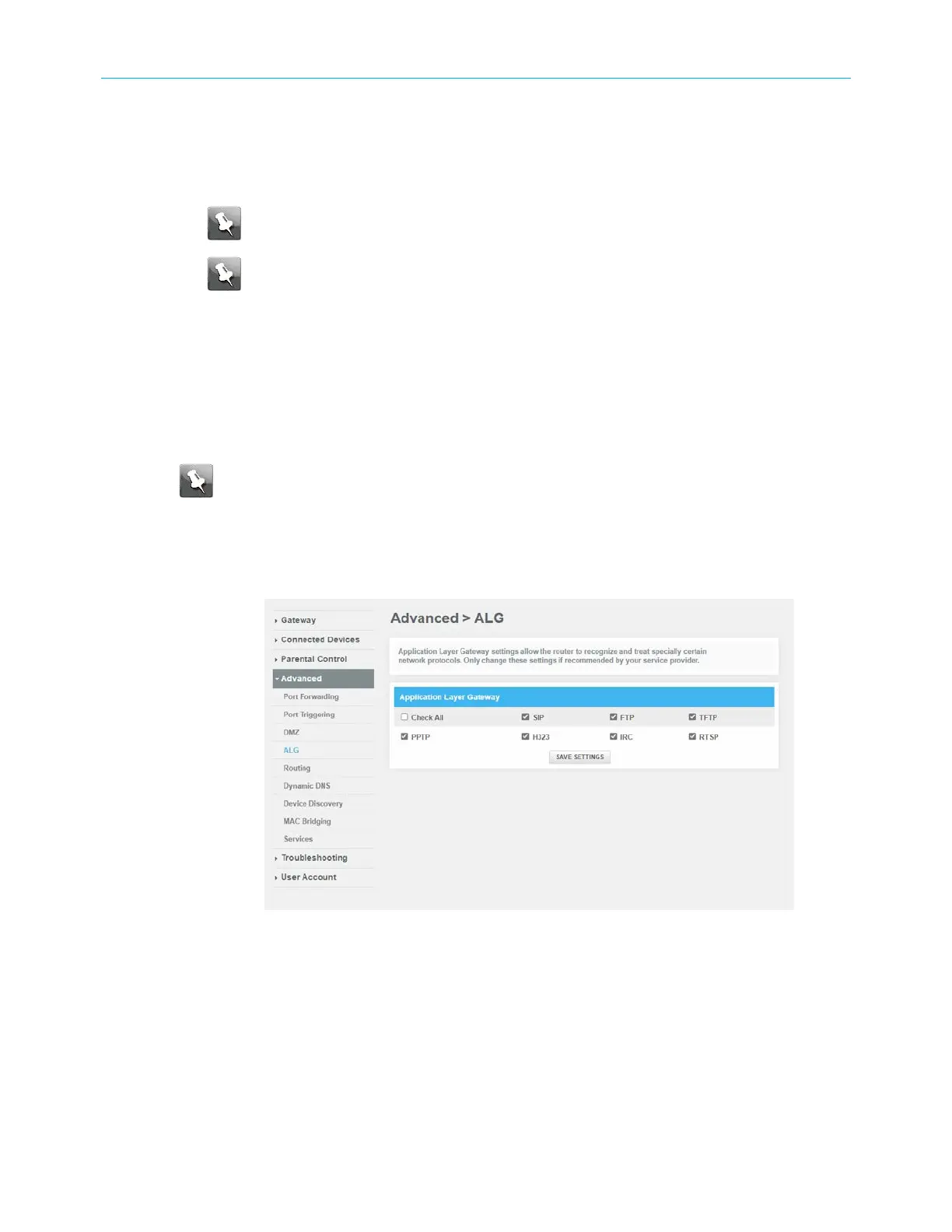
Application Layer Gateway (ALG) allows your router to recognize and treats certain network
protocols .
Note: Please change these settings if recommended by your service provider.
To set up the ALG:
1. From any G34/G36 Web Manager screen, click the Advanced menu link.
2. Click ALG to display the ALG screen.
Figure 53: Advanced ALG screen
3. Click the required check boxes and then click SAVE SETTINGS.
SURFboard
®
G34/G36 DOCSIS
®
3.1 Wi-Fi
®
Cable Modem User Guide STANDARD Revision x.3 59













 To Next Page